

To crop selected image in the PhotoChooserTask all you have to do is set the pixel height and width of the image that you want to crop.
Let us see the steps to perform this task.
Create new project and once everything is ready write the following code:
- PhotoChooserTask open = new PhotoChooserTask();
- open.PixelHeight = 50;
- open.PixelWidth = 50;
- open.Completed += open_Completed;
- open.Show();
- void open_Completed(object sender, PhotoResult e)
- {
- BitmapImage image = new BitmapImage();
- image.SetSource(e.ChosenPhoto);
- cropedImage.Source = image;
- }

That’s it. Once you add the pixel width and height, you will get this nice crop tool, allowing users to select where the image should be cropped.
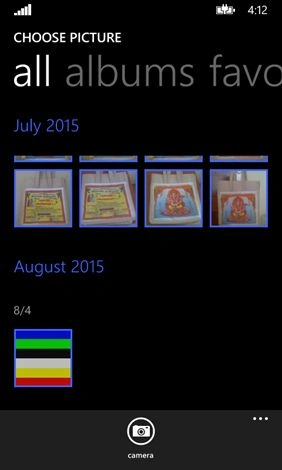
Now while choosing the picture let us see how to provide camera option.
Write the following code snippet.
- PhotoChooserTask open = new PhotoChooserTask();
- open.PixelHeight = 50;
- open.PixelWidth = 50;
- open.ShowCamera = true;
- open.Completed += open_Completed;
- open.Show();
Pradeep Kumar 0Posted Jul 26, 2016, 1:48 PM
Thank you, will try this
Pradeep Kumar 0Posted Jul 26, 2016, 2:16 AM
Hi, any suggestions on how to do this in Windows Phone 8.1
Pradeep Kumar 0Posted Jul 19, 2016, 3:07 AM
This is the code I have written to save selected image to bitmap file, I am not getting any options to set the transform height or width options. Please advise
Pradeep Kumar 0Posted Jul 19, 2016, 3:05 AM
If (args.Files.Count > 0) { IRandomAccessStream fileStream = await myStrFile.OpenAsync(FileAccessMode.ReadWrite); BitmapImage myBitmapImage = new BitmapImage(); myBitmapImage.SetSource(fileStream); myImgBrush.ImageSource = myBitmapImage; ellipse_Pic.Fill = myImgBrush; }
Pradeep Kumar 0Posted Jul 19, 2016, 1:33 AM
I have written the following code to select an image from pictures library FileOpenPicker imgPicker = new FileOpenPicker(); imgPicker.SuggestedStartLocation = PickerLocationId.PicturesLibrary; imgPicker.FileTypeFilter.Add(".jpg"); imgPicker.FileTypeFilter.Add(".jpeg"); imgPicker.FileTypeFilter.Add(".png"); imgPicker.FileTypeFilter.Add(".bmp"); imgPicker.ViewMode = PickerViewMode.Thumbnail; imgPicker.PickSingleFileAndContinue(); How to set the transform properties to an image
Pradeep Kumar 0Posted Jul 19, 2016, 1:30 AM
Hi Suresh,
Pradeep Kumar 0Posted Jul 18, 2016, 12:05 PM
Hi Suresh, How to achieve the same in Windows Phone 8.1?
Artur TPosted Dec 22, 2015, 8:10 AM
Please write to my [email protected]
Artur TPosted Dec 22, 2015, 8:08 AM
how I can change crop_rectangle size?
Santhakumar MunuswamyPosted Aug 4, 2015, 10:07 PM
Thanks for sharing :)