

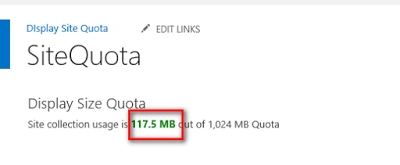
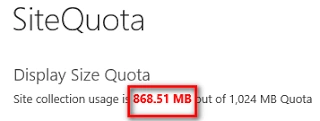
I came across a business requirement where end users can view the site collection quota (or site storage) on the home page.
Business requirement
If the quota site exceeds 70%, then show the quota in amber colour and it exceeds 80%, then show the quota in red colour. It means end users have to clean up the site and purge unnecessary Obviously this cannot be out of the box. While it can be achieved different ways such as:
- Use Server Object model.
- Use Client Object model.
- Deploy custom master page and apply as deployment control.
We can use server side code to achieve this requirement.
Technical Design
A couple of things have to consider and use appropriate approach for this solution. We will need:
- Visual Web Part – place drag drop objects.
- Custom Web Properties – fetch the custom web part used in the web parts for the web site URL.
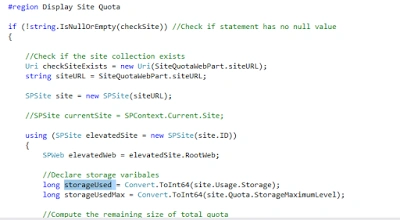
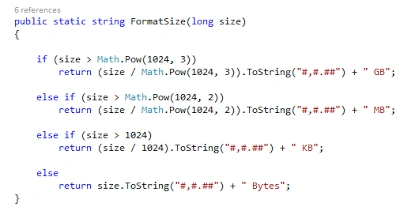
- Access the storage objects (site.Usage.Storage and site.Quota.StorageMaximumLevel) via server object model.
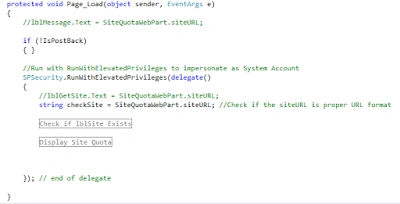
- Storage, audit objects etc. cannot be used contributors or visitors have not enough permissions. In this case we require SPSecurity.RunWithElevatedPrivileges
Step by step
1. Create a new Visual Studio 2015 project >> SharePoint 2013 - Visual Web Part
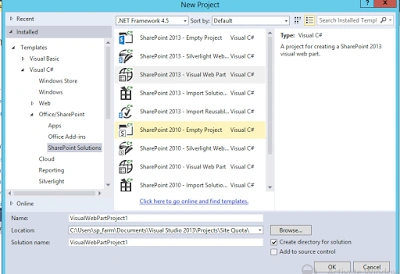
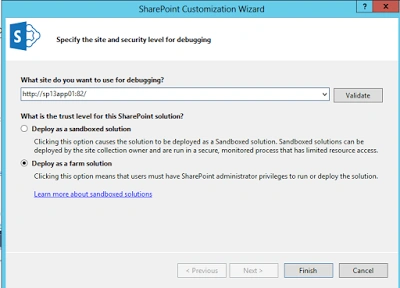
2. Specify the web application you want to deploy this web part to and choose deploy this web past as farm solution for debugging.
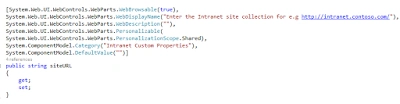
3. Coding for VisualWebPart1.cs.
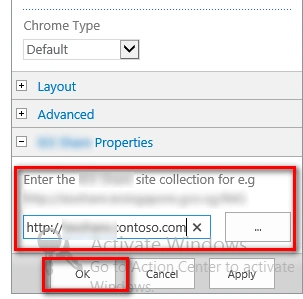
The site collections administrator needs to place website URL for the site that we need to show the site quota for. We need a string variable to hold this variable and name it siteURL.
We also need to web part properties as well.
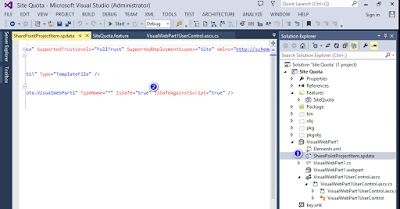
Visual Studio automatically create User Control. In CreateChildControl() method create a VisualWebPart1UserControl object SiteQuotaWebPart is defined on VisualWebPart1UserControl in next step.
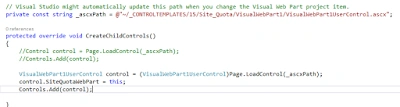
4. Coding for VisualWebPart1UserControl.ascx.cs
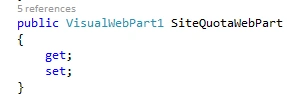
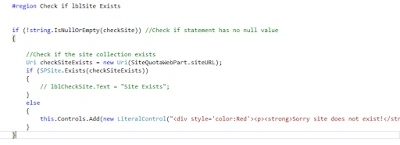
Create a public constructor for SiteQuotaWebPart. Please note, we can't use static variable to pass siteURL values between passing values from VisualWebPart1.cs. to VisualWebPart1UserControl.ascx.cs as the static variable always keep the retain the same value.
Aroh ShuklaPosted Sep 23, 2016, 4:43 AM
Thanks Tarun!
Tarun DPosted Sep 23, 2016, 4:28 AM
Nice one...Thanks for sharing..