


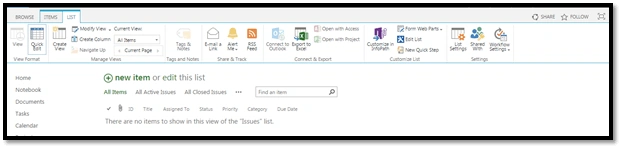
The reason why the Quick Edit option is grayed out in a SharePoint list is because Quick Edit option is not being switched on under Advanced Settings in List settings, as shown below.

Steps to enable Quick Edit
- Go to your SharePoint list -> List Settings, as shown below.
- Now, the page navigates to settings page, find Advanced settings and click it.
- Now, the page navigates to Advanced settings, find the Quick Edit option in the Advanced settings page, as shown below.

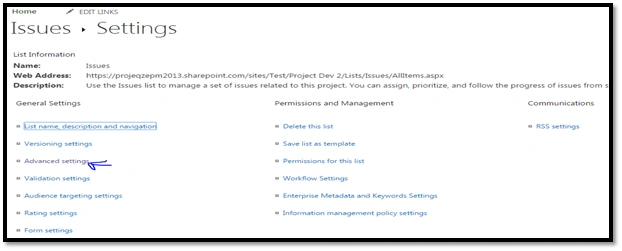

Just turn it on, as shown below and save the list settings.

Result
Thanks for reading my blog. Sharing is caring.
PriyaPosted May 18, 2020, 1:28 PM
In my case, Qucik edit option is missing under Advance Settings. Quick Edit is greyed out. This happens only for Discussion Board list in one of subsites. I am working on SharePoint 2013. What could be the reason for this?
Kimberly ColePosted Mar 4, 2020, 4:15 PM
What if selecting quick edit is still grayed out after following your steps?