

Many a times it is required to find out how many and which items were modified after or before a certain date. It is difficult to get this information out of box. You need to look at all the site items individually and collate the report. The following PowerShell script helps in this scenario. This scenario may come up in migration cases or backup cases where you want to know when the update was last made to a particular site.
#Replace http://win-4f44sec6iug:34480/sites/cs
with
your site
$site=Get-SPWeb-AssignmentCollection$ts-Identity
http://win-4f44sec6iug:34480/sites/cs
$siteChanges=$site.GetChanges()
$total=0
#Loop till there are changeswhile
($siteChanges.Count
-gt0)
write-host“count :"$siteChanges.Count
foreach ($changein$siteChanges){
#'06-04-2013' replace with your date
if($change.Time -ge'06-04-2013')
{
write-host“ID:"$change.Id + " Change Time: ”$change.Time
}
}
# for performance not all changes are given at one go. By default 1000
changes are returned
$token=$siteChanges.LastChangeToken
$siteChanges=$site.GetChanges($token)
When you run this, you will get output like below:
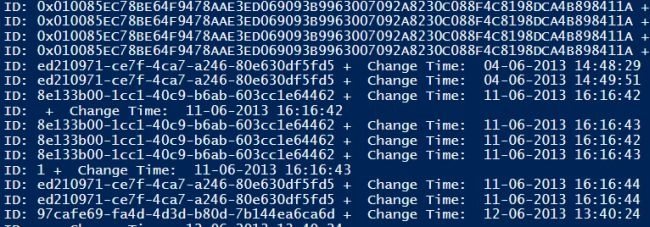
Figure: Result of
items modified for greater than certain date
Join the conversation! Your thoughts help the community grow.