

Focus
on Content:
In SharePoint 2013, you can find a new
button in the top right corner called “Focus
on Content”. This is used to hide
the quick launch, top navigation & title and highlights only the main
content. Click on Focus on Content button
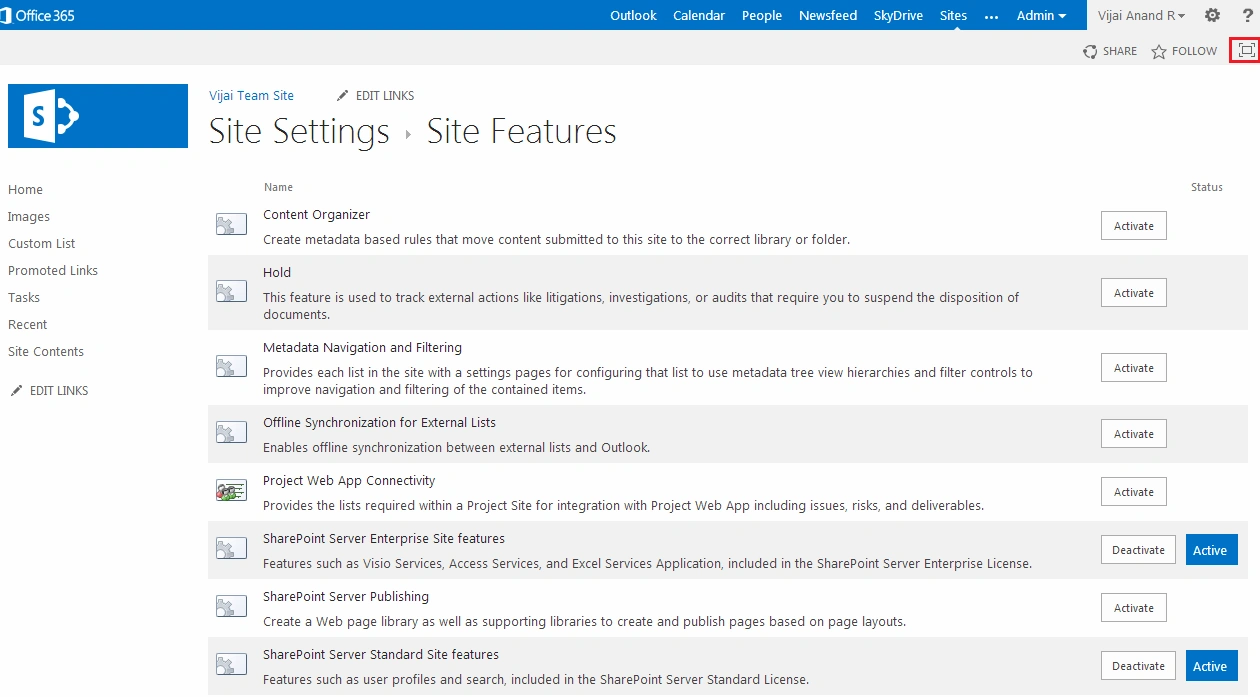
Quick launch, top navigation & title will be hidden and only the main content area will be highlighted as shown below.
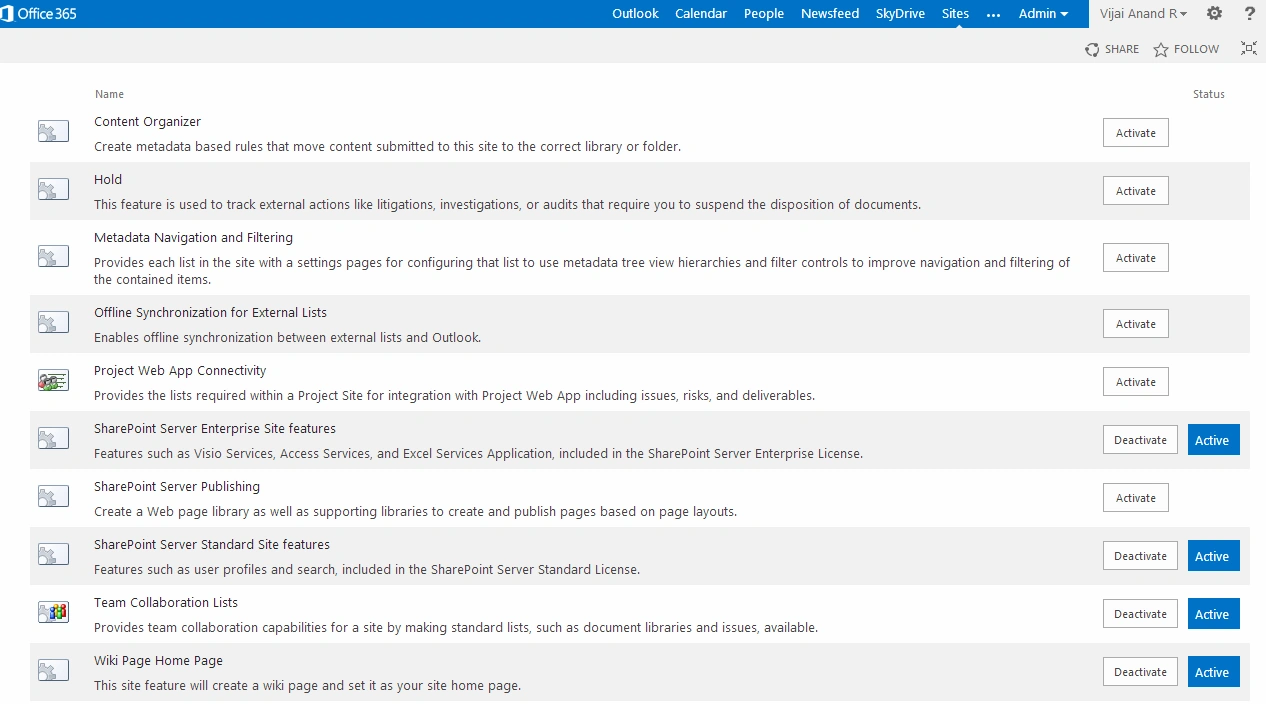
Shortcut Key: Alt+F11
Join the conversation! Your thoughts help the community grow.