

Step 1
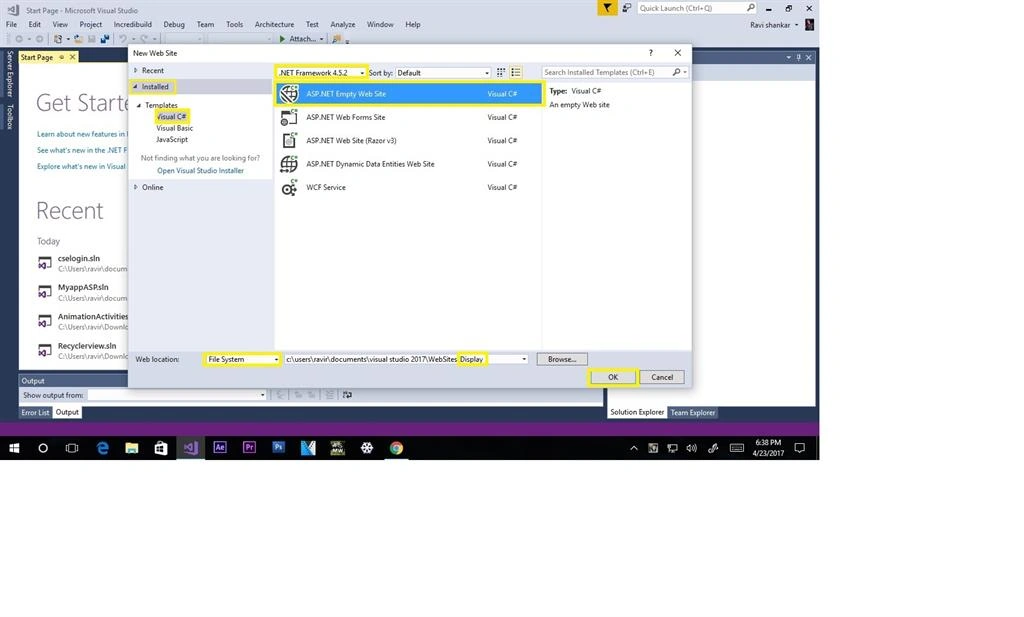
Open Visual Studio. I have visual studio 2017. Enter price, click file, select new layer, then click web sites

Step 2
Select C# languages then select ASP.NET Empty web sites then Web location file system. Create your project name as I have displayed, then finally click ok.
Step 3
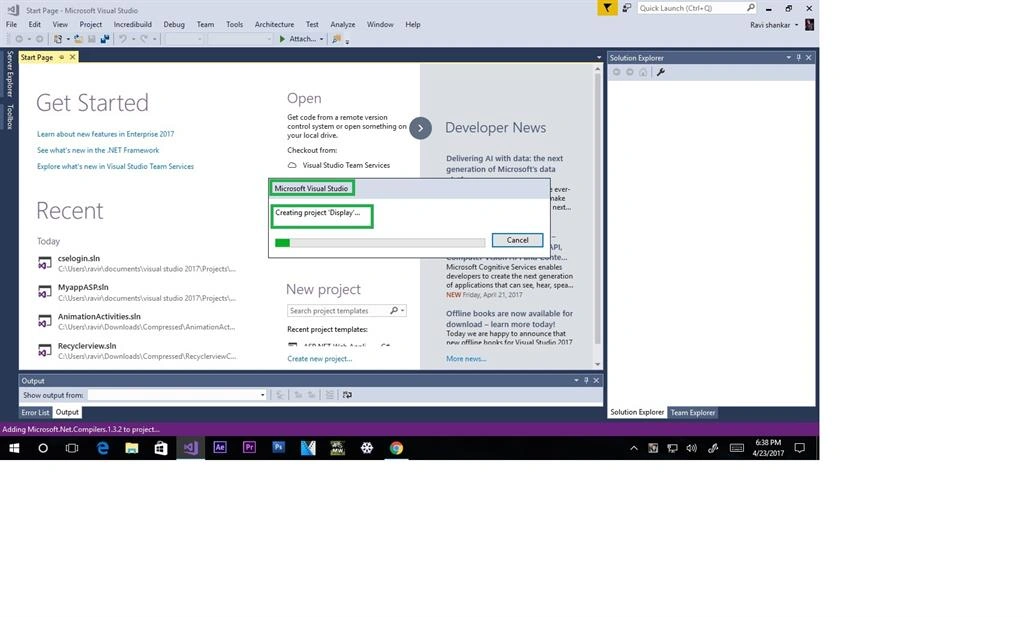
Create your project
Step 4
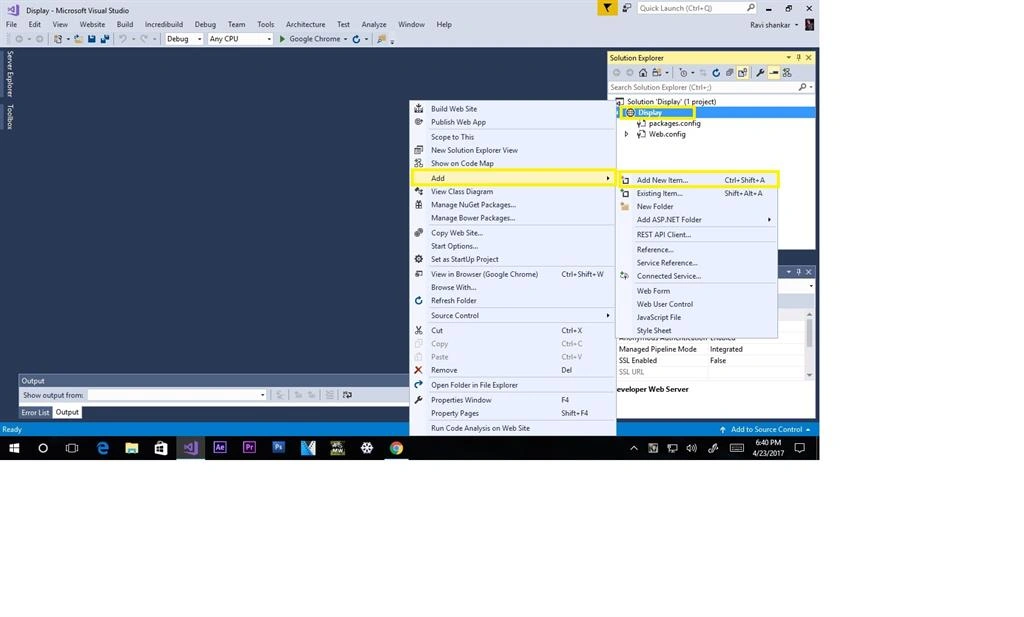
Select display > add >add new items just click it
Step 5
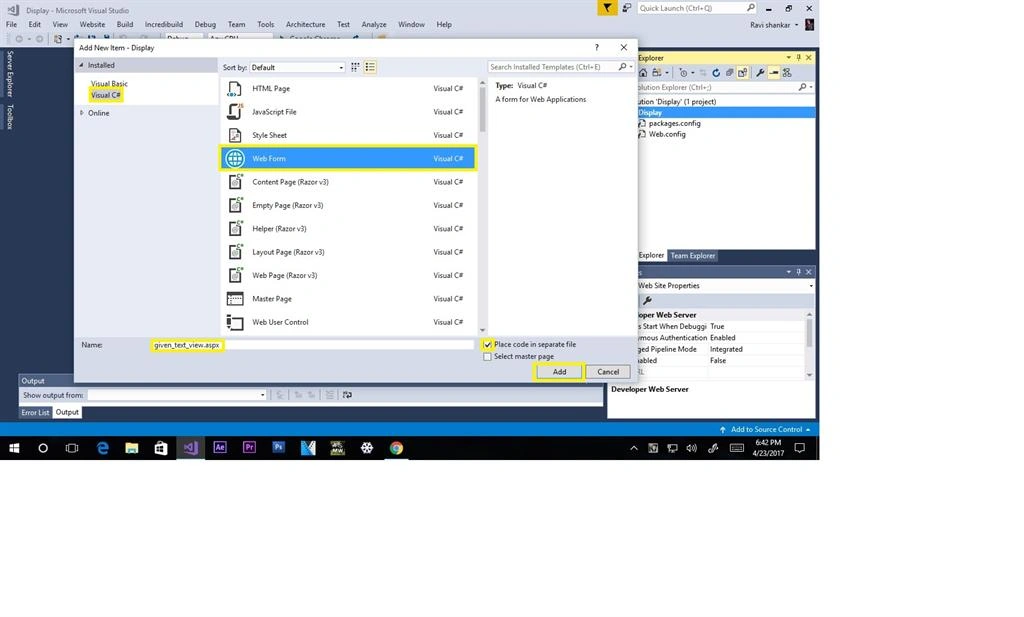
Click give a visual C# then selected on web form application. Rename for give_text_view.aspx
Step 6
View given “give_text_view.aspx” html codes then click design button to pass on designer view
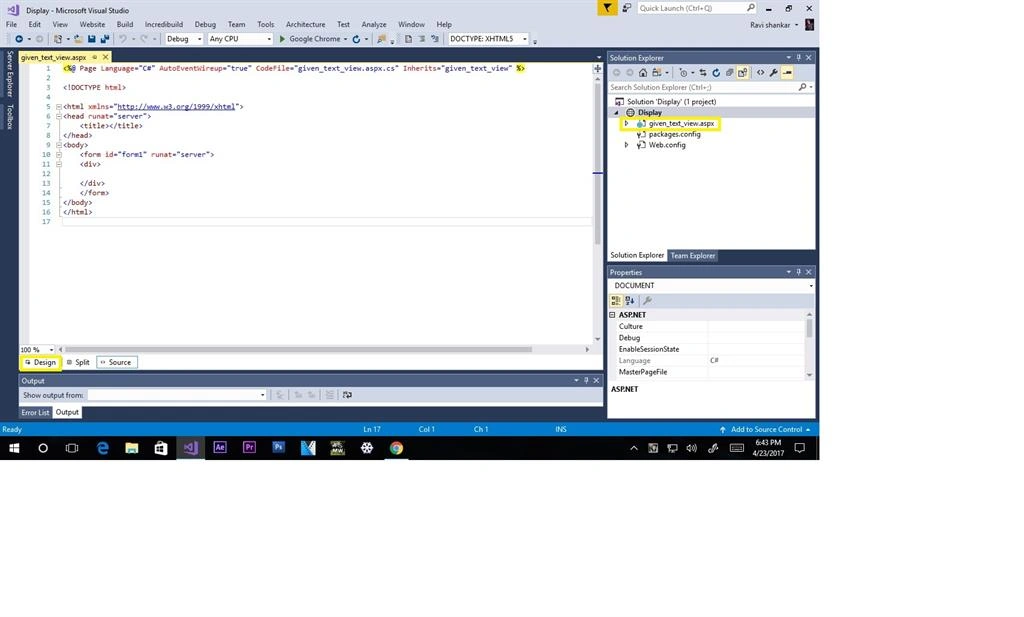
Step 7
Select tool box
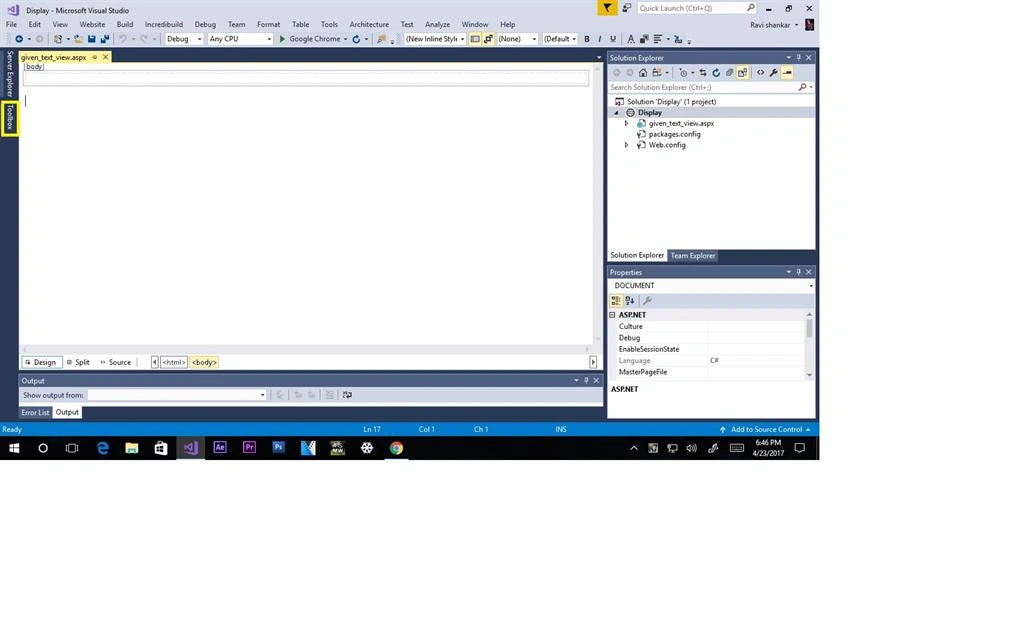
Step 8
Click label box and then drag and drop this label box
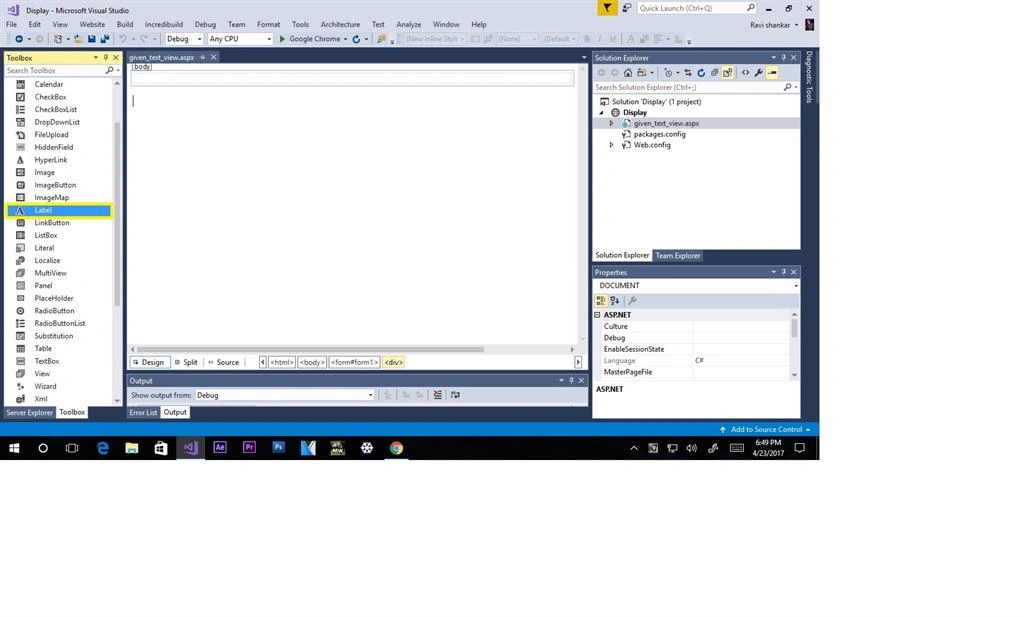
Step 9
View properties box selected here, then view the property box.
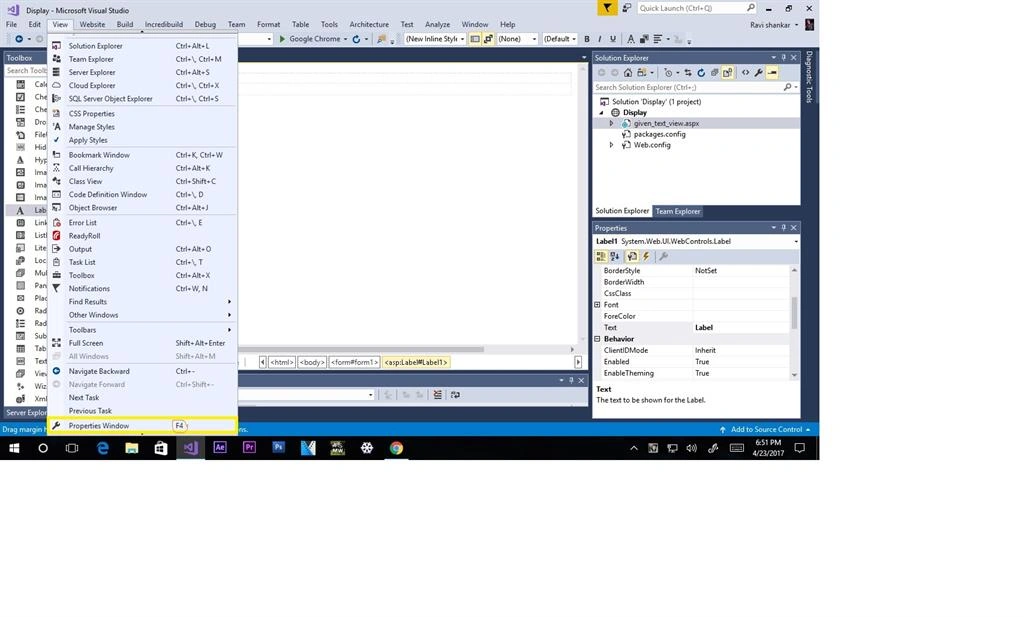
Step 10
Label text "type your string ”
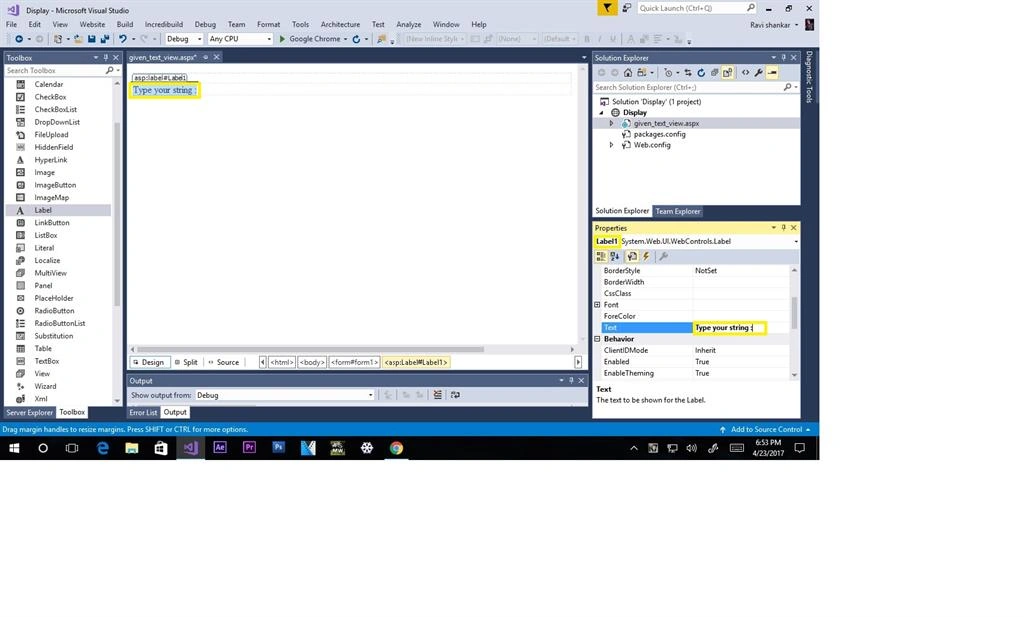
Step 11
View on the ID for Label1
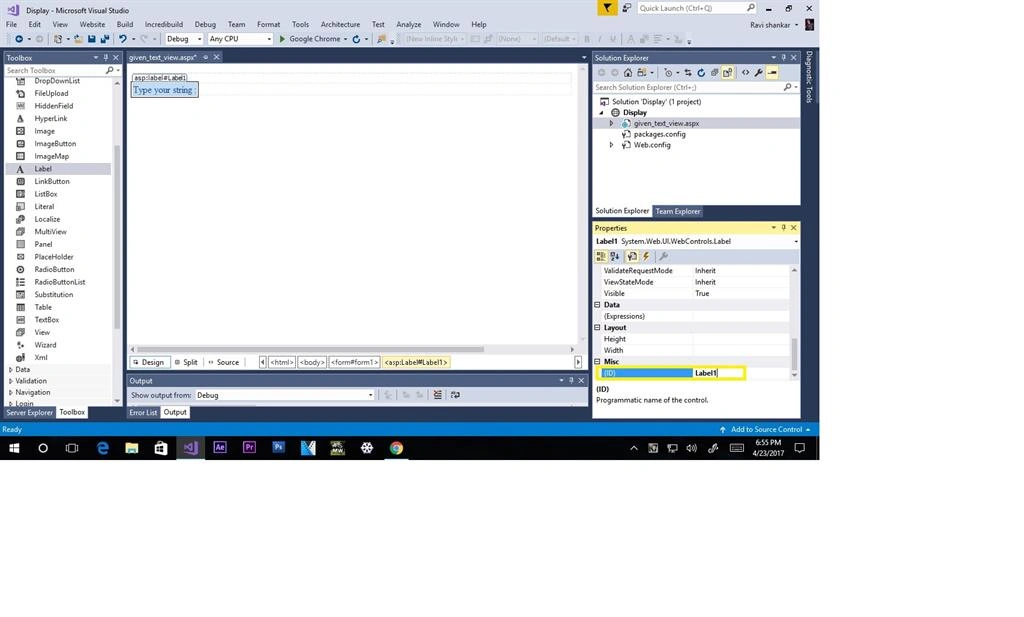
step 12
Select the TextBox from toolbox
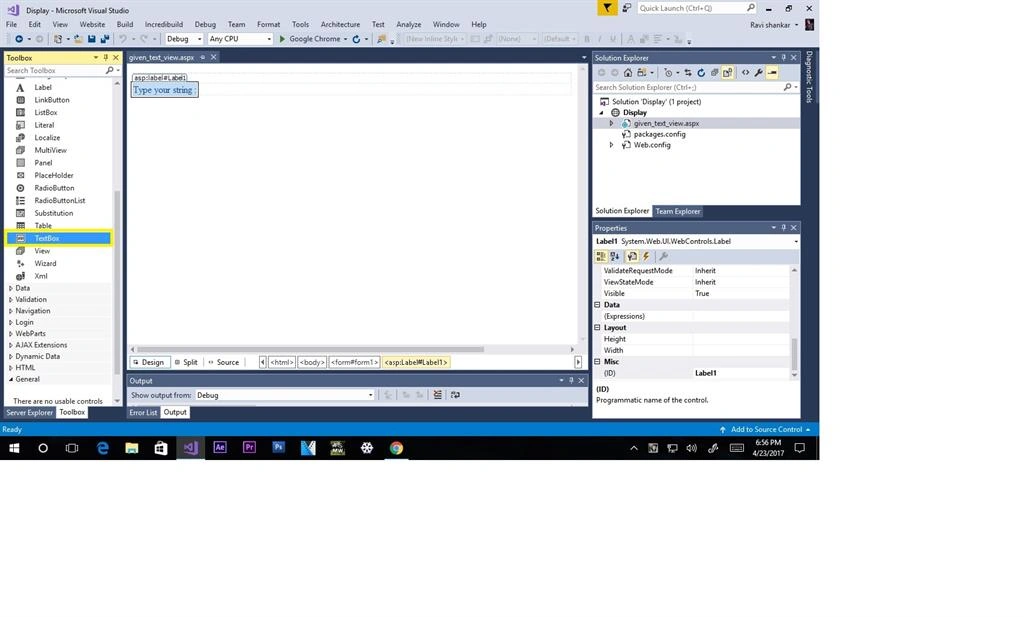
step 13
View text box ID means: TextBox1.
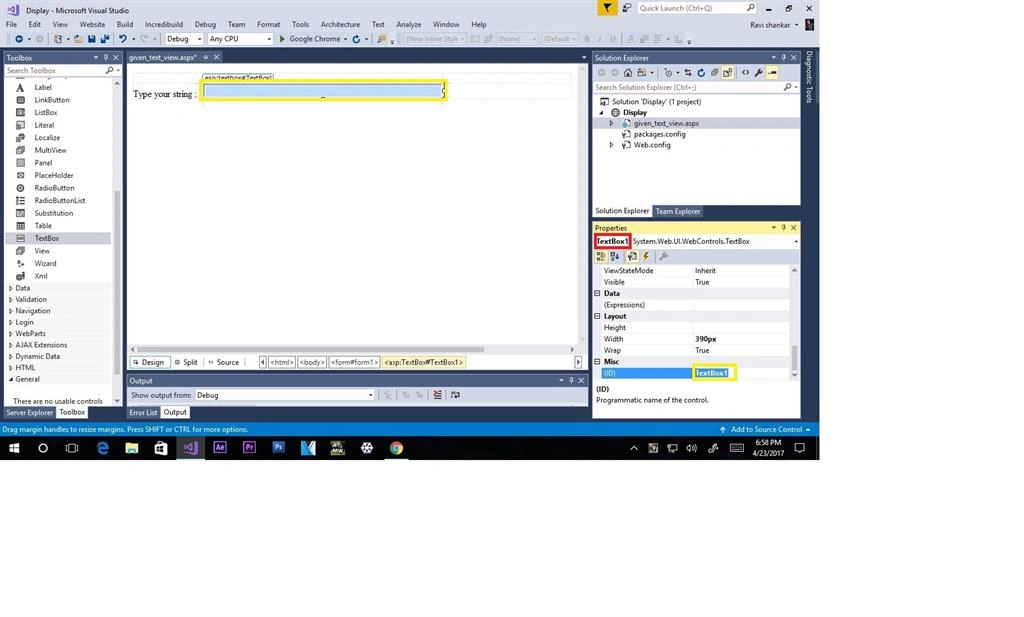
Step 14
Again add to a label box on broad

Step 15
Show for ID Label2 then: Results given string here!!!

Step 16
Next step for adding to the button control text change for Click me!!! ID means button1
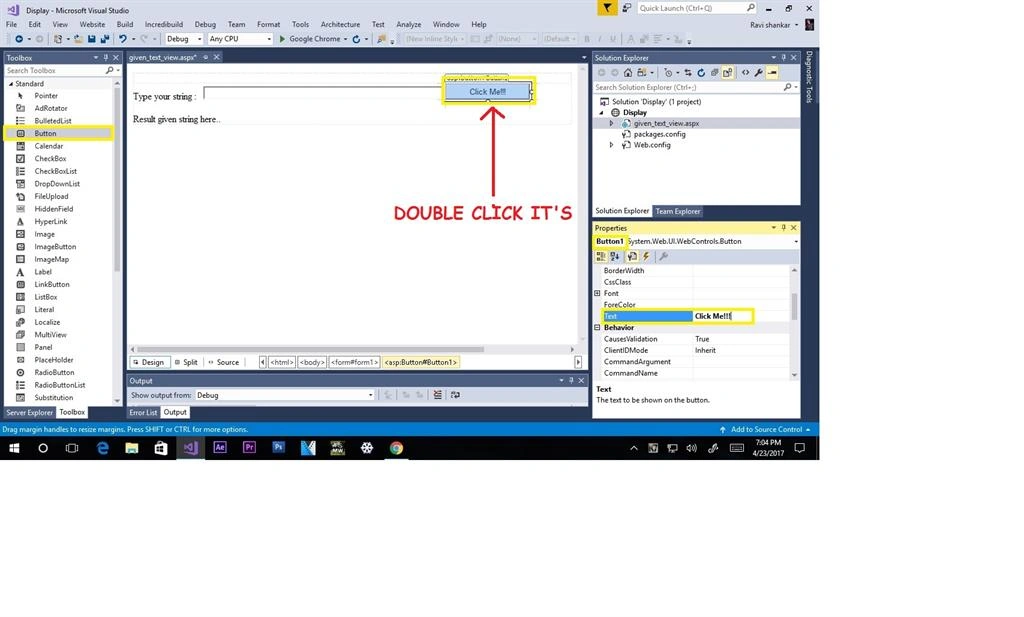
Step 17
Show your .cs file select the area
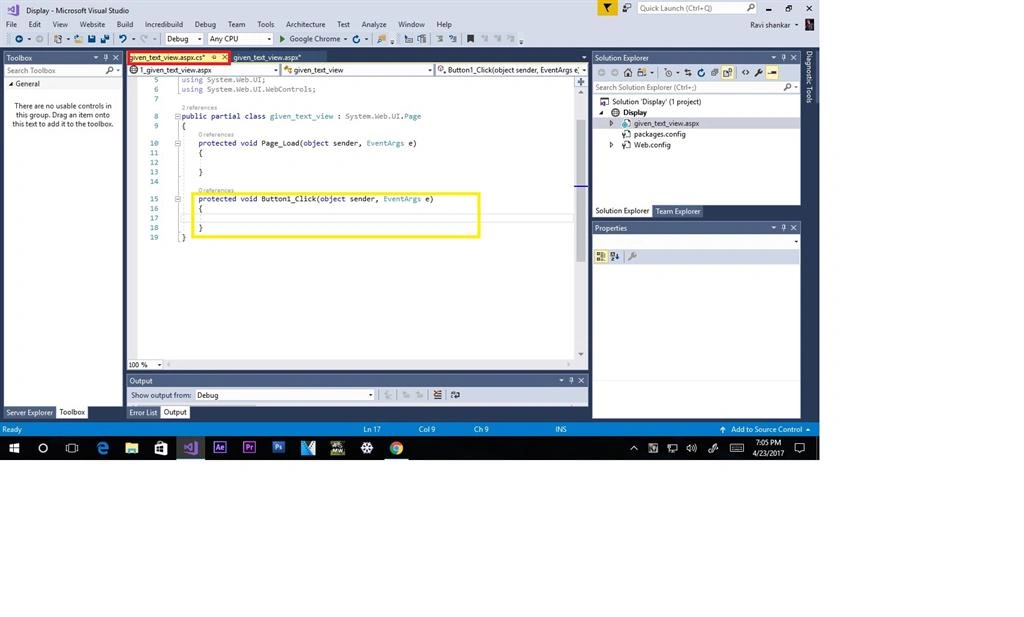
Step 18
Select given area to implement the code give below
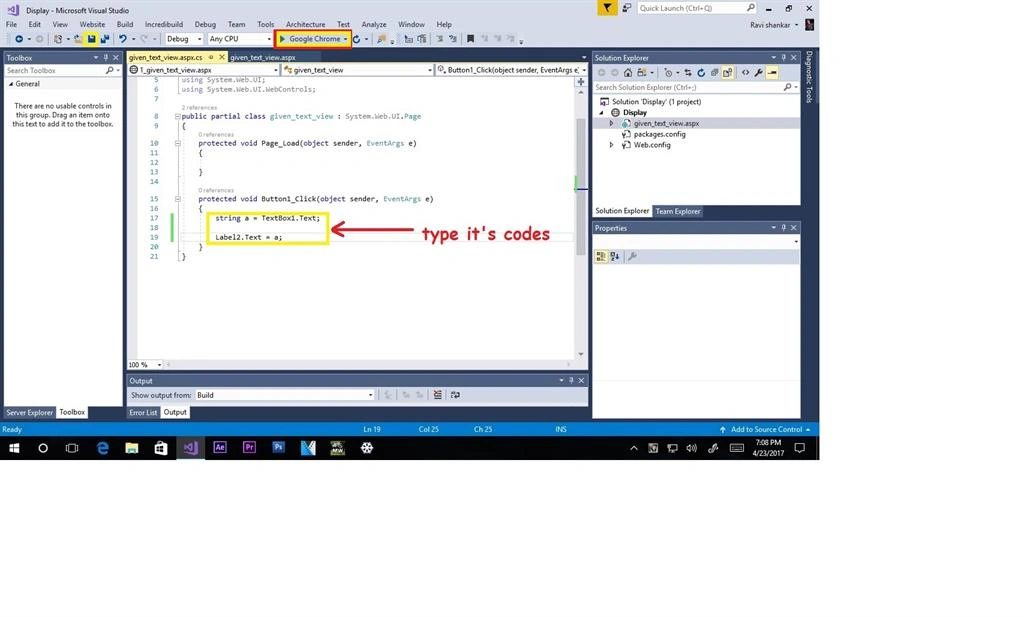
code
string a = TextBox1.Text;
Step 19
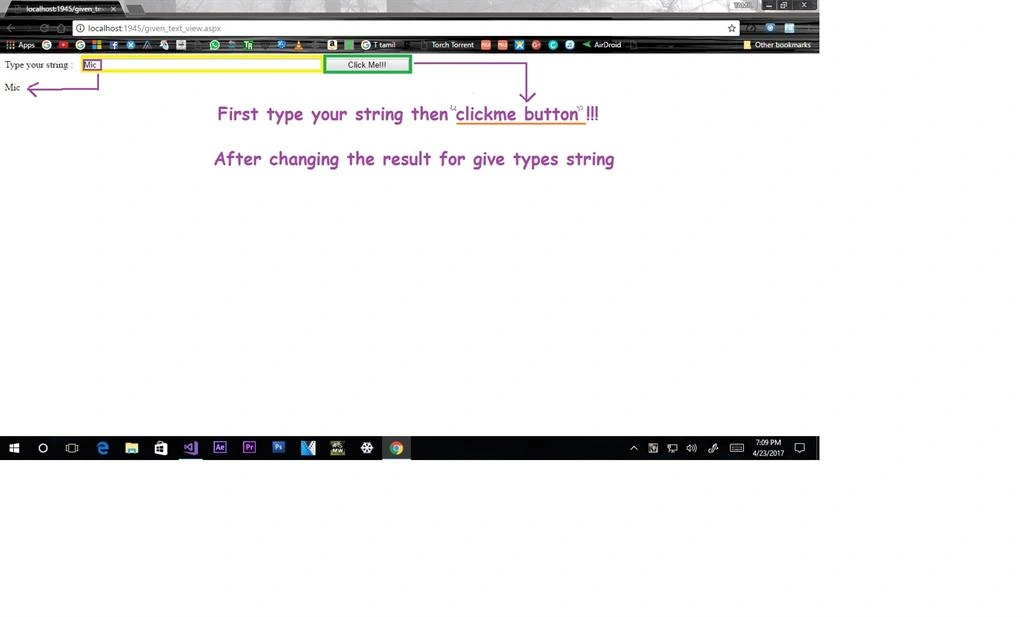
Select your browser click here success full on to open the browser for your designer file
I type for mic to result for the label box 2 view (mic)àgiven typing strings
Join the conversation! Your thoughts help the community grow.