

Introduction
In Power Platform, every environment has a Default Solution.
All apps, flows, tables, and other components are stored there by default.
When working on a project, we usually create a custom solution to manage properly.
Sometimes, the required component already exists in the Default Solution. Instead of recreating it, we can simply add it to our solution.
This blog explains how to add any existing object from the Default Solution to a main solution.
Steps to Add Existing Objects to a Solution
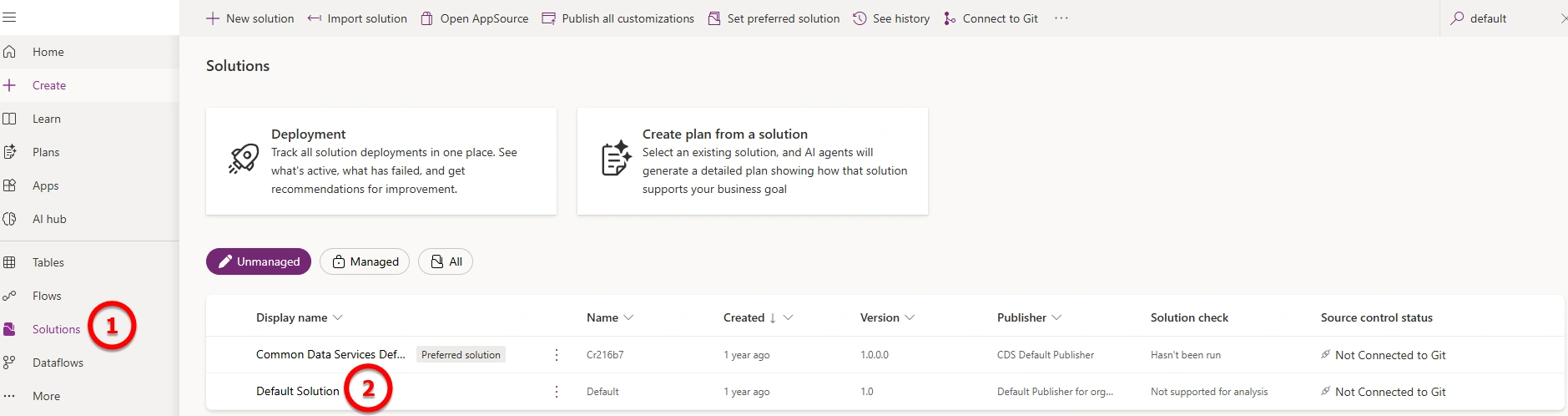
Step 1: Open Default Solution
Go to make.powerapps.com.
Click on Solutions.
Open the Default Solution.
Step 2: Find the Component in Default Solution
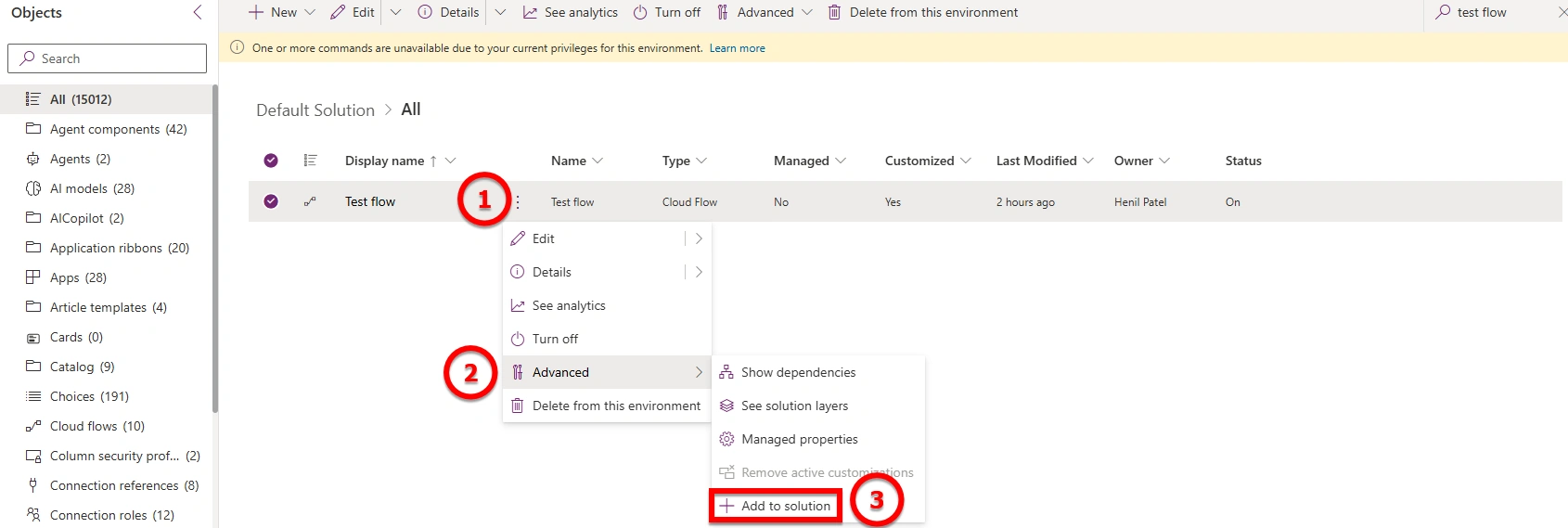
In the Default Solution, search for the component you want to add to another solution
Click on the three dots (⋯) next to the component
Select Advanced
Click Add to solution
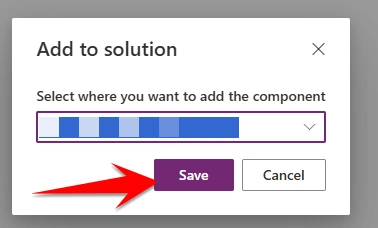
When you click Add to solution, a popup will appear.
From this popup, select the solution where you want to add that component and click Save.
Result
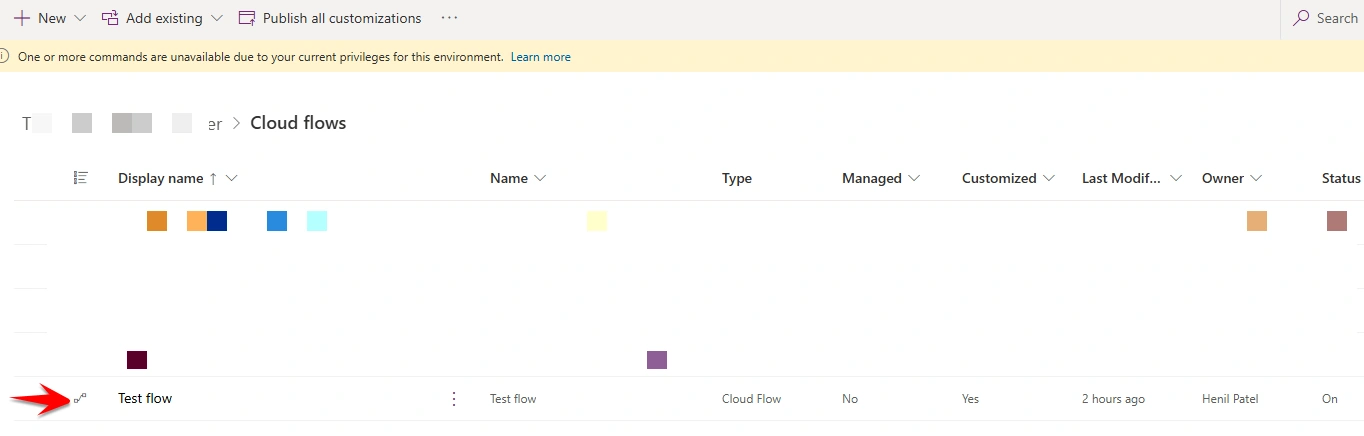
Go to your main solution, and you will see that the selected component has been added successfully.
Additional Reference
If you want to learn how to remove unnecessary components from a solution (without deleting them from the environment), I have already written a detailed article on this topic.Read it here
Join the conversation! Your thoughts help the community grow.