

First, we need to add two namespaces:
- using System.Drawing;
- using OfficeOpenXml.Drawing;
Example
- Image img = Image.FromFile(@"D:\sample.png");
Now, the next thing that hits our mind is that image is an abstract class and we never create an instance of abstract class. So, the above line violates the rules of Object Oriented Programming(OOP) concept.
The answer is - No, OOP concept is still valid for this above line.
This is because the real fact that Image.FromFile(@"D:\sample.png") returns an image reference variable. It does not mean that it returns an instance of abstract class. It can only return a subclass (means that class is inherited) of abstract Image class.
The method FromFile(@"D:\sample.png") determines what it returns based on what it finds in the file and gives to the subclass of Image class. I think now your concept is much clearer.
Next lines,
This is because the real fact that Image.FromFile(@"D:\sample.png") returns an image reference variable. It does not mean that it returns an instance of abstract class. It can only return a subclass (means that class is inherited) of abstract Image class.
The method FromFile(@"D:\sample.png") determines what it returns based on what it finds in the file and gives to the subclass of Image class. I think now your concept is much clearer.
Next lines,
- int RowIndex = 4;
- int ColIndex = 2;
- ExcelPicture pic = wsSheet1.Drawings.AddPicture("Picture_Name", img);
- pic.SetPosition(RowIndex, 0, ColIndex, 0);
Here, ExcelPicture is seal class and it is inherited from ExcelDrawing class. Here, Drawings property is the type of ExcelDrawings class and assigns a property of ExcelSheet class object wsSheet1.
In the next line, if we go to the definition of ExcelPicture class, as we can see - it has no SetPosition(RowIndex - 1, 0, ColIndex - 1, 5) method. This method is given from parent class ExcelDrawing.
Here, SetPosition() is two overloaded versions. We have already seen the first overload method; it accepts SetPosition(int RowIndex, int RowOffsetPixels, int ColIndex, int ColumnOffsetPixels) & second overload is SetPosition(PixelTop, PixelLeft), both parameters are int type. PixelTop count the pixel from top & PixelLeft count the pixel from the left size of your computer screen.
For Example
Note
Resizing columns and rows after using SetSize(int percent) function will affect the size of picture.
For example -
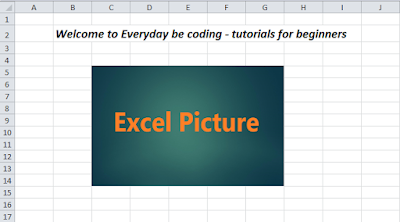
In the next line, if we go to the definition of ExcelPicture class, as we can see - it has no SetPosition(RowIndex - 1, 0, ColIndex - 1, 5) method. This method is given from parent class ExcelDrawing.
Here, SetPosition() is two overloaded versions. We have already seen the first overload method; it accepts SetPosition(int RowIndex, int RowOffsetPixels, int ColIndex, int ColumnOffsetPixels) & second overload is SetPosition(PixelTop, PixelLeft), both parameters are int type. PixelTop count the pixel from top & PixelLeft count the pixel from the left size of your computer screen.
For Example
- ExcelPicture pic = wsSheet1.Drawings.AddPicture("Picture_Name", img);
- int PixelTop = 88;
- int PixelLeft = 129;
- pic.SetPosition(PixelTop, PixelLeft);
Note
Resizing columns and rows after using SetSize(int percent) function will affect the size of picture.
For example -
- int Width = 320;
- int Height= 200;
- pic.SetSize(Width, Height);
- pic.SetSize(40);
Source code
Kshitij BishtPosted Sep 23, 2021, 3:32 PM
Please help me adding watermark in excel using epplus
sathiya rajPosted May 28, 2018, 1:25 AM
Work Fine in local host only.But its not Working in iis 8 after hosting.
Shovan SahaPosted May 4, 2017, 12:48 PM
This is nice. But I have another query. I have written an application through C# in visual studio 2015 with MS Access database. I want to use this in another computer which has no connection on LAN or Internet. How can i use this in another computer?
Former memberPosted May 3, 2017, 5:25 AM
Good article. will you please start a article on openxml to create excel and power point file with data from c# application. thanks
Waruna ManjulaPosted May 2, 2017, 10:20 PM
Good article............