

In SharePoint 2013, we have Task Content type that allows us creating a task list. The bad thing about the Task Content Type is that it allows duplicate values as Task names. To avoid that, we need a field which exactly will work like task name or Title field.
For that, you need to create a new column and name it as: "Task”. Then, enforce unique values in the Task column.
However, it will still have issues such as - it will miss the feature to link to edit item, link to view item, and add to time line. To enable those features to the column, we can use a small PowerShell script given below.
- Add-PSSnapin "Microsoft.SharePoint.PowerShell"
- #Get the web
- $SourceWebURL = "http://klmn/sites/rst/";
- $Spweb = Get-SPWeb $SourceWebURL;
- #update based on your list
- $ListName="TaskList1";
- $FieldName="Task";
- $SPList = $Spweb.Lists[$ListName];
- $field=$SPList.Fields[$FieldName];
- $field.ListItemMenu = $true;
- $field.ListItemMenuAllowed = 1;
- $field.Update();
- $SPList.Update();
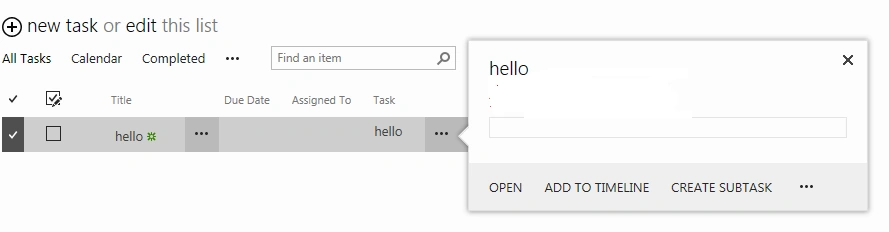
Fig 1: Both, Task field and Tile field, are showing all the same features but the Task field enforces unique values.
josh sullivanPosted Apr 20, 2021, 4:29 PM
The existing Task Name field is required for me.