

This blog is to change the background color of query editor and change the text color.
For this you have to follow these steps given below.
Step-1
Open SQL Server Management Studio and go to Tools

Step-2
Click Tools menu

Step-3
Click on option.
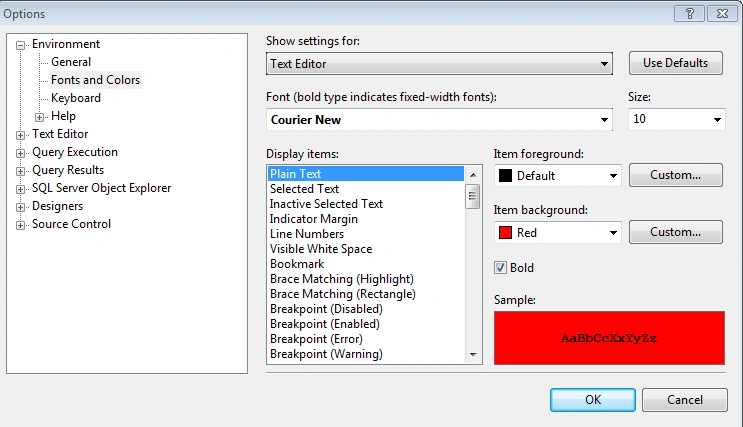
Now here you can set your background and Text color.
After Click OK.
Join the conversation! Your thoughts help the community grow.