

This configuration will help the admins to review the product and patch installation status in the Central Admin Server.
How to view?
Let’s open Central Admin of SharePoint on your machine. On your Windows desktop screen, click Start >> Administrative Tools >> SharePoint 2013 Central Administration.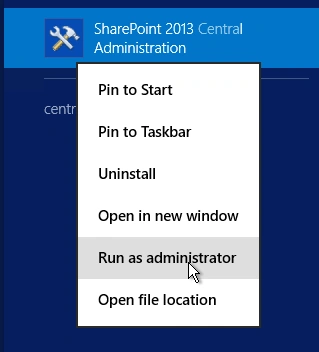
- Run it as an administrator to have elevated privileges.
- You will see the screenshot given below.
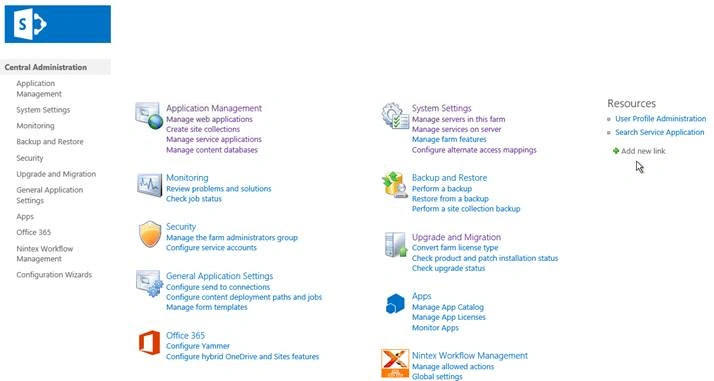
- Central Admin is configured under the categories given above.
- Click on "Upgrade and Migration".
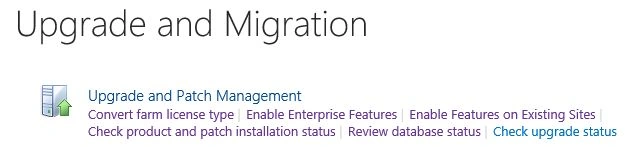
- Go to "Upgrade and Patch Management".
- Click on “Check product and patch installation status“.
- You will see the screen below.
Configure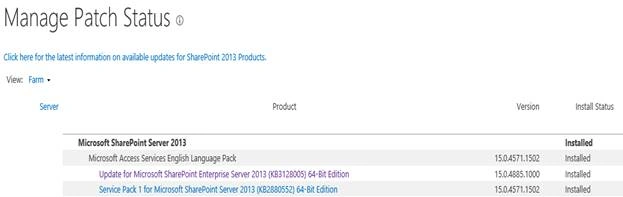
Here, we will see the status of the patch or a product if it’s installed or in progress.
In this article, we saw how to check product and patch installation status in SharePoint 2013 Central Administration. There are more articles to come on Central Administration. Until then, keep reading and keep learning!
Join the conversation! Your thoughts help the community grow.