

Master Page is the template or theme of our website which is designed with different client side languages like HTML, CSS, JavaScript & AJAX etc. Once we design the master page we can inherit multiple web pages from it.
A Web Page Basically Divides Into Main Three Parts:
- Header
- Main Body
- Footer
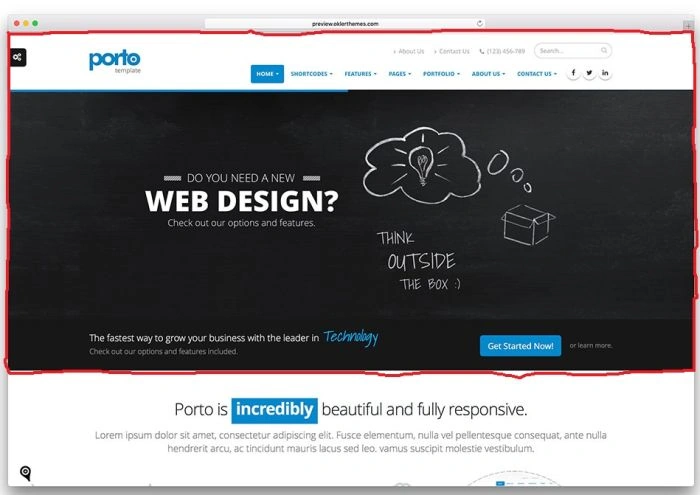
Header Consists of Most Upper Portions of the Website, Which Consists Of Main Headings and Drop down Links Of Website E.g:
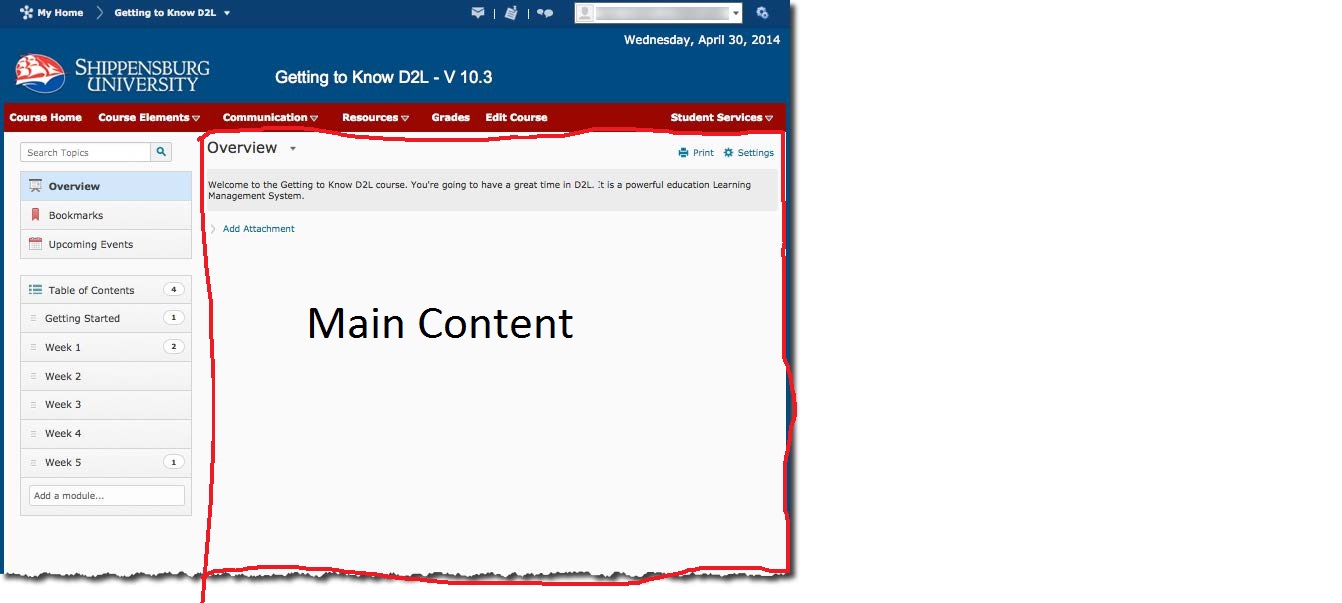
Main Content Is The Central Part Of The Website Where Data Is Dynamically Changed With Different Pages. Every page has its own Main Content Like this:
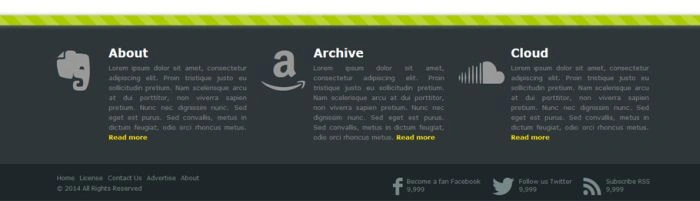
Footer Is The Lowest Part Of the Website which Contains the Publishing Details and Links Of References E.g:
Now We Just Design The Master Page and Make the Main Content Place Holder Empty Because Every Page Puts its Own Content In According to its Concern.
Open Visual Studio 2015:
Step 1: Create A New Project in Web.
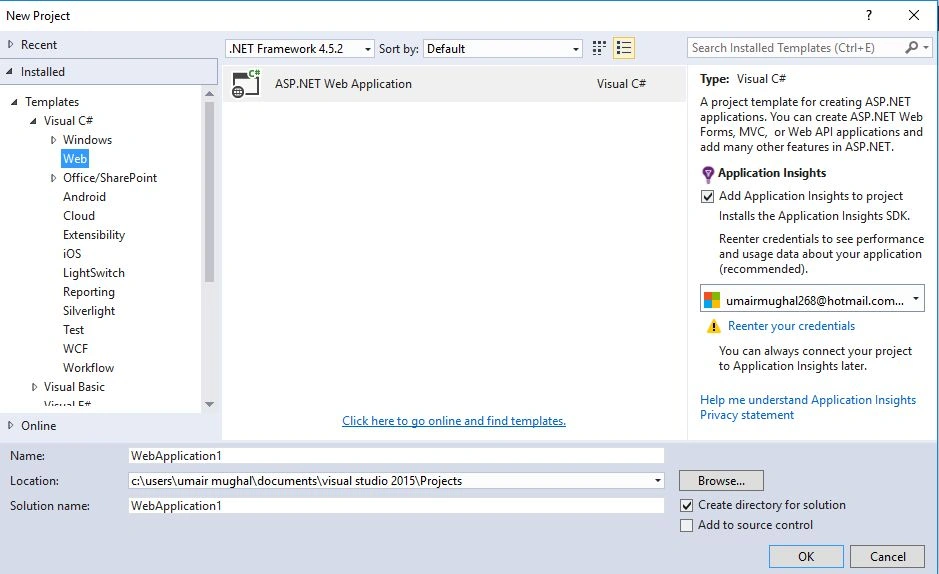
Step 2: Choose Empty Form and click ok.

Step 3: There will be a empty project open and Now Add A Master Page By Right Clicking on Project and Adding a New Item.
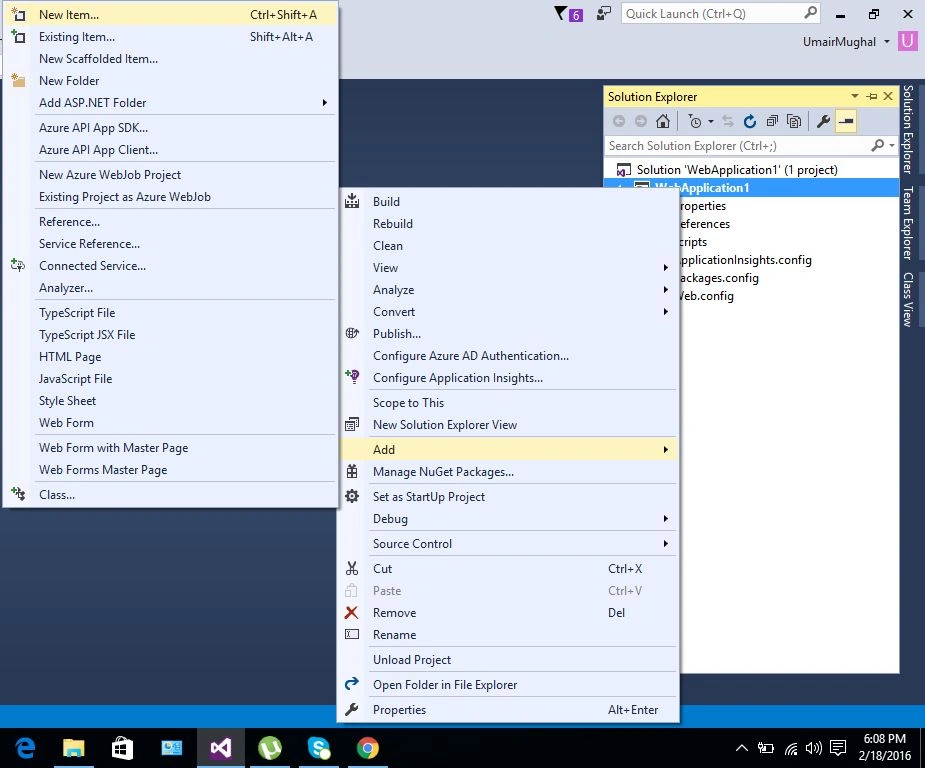
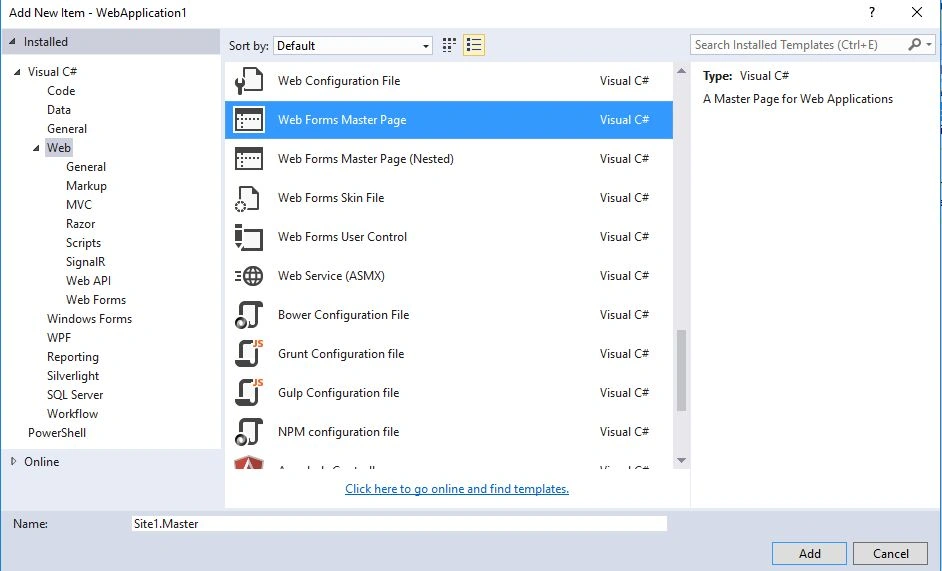
Step 4: Now select the Master Page.
Step 5: Now open Master Page.
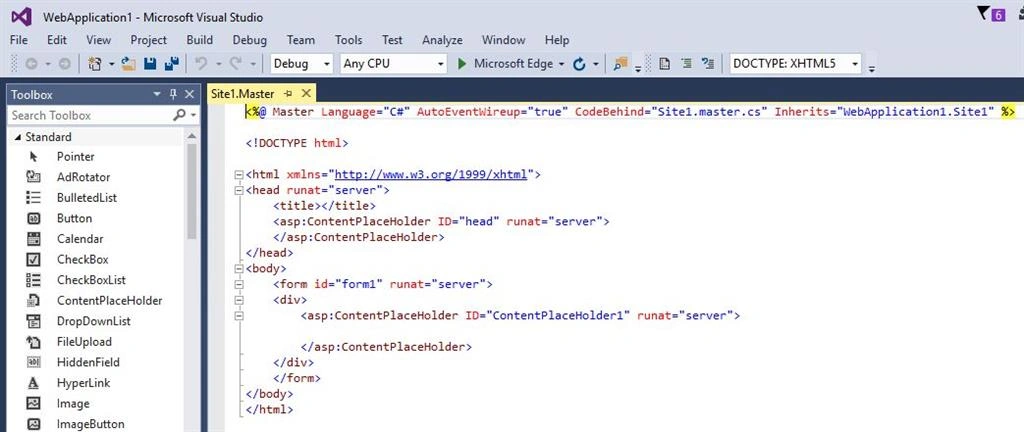
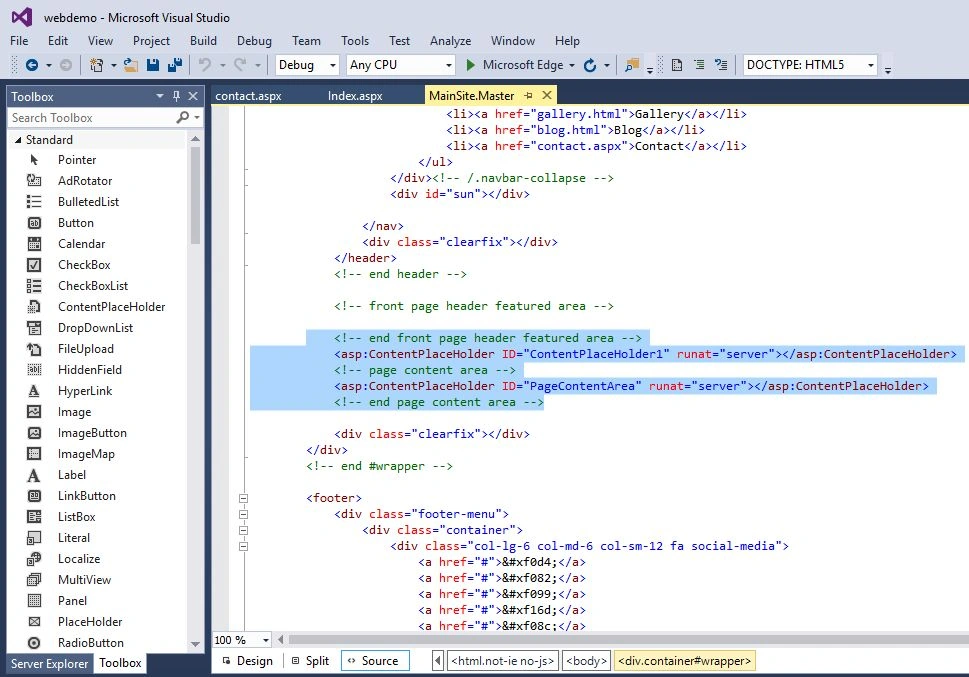
Step 6: There Are Two ContentPlaceHolders In The Master Page By Default; First For Header And the Second For Main Content.
Now Customize Your Page. I Take the Kidengarden Templete.
Copy the files and paste into your project.
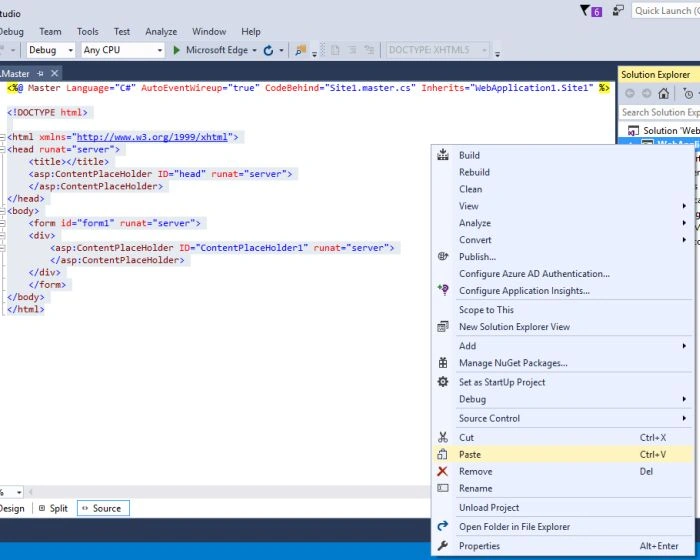
Step 7: Now Files Are Added In Your Project.
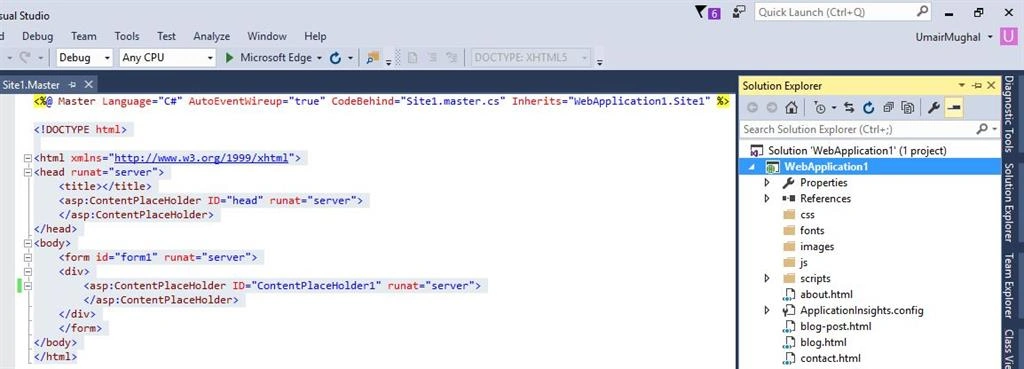
Step 8: Now Add ContentPlaceHolders Where You Want To Change Data Dynamically In Every Page From Inherited Master Page.
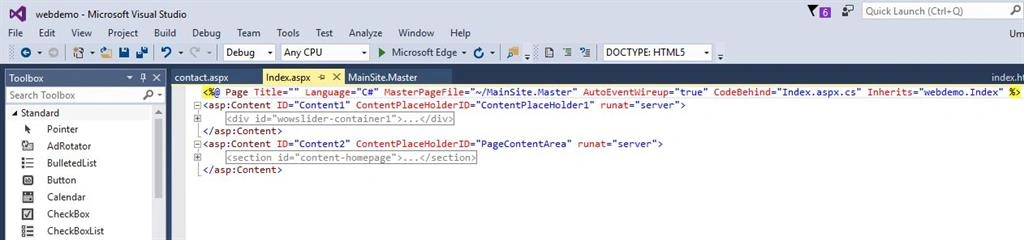
Step 9: Now Inherit Page Named Index.aspx Which Ha Slider And Main Content Data.
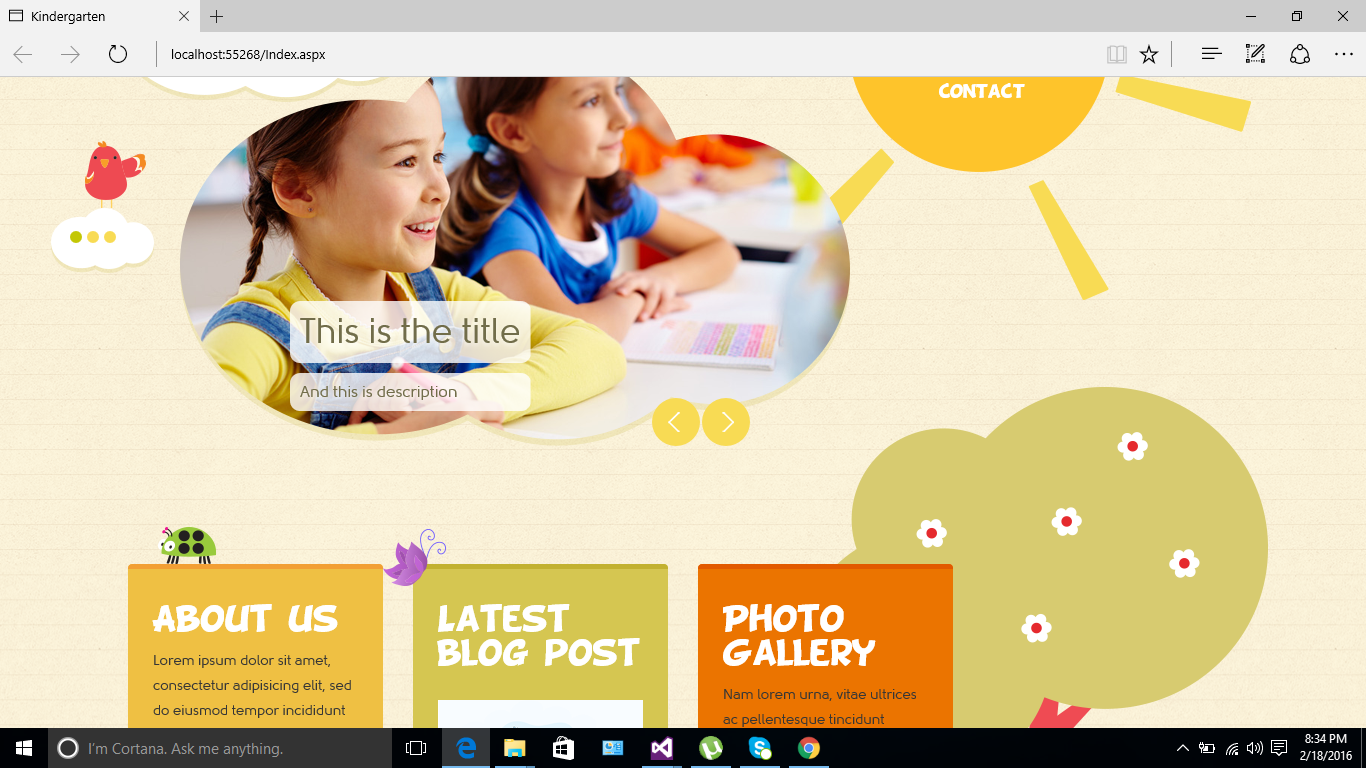
Step 10: See Its Design.
Step 11: Now Add Another Page Named Contact.Aspx.
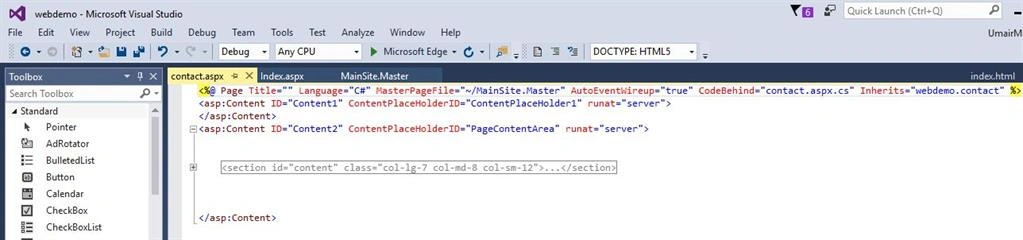
Step 12: Design Of Contact Pageis Here.
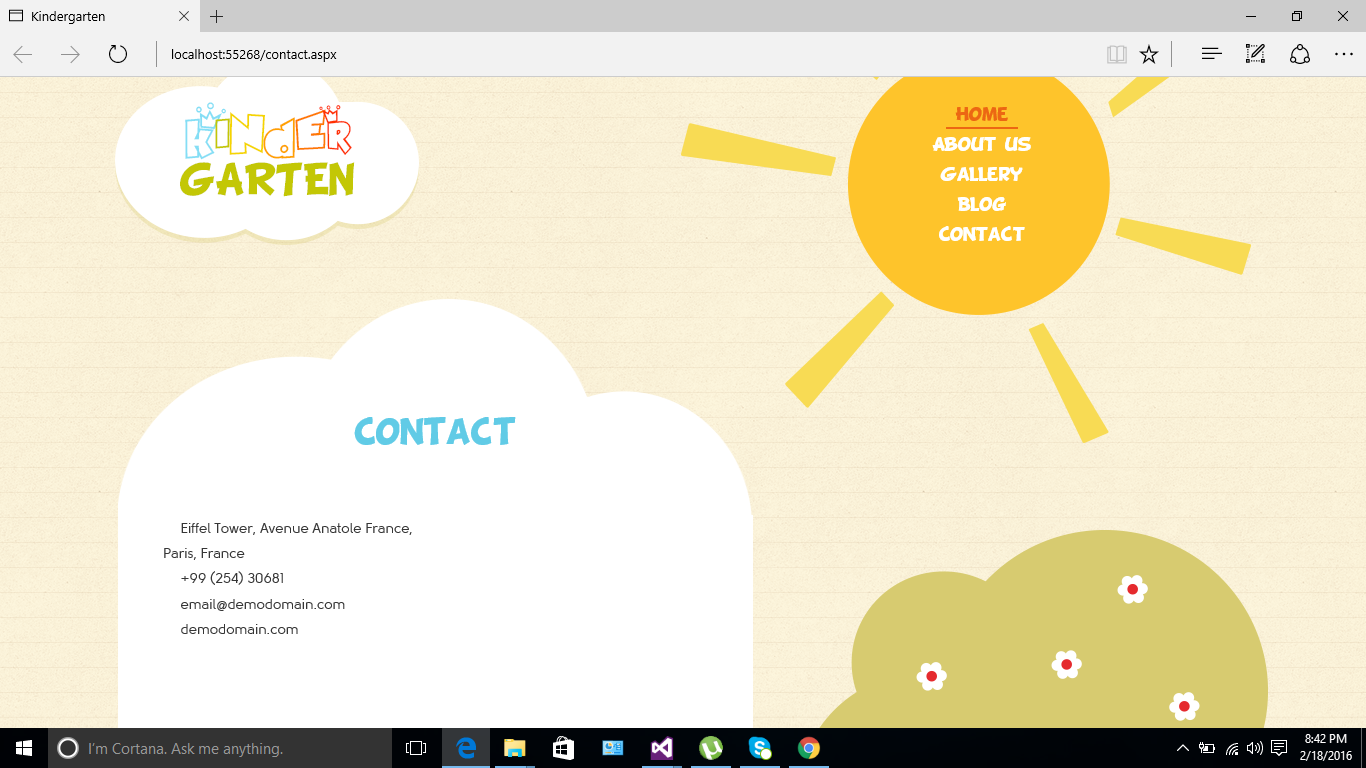
In This Way You Can Create Multiple pages Inherited From Master Page.
Mauricio IglesiasPosted Mar 4, 2016, 8:27 PM
Friend. Not found source code for "Kidengarden Templete"