

Introduction
In this blog post, we will explore the step-by-step process of creating a subsite in SharePoint Online, allowing for improved content organization and enabling teams to manage distinct projects or areas independently within the same SharePoint environment.
Creating a subsite in SharePoint Online allows for better organization and segregation of content, enabling teams to manage distinct projects or areas independently within the same SharePoint environment.
To create a subsite in SharePoint Online for blog content, follow these steps
1. Log in to SharePoint Online
- Go to your SharePoint Online site URL (e.g., https://yourdomain.sharepoint.com).
- Enter your credentials to log in.
2. Navigate to the site where you want to create the subsite
- If you are at the root site, skip this step.
- If you want to create a subsite under an existing site, navigate to that site.
3. Access the Site Contents page
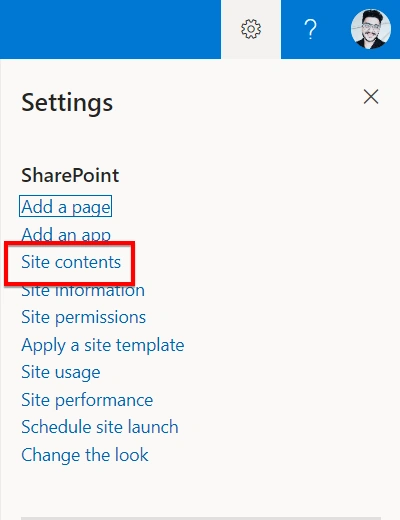
- Click on the gear icon (settings) in the top right corner.
- Select "Site contents" from the drop-down menu.
4. Create a new subsite
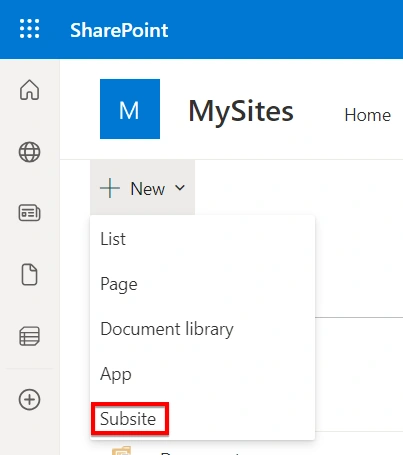
- On the "Site Contents" page, click on "New" and choose "Subsite."
5. Fill in the subsite details
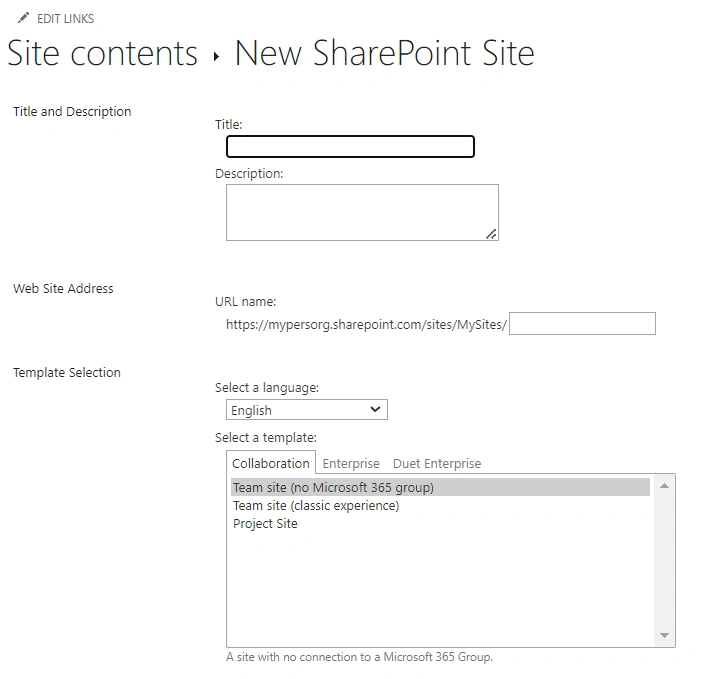
- Enter the "Title" for your subsite. This could be something like "Test Subsite" or any relevant name.
- Choose a "URL" for your subsite. This will be a unique web address for the subsite, and it should be descriptive and easy to remember.
- Optionally, add a description for your subsite to provide additional context.
6. Click "Create"
- Once you have filled in the necessary details and configured the settings, click the "Create" button to create the subsite.
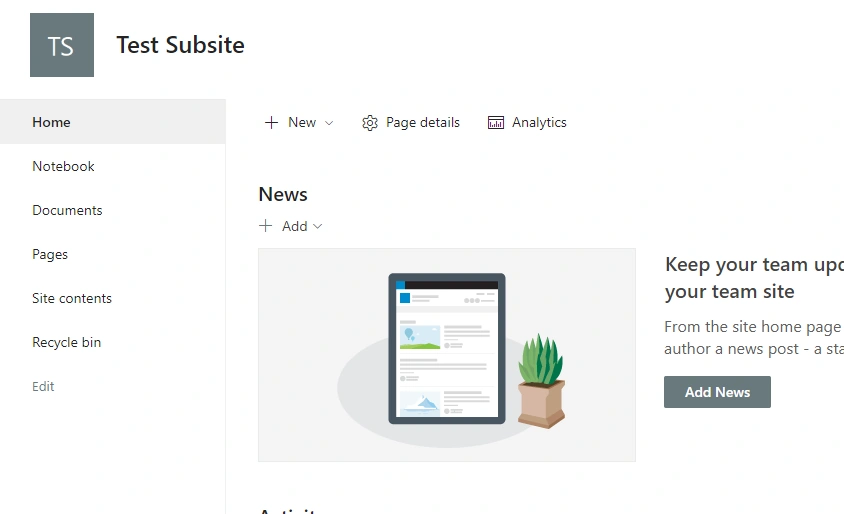
Your subsite for Test Subsite is now created in SharePoint Online. You can start adding blog posts, managing content, and customizing the site to suit your needs.
Join the conversation! Your thoughts help the community grow.