

How to Enable and Disable Spell Checker in
Outlook 2010
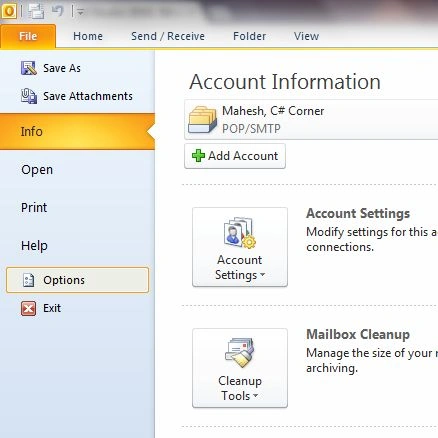
Open Outlook and select File > Options
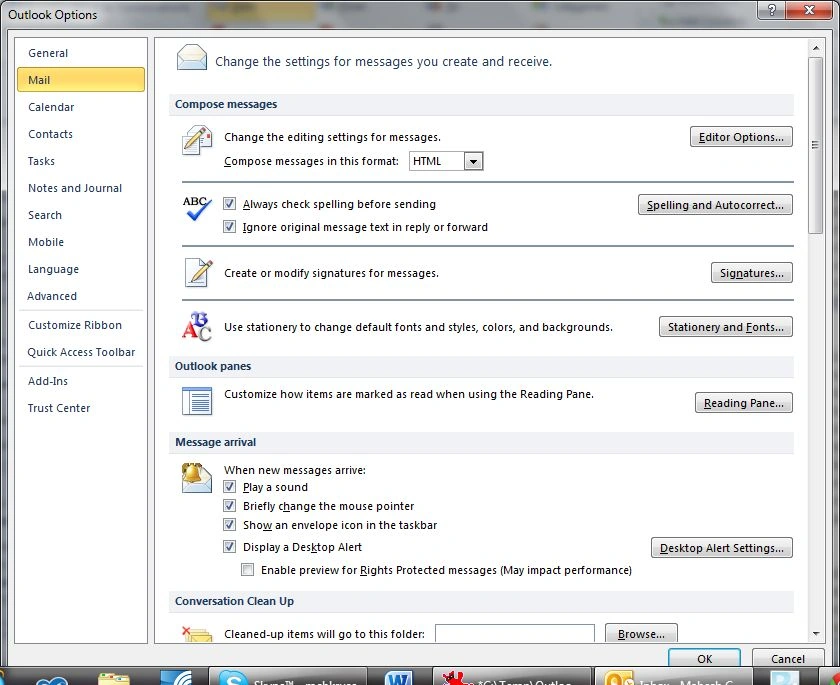
On the Options window, click on Mail in the left side navigation.
Check or uncheck "Always check spelling before sending" check box for checking or not checking spellings in an email.
Save changes.
Close and open Outloook again and you are all set.
Join the conversation! Your thoughts help the community grow.