

Introduction
When working with Oracle Database, it’s often necessary to export both schema structure (tables, procedures) and data for backup, migration, or sharing. Unlike SQL Server, Oracle provides several tools and commands for this task, including Data Pump, DBMS_METADATA, and SQL Developer.
This guide will walk you through multiple ways to generate table scripts (with schema and data) and stored procedure scripts
1. Export Table Script (Schema + Data)
Method 1: Using SQL Developer (GUI Tool)
? Steps:
Open Oracle SQL Developer.
Connect to your database.
In the Connections panel, expand the Tables node.
Right-click the desired table → Click Export.
Choose:
Format: SQL Insert
Options: Include schema, table structure, and data
Select output destination (.sql file)
Click Next → Finish
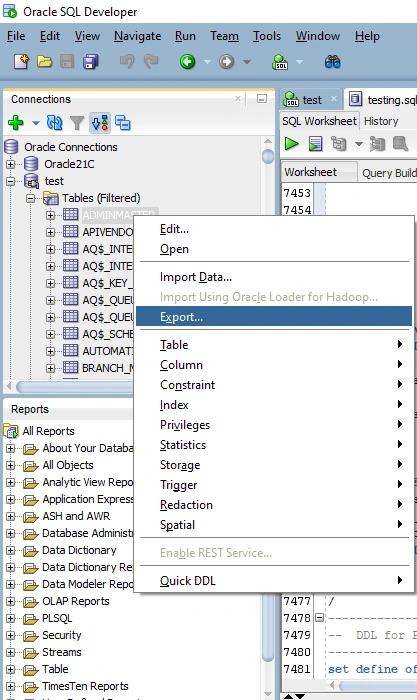
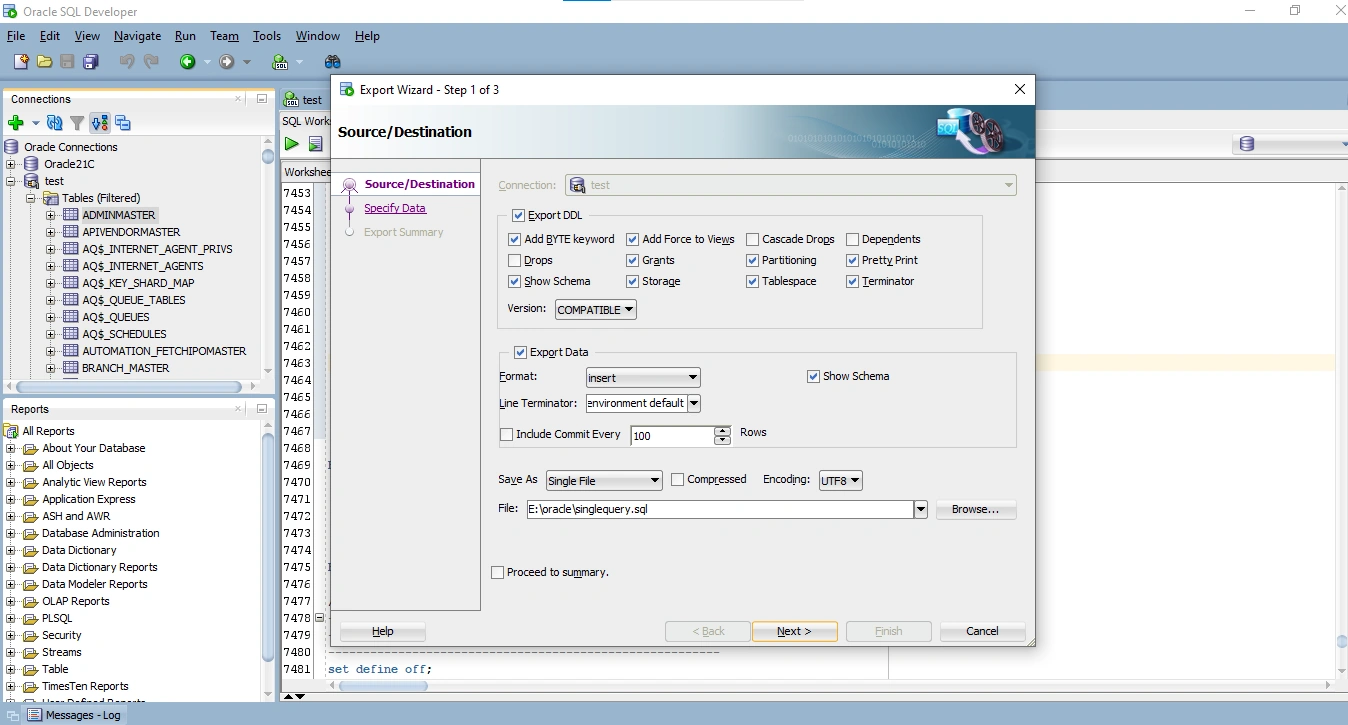
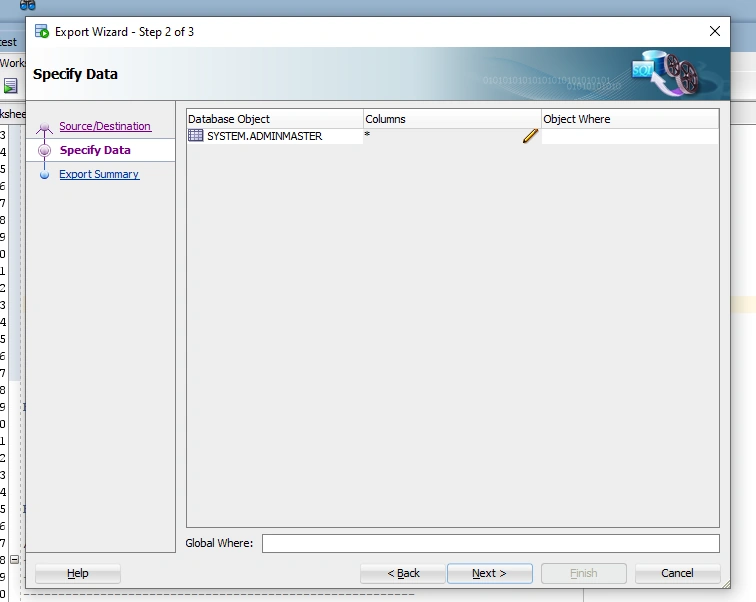
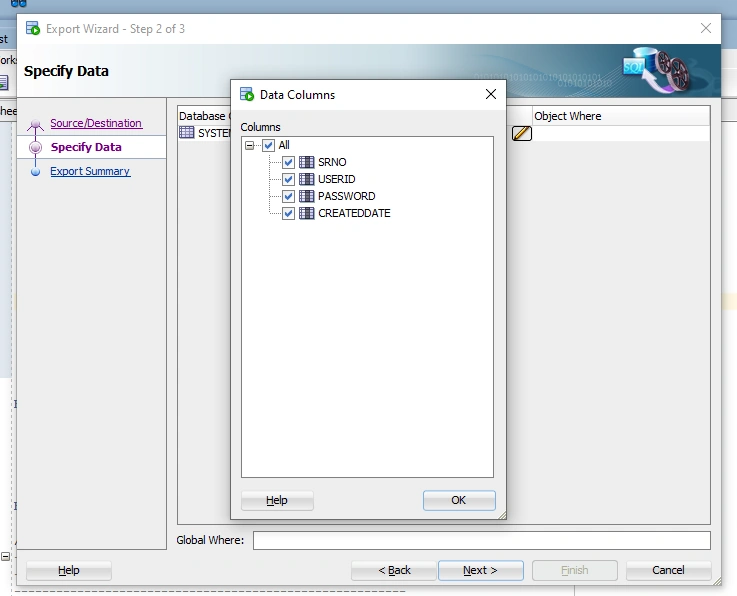
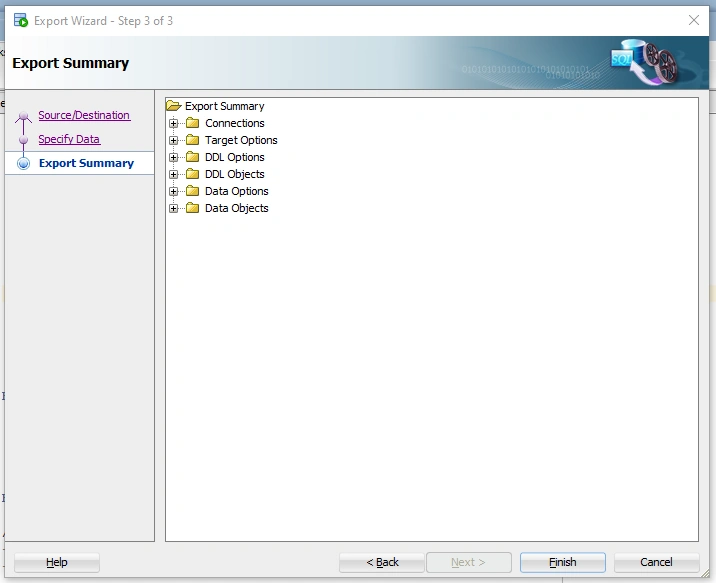
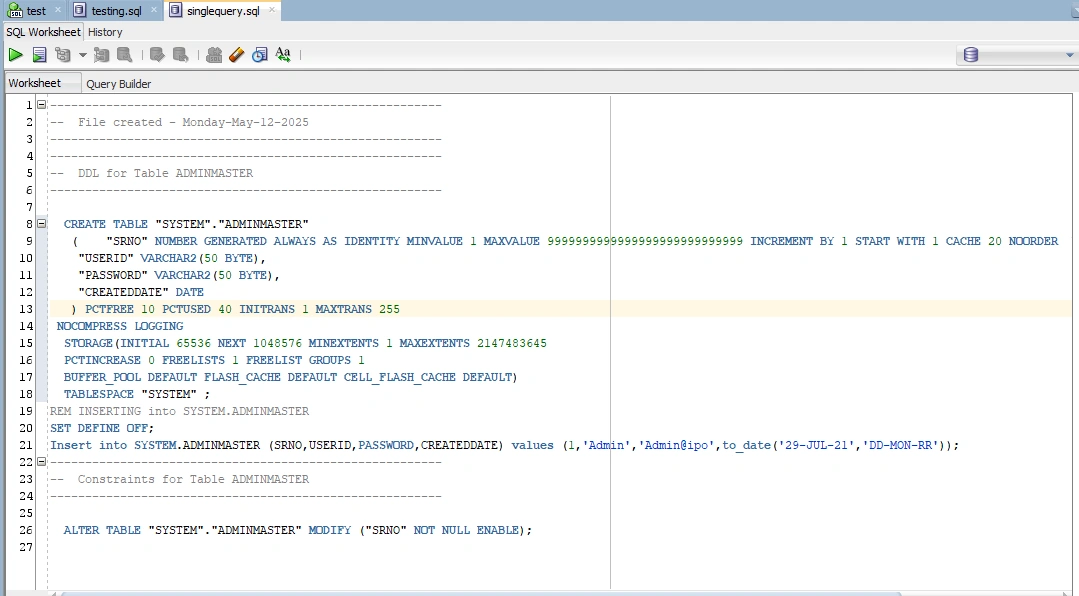
Result: SQL file with CREATE TABLE and INSERT INTO statements.
Method 2: Using DBMS_METADATA (SQL Query)
-- To get table structure
SELECT DBMS_METADATA.GET_DDL('TABLE', 'Table_name', 'Owner') FROM DUAL;
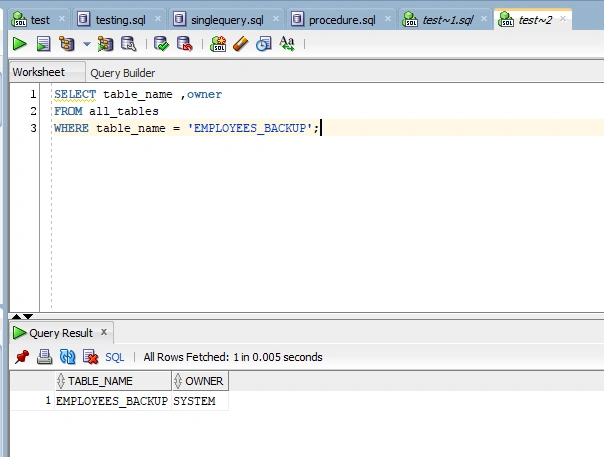
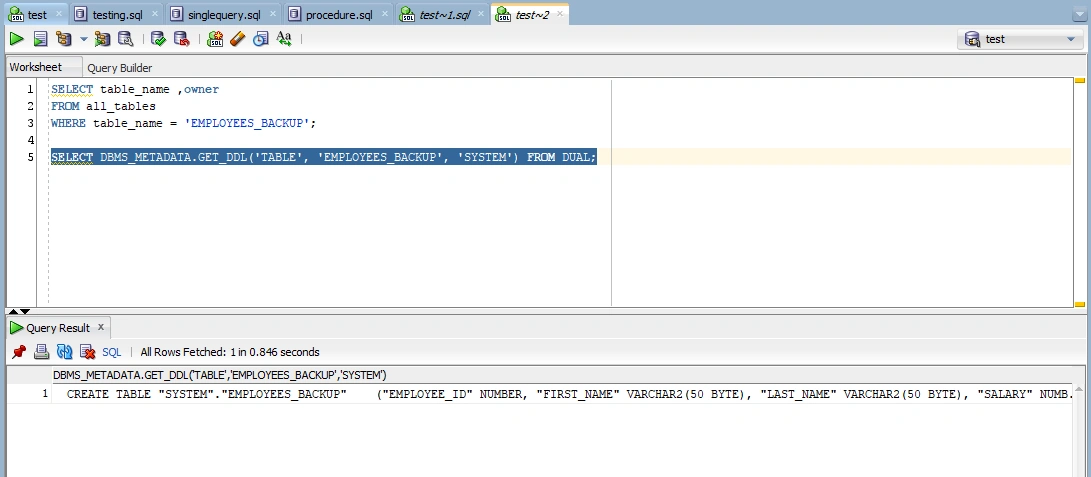
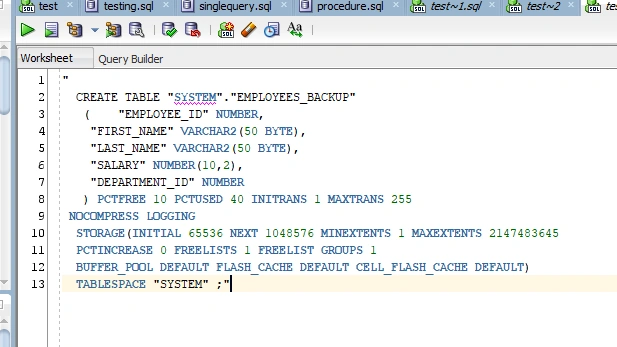
This gives the DDL script (Data Definition Language) for the specified table or procedure.
2. Export Stored Procedure Script
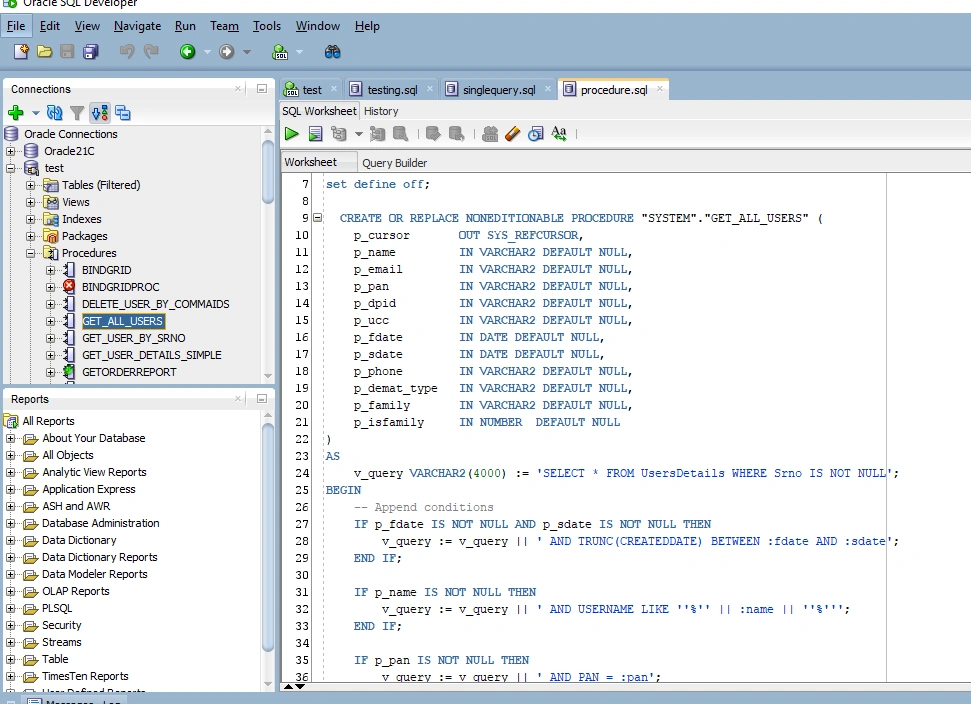
Option 1: Using SQL Developer
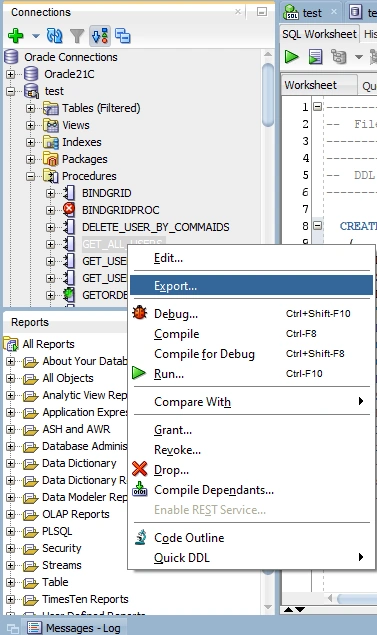
In SQL Developer, go to Procedures.
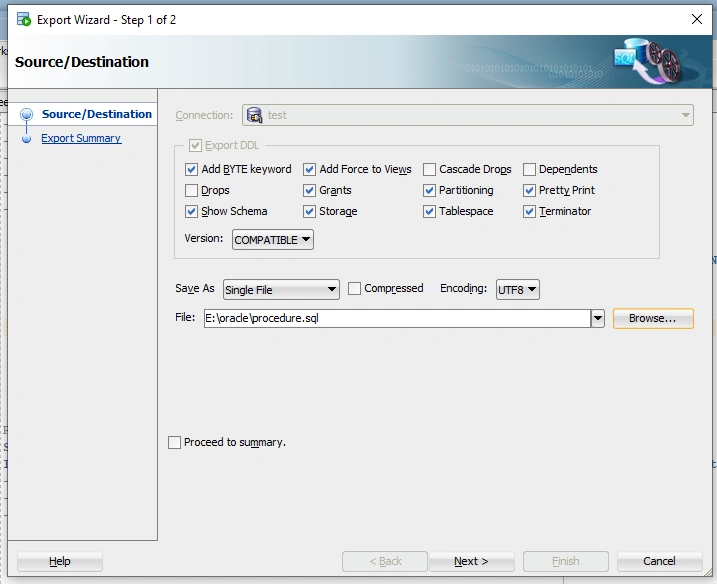
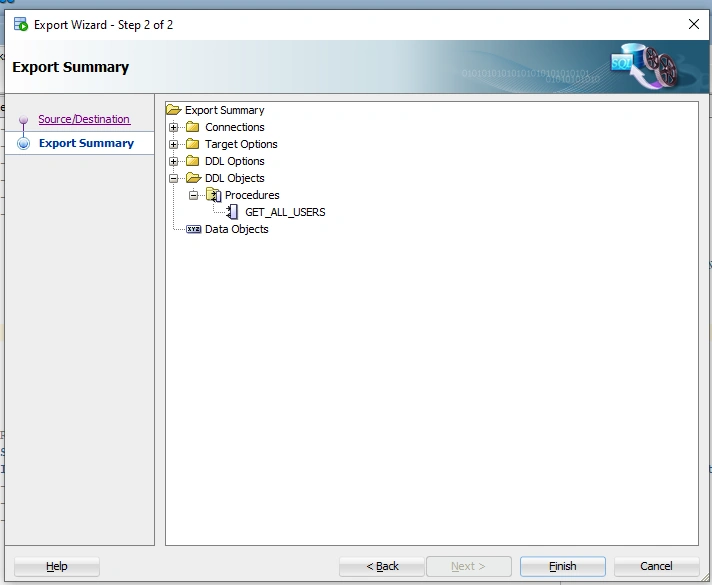
Right-click the procedure → Select "Save To File".
Choose a
.sqlfile to save the script.
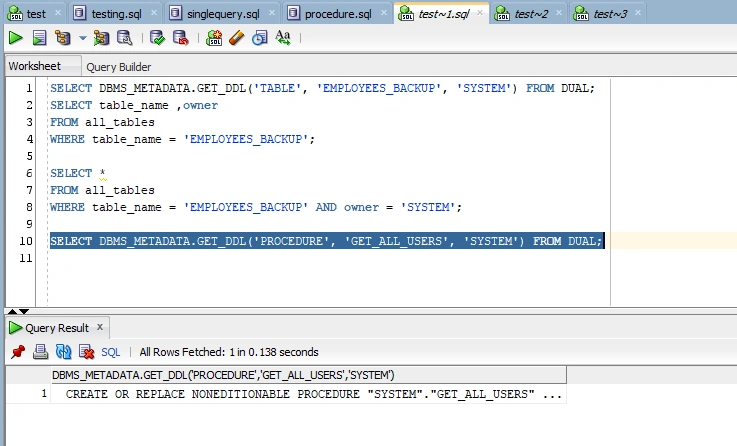
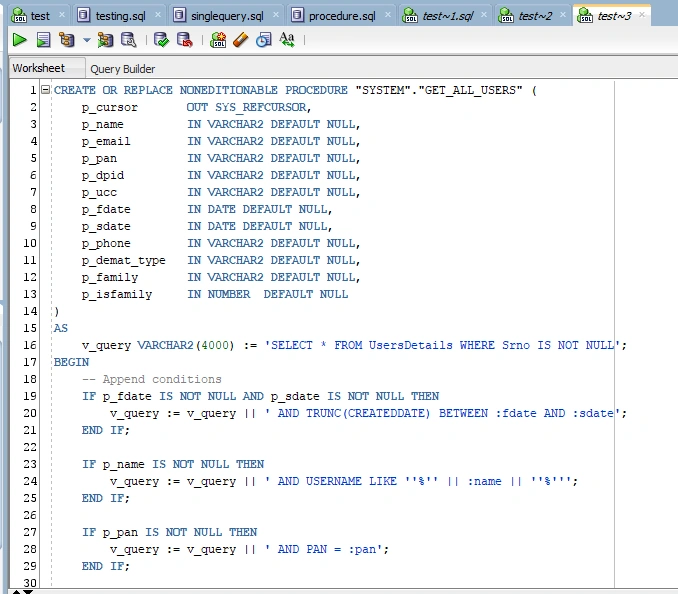
-- To get stored procedure definition
SELECT DBMS_METADATA.GET_DDL('PROCEDURE', 'PROCEDURE_NAME', 'OWNER') FROM DUAL;
Join the conversation! Your thoughts help the community grow.