

Here, I am explaining how to remove the Notebook menu from Quick Launch menu. Notebook is the default feature of SharePoint online. When you are creating a Site collection in SharePoint online, the Notebook option is automatically visible in the homepage.
Step1
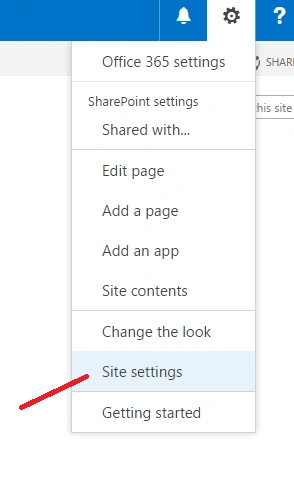
Go to Site Collection -> Site Settings.

Step2
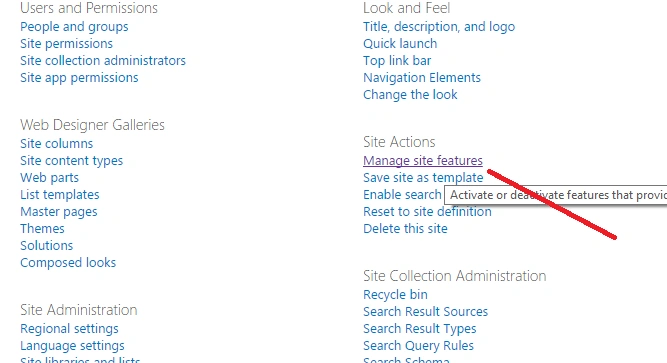
Go to Manage site features under Site Actions section.
Step3
Go to Site Notebook and deactivate it.

Go to Site Notebook and deactivate it.
Step4
Deactivate this feature.

Result
Deactivate this feature.
Result

Join the conversation! Your thoughts help the community grow.