

Step 1
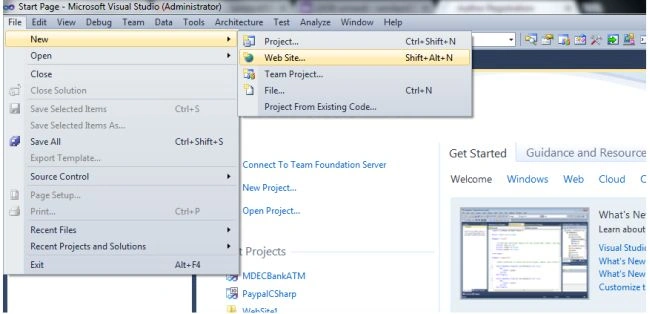
Step 2
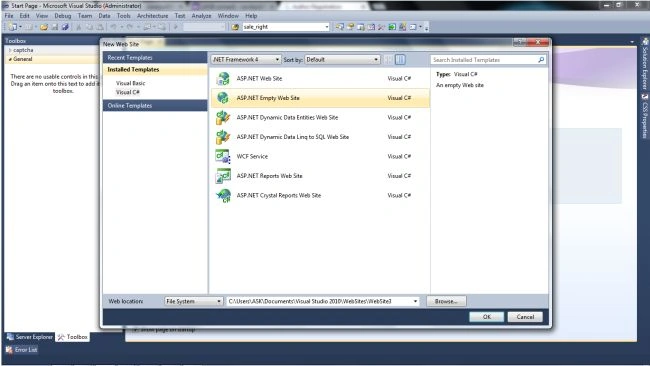
Step 3
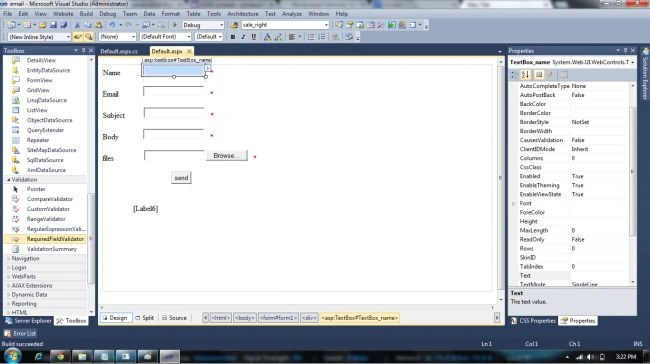
Take 3 text boxes and change the ID as
TextBox_name, TextBox_email, TextBox_sub, TextBox_body and 1 fileupload
control, 1 button, 1 label for message and thereafter take 4 RequiredFieldValidators
and validate it with the respective text boxes and fileupload controls.
Now double click on button. It will generate
click event automatically.
After this write this code on the
Default.aspx.cs
using System;
using System.Collections.Generic;
using System.Linq;
using System.Web;
using System.Web.UI;
using System.Web.UI.WebControls;
using System.Net;
using System.Net.Mail;
public partial class _Default : System.Web.UI.Page
{
protected void Page_Load(object sender, EventArgs e)
{
}
protected void Button1_Click(object sender, EventArgs e)
{
try
{
//===============================================//
MailMessage mail = new MailMessage();
mail.To.Add(TextBox_email.Text);
mail.From = new MailAddress("[email protected]");
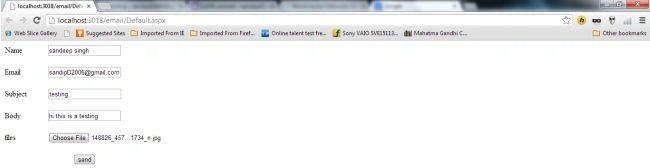
Join the conversation! Your thoughts help the community grow.