

Whenever you are working with HTTP triggers, APIs, or webhook URLs in Power Automate, query parameters are commonly used to pass data. The uriQuery() function helps extract the query string portion from a URL quickly and efficiently.
What is uriQuery()?
This function returns query string portion of a URI.
Basic Example in Flow
Go to make.powerautomate.com
Select any flow type based on your requirements.
I have placed compose for demo.
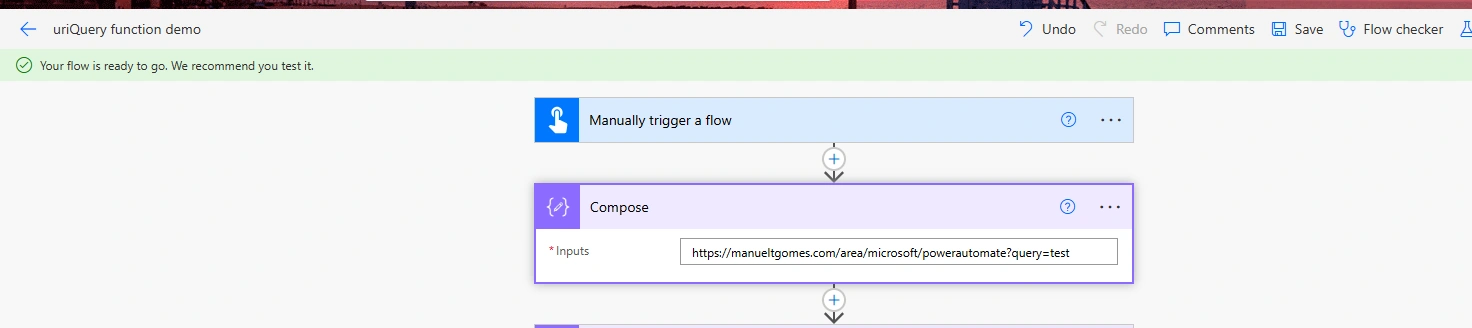
https://manueltgomes.com/area/microsoft/powerautomate?query=testPut this expression of uriQuery()
uriQuery('<URI>')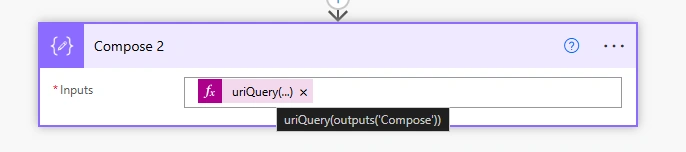
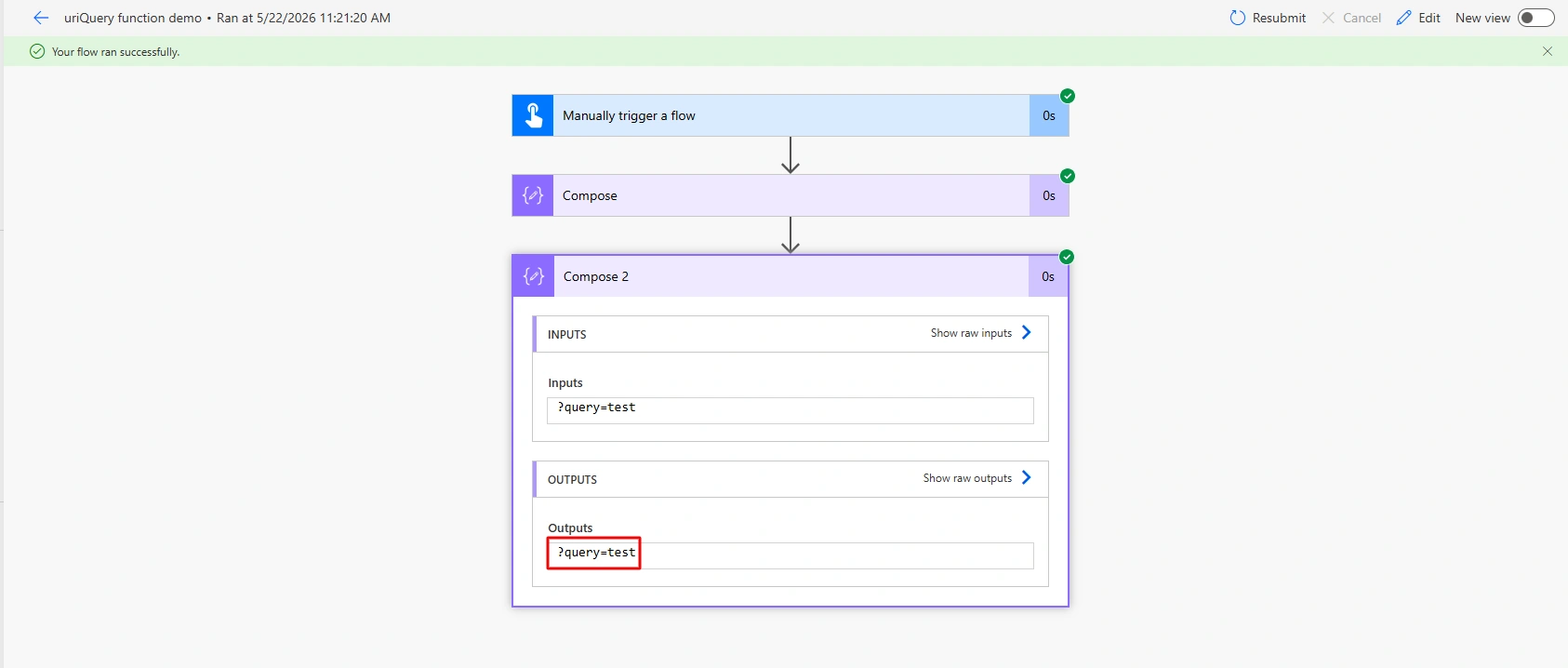
After flow ran successfully, it will extract query parameters.
Conclusion
Here, we learned how the uriQuery() function can be used to extract query parameters from a URI in Microsoft Power Automate, making it easier to handle URL-based data in flows.
Join the conversation! Your thoughts help the community grow.