

Let's take a look at RequireJS, an AMD (Asynchronous Module Definition) compatible asynchronous script loader. In my experience with RequireJS I have enjoyed working with it and will be using it in all my future development.
Let's start with an example below.

Now, We require following sequence for js loading.
lib/jquery.js
lib/jquery.alpha.js
lib/jquery.beta.js
app/main.js
As we seen above that data-main will load app.js first then what after that? For that we have write requirejs code in app.js as below. We have main two tag 1. config and 2. requirejs.
In first tag we will configure all the things.
- BaseUrl : will define base url to load a js. We can define the path of application in this.
- Paths : If we are loading form different directory, then we have to define paths. Remember this path will be from our base path not loading page.
- Shim : This will basically define dependencies it can be single or multiple.
Second tag will load defined js on the page.
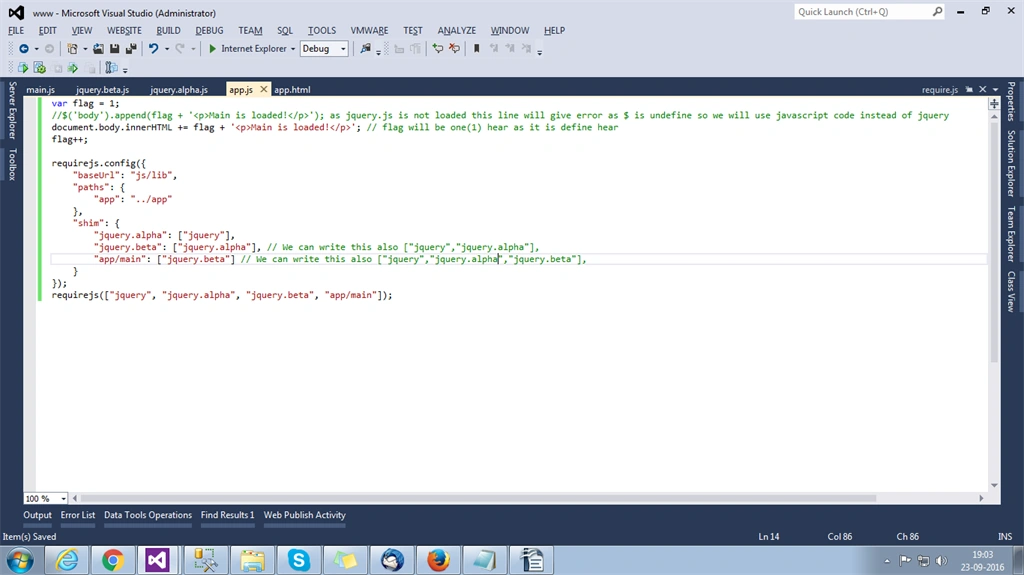
Let's understand "shim" tag deeply. W2e have define three(3) js in shim.
jquery.alpha : Before loading this browser will wait to load jquery.js then only this js will load. If we have more then two then it will wait for all the js which we have define.
jquery.beta : For this we have put a condition that jquery.alpha load first and in jquery.alpha we have also condition as jquery.js so sequence will be jquery.js > jquery.alpha.js > jquery.beta.js.
Main.js : To load, this js we have condition that we need jquery.beta.js so it will go to load jquery.beta.js for this we have need jquery.alpha.js so it will go for jquery.alpha.js and for that also we have the condition as jquery.js must be loaded so it will load according like this. Jquery.js > jquery.alpha.js > jquery.beta.js > main.js.
requirejs(["jquery", "jquery.alpha", "jquery.beta", "app/main"]);
We have taken flag to check a sequence as well, we have appended some text to understand execution flow. Now see the code of other pages as bellow we have just appended text in the body.
jquery.alpha.js/jquery.beta.js
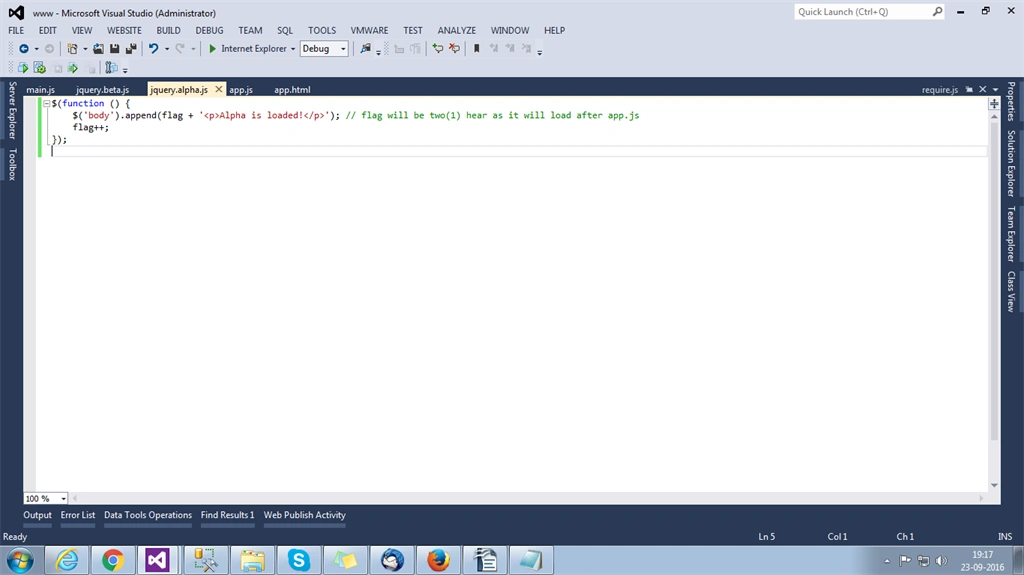
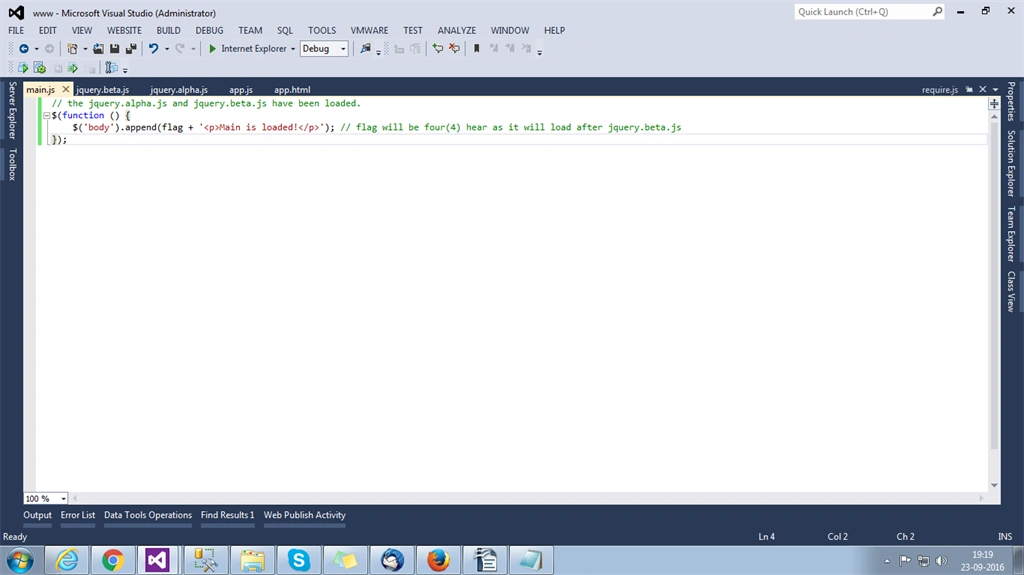
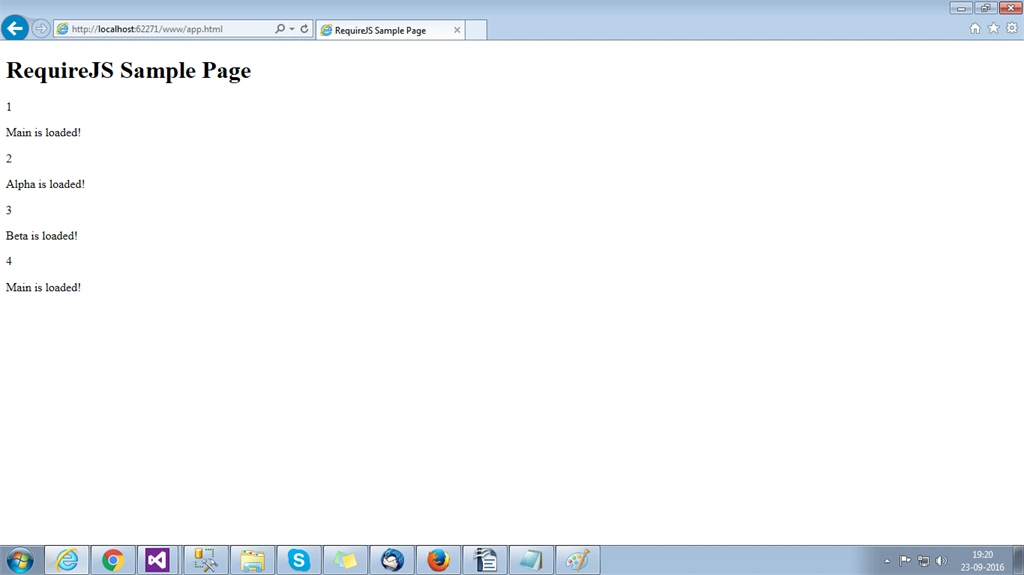
As we have discussed we get the sequence. Now refer the site [http://requirejs.org/] and try your own code with enhancement. Also zip file for this demo is attached you can try this too.
Mahesh EmbadiPosted Apr 15, 2020, 6:06 AM
HI, In my application i am using requirejs and i need to load the external script tag ex: <script src="https://booking.resdiary.com/bundles/Widget2.js"></script> if i load this script tag i am getting errors, but if we remove the requirejs the script is loading fine. i am new to requirejs can you suggest any possible solutions. I have tried above solution but it is not worked for me.