

Introduction
Azure Logic Apps and Azure Data Factory are powerful services that can automate and streamline data workflows. In this blog, I'll walk you through the steps to create a Logic App that connects with Azure Data Factory and triggers a pipeline run.
Azure Logic Apps is a cloud service that helps you schedule, automate, and orchestrate tasks, business processes, and workflows. Azure Data Factory (ADF) is a cloud-based data integration service that allows you to create data-driven workflows for orchestrating data movement and transforming data at scale.
By integrating Logic Apps with Data Factory, you can automate the triggering of ADF pipelines, creating a seamless data workflow.
Steps to create a logic app that triggers an ADF pipeline run
Design the logic app workflow
- Go to the Logic Apps Designer.
- Choose a trigger for your Logic App. For example, you can use an HTTP trigger, a schedule trigger, or any other available trigger based on your requirements.
Add an action to trigger the ADF pipeline
- After adding the trigger, click on "New step" to add an action.
- Search for "Data Factory" and select the "Create a pipeline run" action.
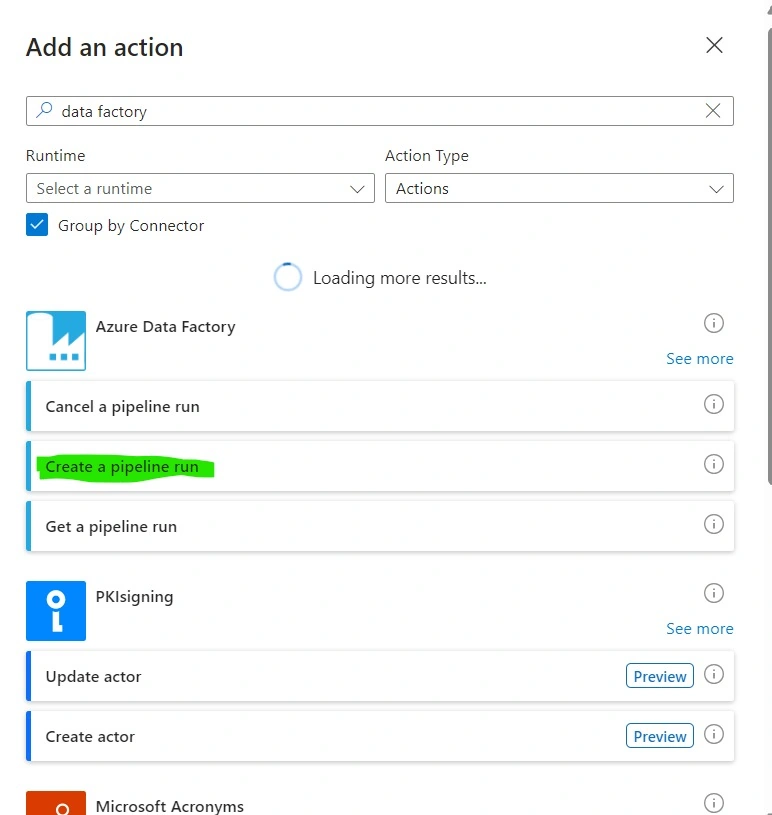
- Create a Connection to Connect Data Factory using OAuth/ServicePrincipal/Managed Identity. Note: Managed Identity is recommended.

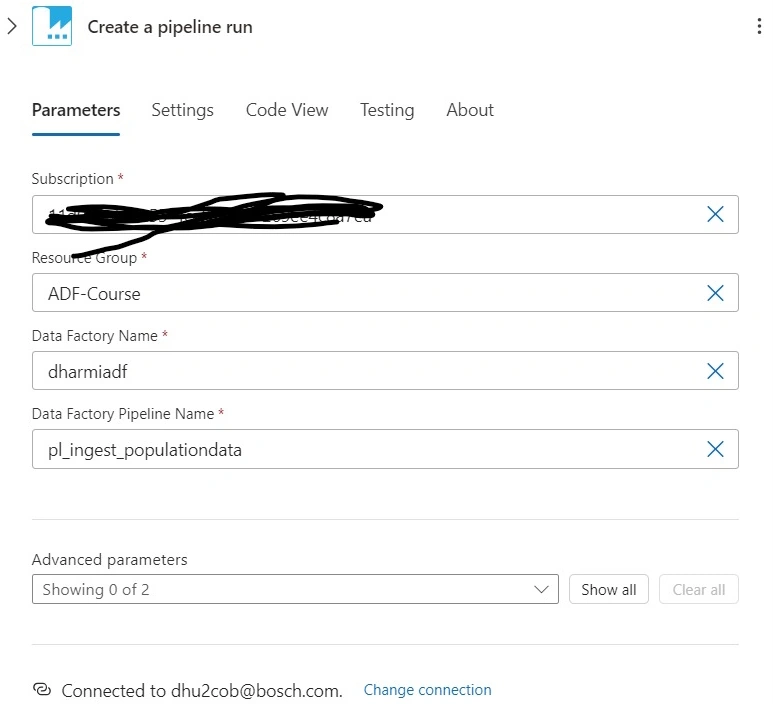
- Configure the action by selecting your Data Factory, specifying the pipeline name, and providing the necessary parameters for the pipeline run.
Save and test the logic app
- Save your Logic App.
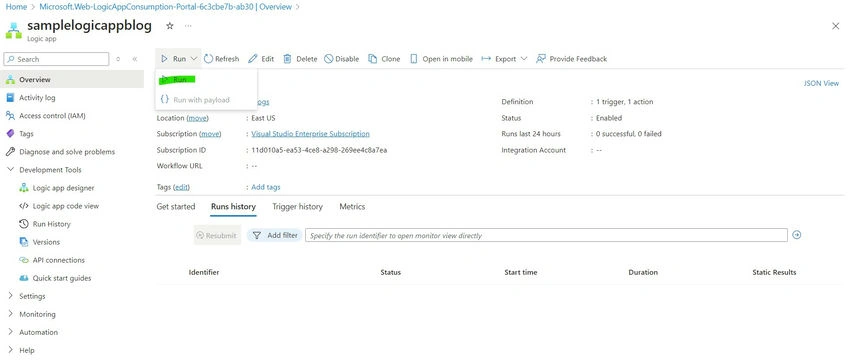
- Trigger the Logic App using the configured trigger (e.g., send an HTTP request, wait for the schedule, etc.) or use the Run Option to Trigger.
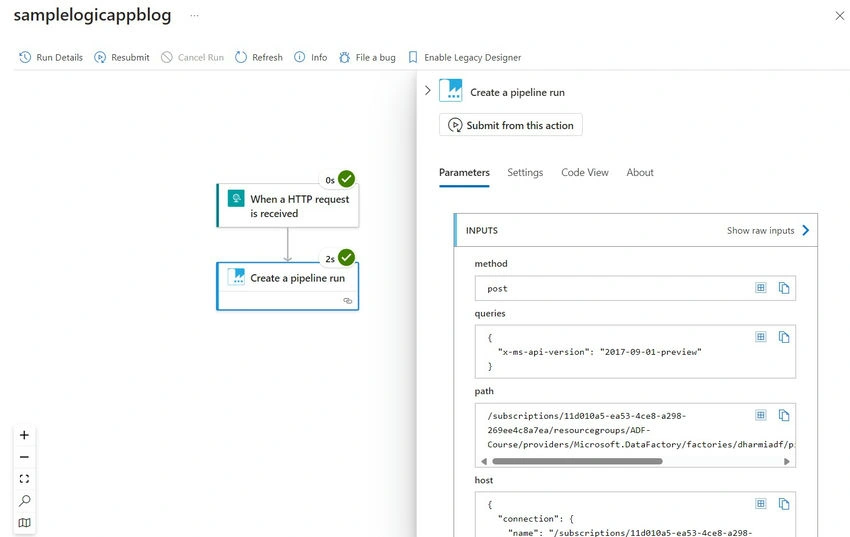
- Verify the Logic App Run History.
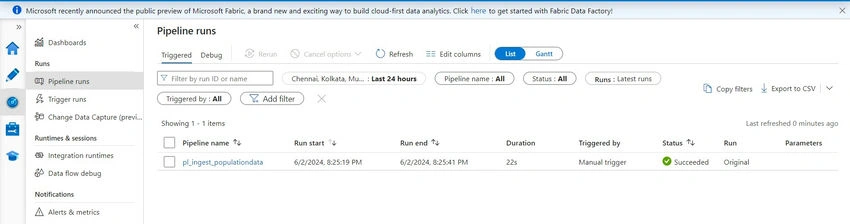
- Verify that the ADF pipeline is triggered by checking the pipeline runs in your Data Factory. DataFactory -> Launch Studio -> Monitor -> Pipeline Runs.
This powerful combination of Logic App and Data Factory services can help you build robust and automated data workflows, improving efficiency and productivity.
Join the conversation! Your thoughts help the community grow.