

Make your own media player .Visual Studio 2010
Open New Project >>
ToolBox >> Right Click >> Choose Items
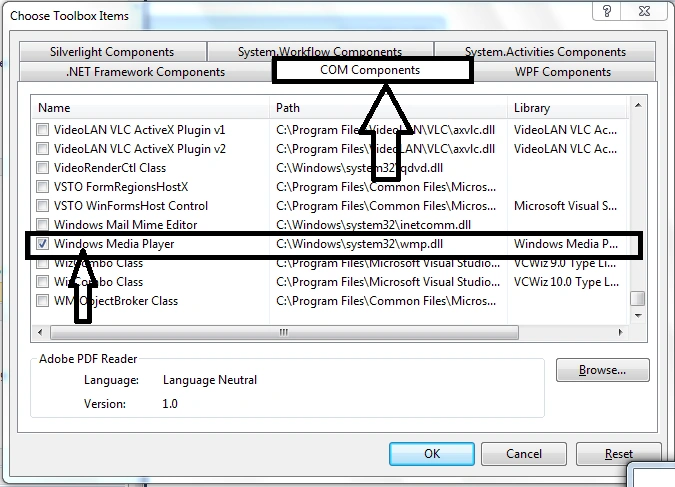
Next:
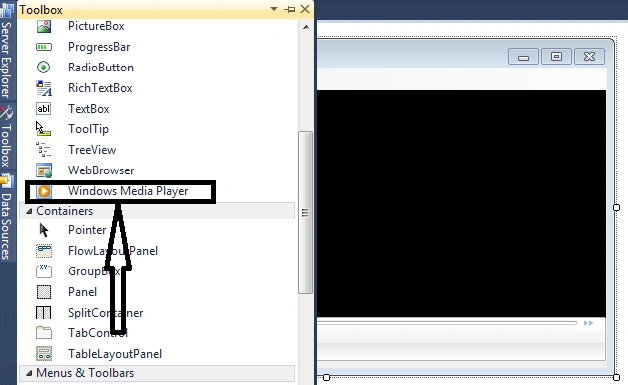
Next
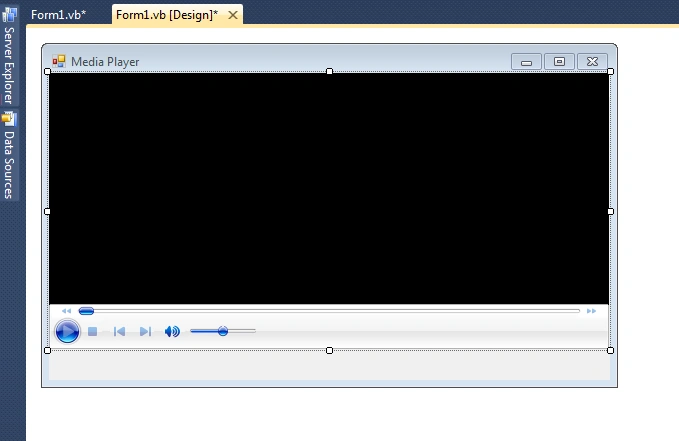
Next You Need
- Open FileDialog1
- MenuStript1
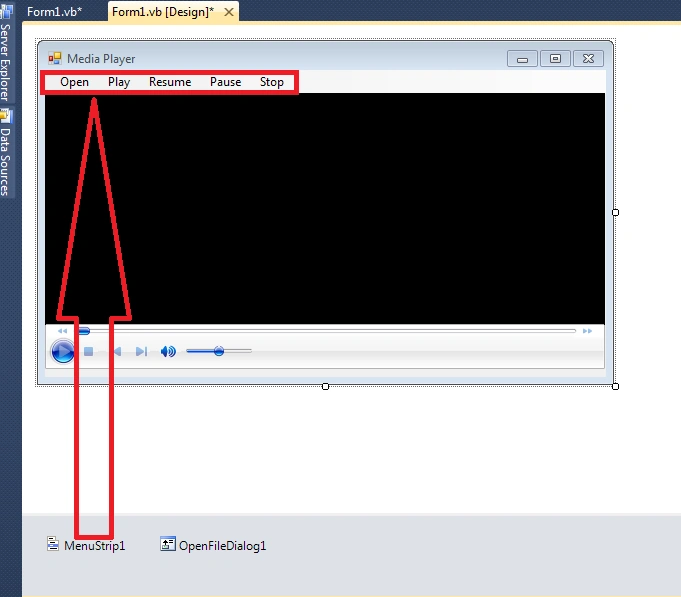
Code:
Result:
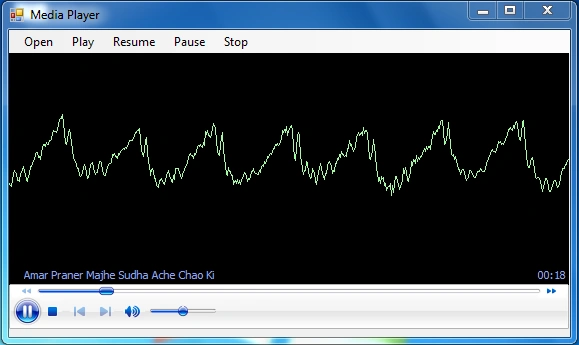
- Public Class Form1
- Private Sub OpenToolStripMenuItem_Click(ByVal sender As System.Object, ByVal e As System.EventArgs) Handles OpenToolStripMenuItem.Click
- OpenFileDialog1.ShowDialog()
- End Sub
- Private Sub PlayToolStripMenuItem_Click(ByVal sender As System.Object, ByVal e As System.EventArgs) Handles PlayToolStripMenuItem.Click
- AxWindowsMediaPlayer1.URL = (OpenFileDialog1.FileName)
- End Sub
- Private Sub ResumToolStripMenuItem_Click(ByVal sender As System.Object, ByVal e As System.EventArgs) Handles ResumToolStripMenuItem.Click
- AxWindowsMediaPlayer1.Ctlcontrols.play()
- End Sub
- Private Sub PausToolStripMenuItem_Click(ByVal sender As System.Object, ByVal e As System.EventArgs) Handles PausToolStripMenuItem.Click
- AxWindowsMediaPlayer1.Ctlcontrols.pause()
- PlayToolStripMenuItem.Visible = True
- End Sub
- Private Sub StopToolStripMenuItem_Click(ByVal sender As System.Object, ByVal e As System.EventArgs) Handles StopToolStripMenuItem.Click
- AxWindowsMediaPlayer1.Ctlcontrols.stop()
- End Sub
- Private Sub Form1_Load(ByVal sender As System.Object, ByVal e As System.EventArgs) Handles MyBase.Load
- PlayToolStripMenuItem.Visible = True
- End Sub
- End Class
Join the conversation! Your thoughts help the community grow.