

Here you can maintain a brand for all your sites within your organization. Isn’t it great!
Let’s see how we can do it.
Open your Office 365 Admin Center.
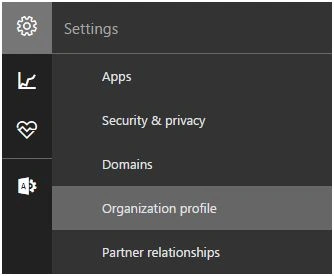
Under Settings, Click on Organizational profile.
You will come here.

Click on edit.

- Custom Logo - Upload a logo if you want that to be a default logo for all the sites on your tenant.
- Clickable - Choose if you want it to be clickable to any link.
- Background Image - Select a back ground image for all the sites on the tenant.
- Custom Theming - You can prevent users to override your custom theme by selecting that option.
- Accent color/ Text and Icon/ App launcher icon:
Choose from various color and fonts to maintain a custom theme throughout the tenant in all the sites.
Once configured, click on Save and all the sites within this tenant will adopt your theme.
Here in this article we saw on how to Manage custom themes for your organization for Office 365 at your Office 365 Admin Center.There is a lot to learn.
Join the conversation! Your thoughts help the community grow.