

ng- hide directive is used to make HTML elements invisible. Let us see this with the help of an example.
Write the following HTML mark up in the webpage.
- <!doctype html>
- <htmlng-app>
- <head>
- <title>My Angular App</title>
- <script src="https://ajax.googleapis.com/ajax/libs/angularjs/1.3.14/angular.min.js"></script>
- </head>
- <body>
- <div ng-app="">
- <p ng-hide="true">This text is not visible.</p>
- <p ng-hide="false">This text is visible.</p>
- </div>
- </body>
- </html>
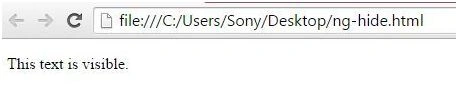
This is how we can use ng-hide directive in AngularJS.
Bhuvanesh MohankumarPosted May 18, 2016, 7:44 AM
Good one...