

Microsoft Graph API provides a lot of features and functionalities to access any data from Microsoft 365. In the Office 365 Admin page, we can get the storage information for the user by clicking on the User and Click OneDrive tab.
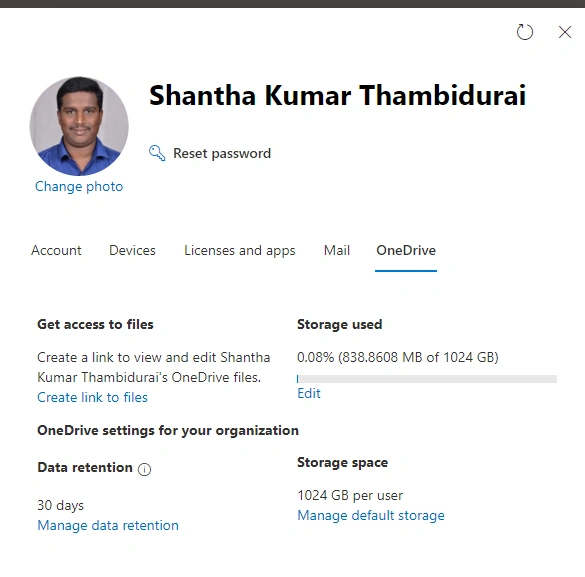
We can use the Graph API to find out the storage used by the current user and for the other users based on their ID. The below steps help to find that out from MS Graph Explorer,
- Navigate to Microsoft Graph explorer though the browser window by using the url https://aka.ms/ge
- Sign in with the Microsoft account.
- Select the Get option from the Request dropdown
- Select v1.0 in version dropdown
- Enter the below Graph API URL in the request URL box,
https://graph.microsoft.com/v1.0/me/drive?$select=quota
- The user should consent with any of the below permissions,
- Files.Read, Files.Read.All, Sites.Read.All, User.Read, User.ReadWrite, User.Read.All, User.ReadWrite.All, Sites.ReadWrite.All, Directory.Read.All, Directory.AccessAsUser.All, Directory.ReadWrite.All, Files.ReadWrite, File.ReadWrite.All
-
Click Run Query button to get the below Response
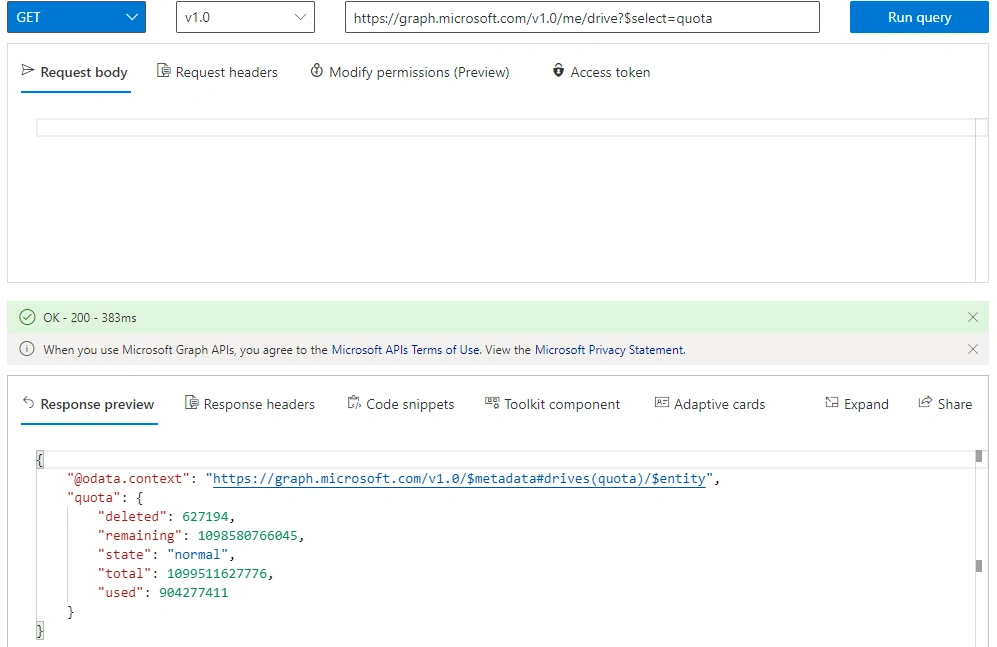
- {
- "@odata.context": "https://graph.microsoft.com/v1.0/$metadata#drives(quota)/$entity",
- "quota": {
- "deleted": 627194,
- "remaining": 1098580765401,
- "state": "normal",
- "total": 1099511627776,
- "used": 904277411
- }
- }
- We have to convert the returned value from Bytes to Gigabytes with the formulae [ value x 10243 ]
- Deleted = 627194 / 10243 => 0.000584 GB
- Remaining = 1098580765401 / 10243 => 1023.13 GB
- Total = 1099511627776 / 10243 => 1024 GB
- Used = 904277411 / 10243 => 0.842174 GB
- To get the Quota information for another user using the below URL, https://graph.microsoft.com/v1.0/users/<user id>/drive?$select=quota
Using the same API for all users is helpful in identifying the quota used by each user across the tenants.
Join the conversation! Your thoughts help the community grow.