
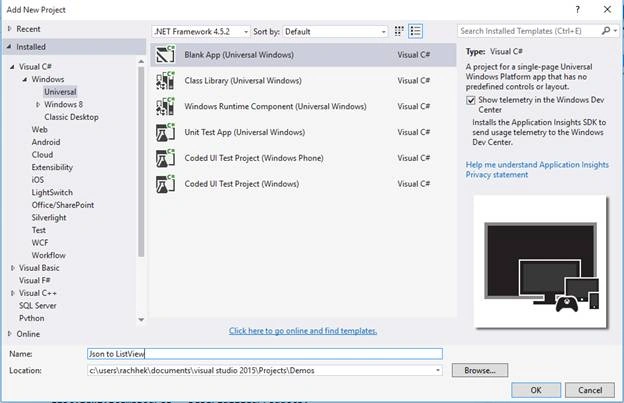
- Create a new UWP project in Visual Studio 2015,
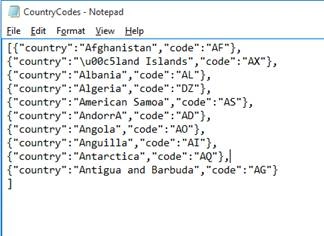
- We have a JSON file in the Documents folder which contains list of 10 countries and their country codes as below. The keys here are “Country” and “Code”.
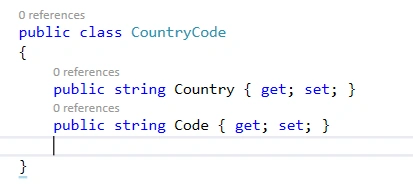
- Create a class inside MainPage.cs with two strings properties as below. This class will provide the blueprint to hold the information from the JSON file
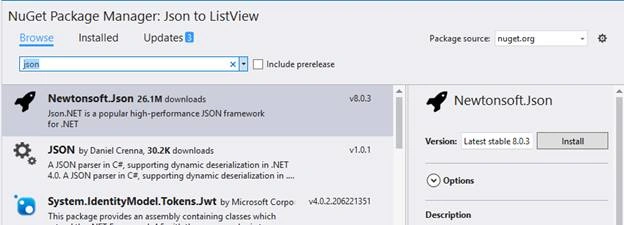
- To read and parse information from the class we need to install a Nuget Package. Here we are installing Newtonsoft.JSON, a popular JSON framework from NUGET package manager.
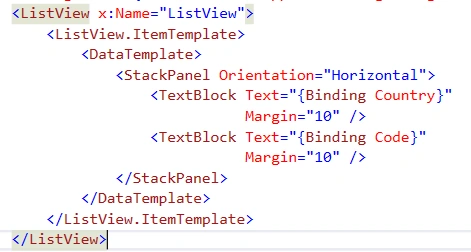
- Create a ListView in the MainPage.xaml to hold the list of items as below,
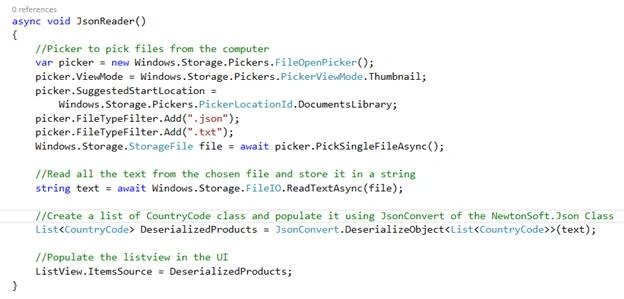
- Create an asynchronous method in the MainPage.cs to read the JSON file, deserialize it and bind it to the ListView,
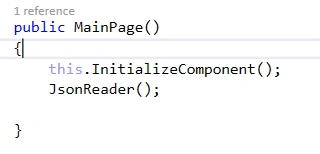
- Call the method in the Main method as below,
- Run the program, a file picker will open, select the file and the output will be as below.
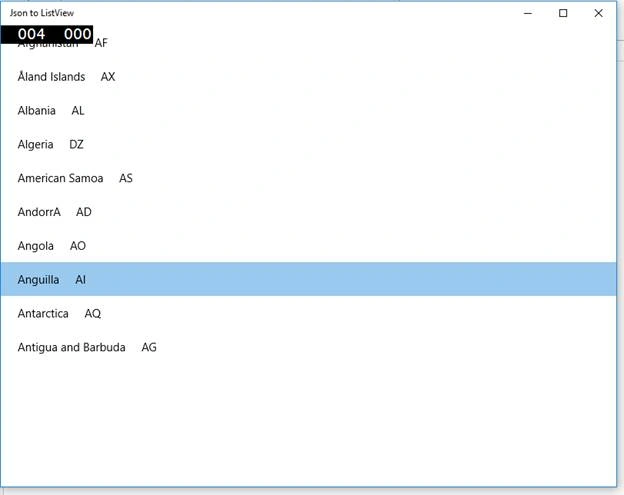

Parsing a JSON File from a File Picker and Populating the Items in a ListView (UWP App)
Join the conversation! Your thoughts help the community grow.
Sign in to leave a comment
It is the same account you read, post and publish with — and you will come straight back to this page.
Nairisha ShresthaPosted Jun 3, 2017, 9:28 PM
Good one Rachhek Shrestha. Hoping for new ones in future.
Jaygovind ChauhanPosted Mar 30, 2016, 6:58 AM
nice man