

In this blog you will see how to save and publish an app in SharePoint Online list. I have automatically generated an app using PowerApps named EmployeesApp in a custom SharePoint Online list.
Save and publish an app
Navigate to EmployeesApp created in a custom SharePoint Online list.
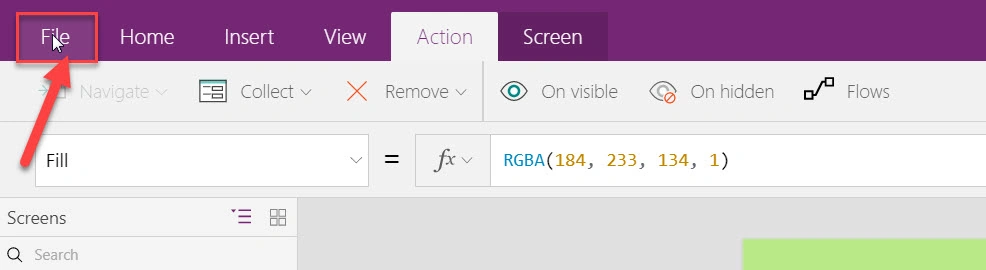
Edit the app using PowerApps studio. Once the changes are completed, click File tab.
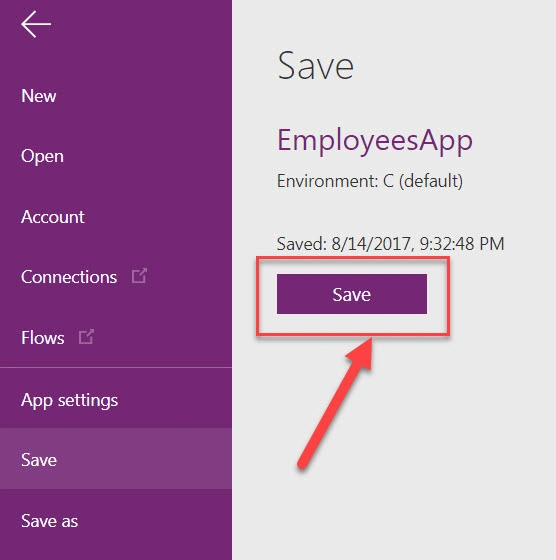
Click Save button.
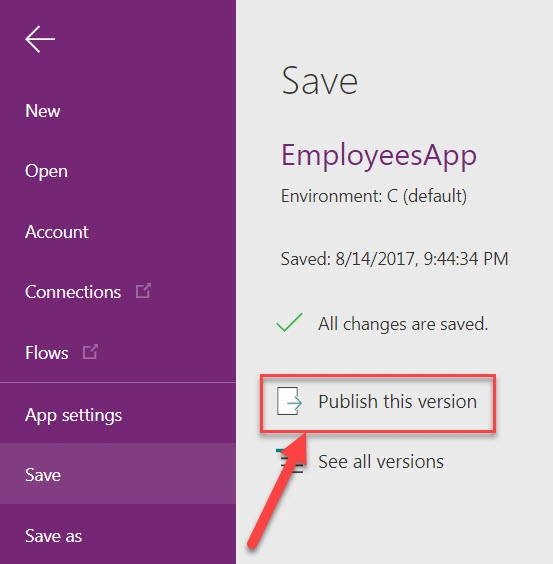
Click Publish this version.
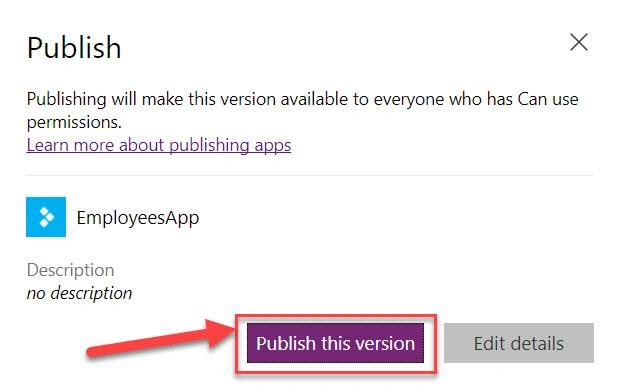
App is published successfully.
Join the conversation! Your thoughts help the community grow.