

In my previous post, I introduced myself and said that this blog will be my thoughts and progress on developing the new C# Corner Windows Phone application.
Before any developer gets down and dirty, it's always a good idea to create some prototype of your application. You want to have a good idea what functionality you (or the client) want, and what ideas work. It is a good time to figure out how your application should interact with the user too. For the C# Corner application, I want to get a solid feel for how the user interacts with the application, so creating a prototype (or many) is a must for me.
There are quite a few ways
to go about making a prototype. One way
is to just create a regular Windows Phone project in Visual Studio (or
Expression Blend) and just use the designer.
This is usually the quickest approach, and the one I'll end up using, as
it uses tools and controls that I am already familiar with. Another way is creating what Blend calls a “SketchFlow”
project. It basically lets you create
the project in a hand drawn style, so you don't need to worry about colors or
styles, and simply focus on functionality.
It's great for showing less technically inclined individuals, as they
are usually more concerned with the look of something, rather than how it
functions. Here's a picture of a “latest
articles” mock up in SketchFlow.
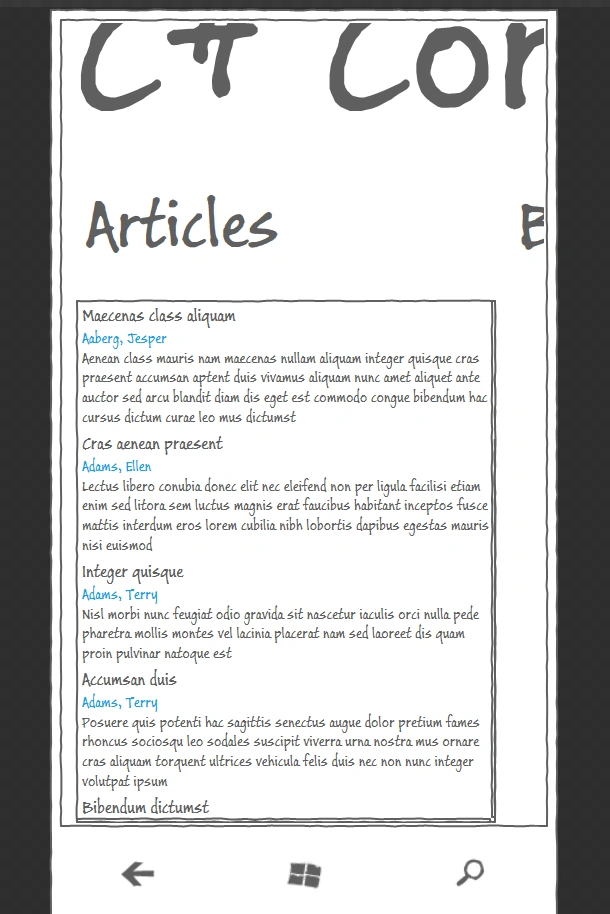
Blend will also let you define interactivity and animations in your controls, so you can devise almost every aspect of how your application will function. You can also leverage Blend's Sample Data feature to bind your controls to mock data. This allows you to see how your application will really look (as the image above illustrates). The only problem with this method of prototyping is that it requires you know Blend and its terminology quite well. Blend isn't my favorite program, but I figured I'd give it a shot to see how it works. If you want to use SketchFlow to create your next Windows Phone prototype, go over to http://wp7sketchflow.codeplex.com/ and download their toolkit of SketchFlow styled windows Phone components.
In my next post, I'll talk about the different kinds of Windows Phone pages available.
~Dan
Dan SullivanPosted Aug 10, 2011, 12:52 AM
Thanks Mahesh. That sounds like a great method. Learning more about Blend is definitely on my road map.
Mahesh ChandPosted Aug 10, 2011, 12:51 AM
It is also not a bad idea to get some ideas from existing apps to see how a standard Windows Phone app looks like. You do not want your app look like a a Windows forms or ASP.NET app. It should look like a Windows Phone app :)
Mahesh ChandPosted Aug 10, 2011, 12:49 AM
Good advice Dan! When building a new app, I first draw it on a paper when thinking myself. Have different ideas and then draw it on a board if working with a team and get feedback from the team. Once, I know what options I want on my home page, how my pages layout and options will look like, I use Expression Studio (Blend) to build the UI. I actually use Blend to most of the design work including logos, layouts, background etc.