

Introduction
This Blog Describes, Read Notepad Data / Bind Notepad data in to ComboBox C# windows Application
Step 1
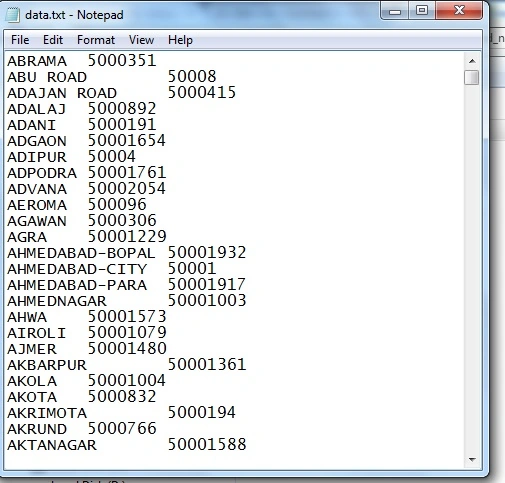
First of all create a TEXT file. Like this
Step 2
Now Create a New Windows Base Application in Visual Studio
File --> New --> Project --> Windows Forms Application
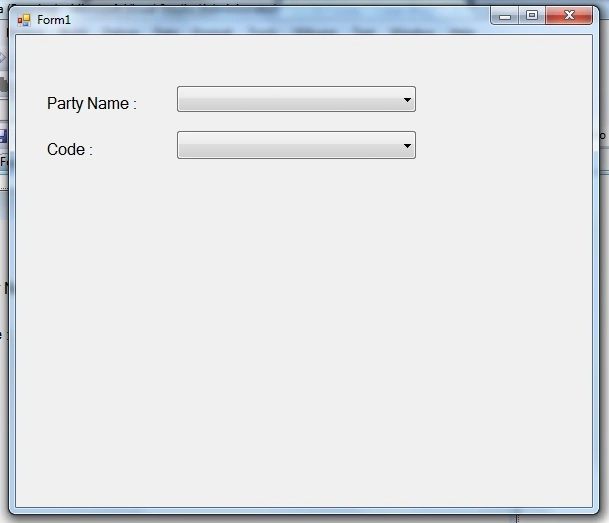
Create a Design Form Like this:
Step 3
Now write the code:
- using System.IO;
- namespace Read_notepaddata
- {
- public partial class Form1: Form
- {
- public Form1()
- {
- InitializeComponent();
- }
- private void Form1_Load(object sender, EventArgs e)
- {
- bind();
- }
- public void bind()
- {
- String path = Application.StartupPath + "\\data.txt";
- System.IO.StreamReader sr = new System.IO.StreamReader(path);
- string[] allLine = File.ReadAllLines(path);
- for (int i = 0; i <= allLine.Length - 1; i++)
- {
- if (allLine[i] == null)
- {
- break;
- }
- else
- {
- string[] item = allLine[i].Split(new char[]
- {
- '\t'
- });
- comboBox1.Items.Add(item[0]);
- comboBox2.Items.Add(item[1]);
- }
- }
- }
- }
- }
Step 4
Now Run Application
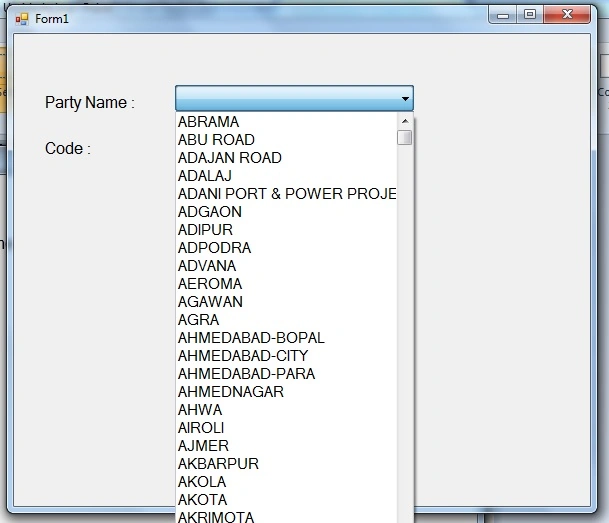
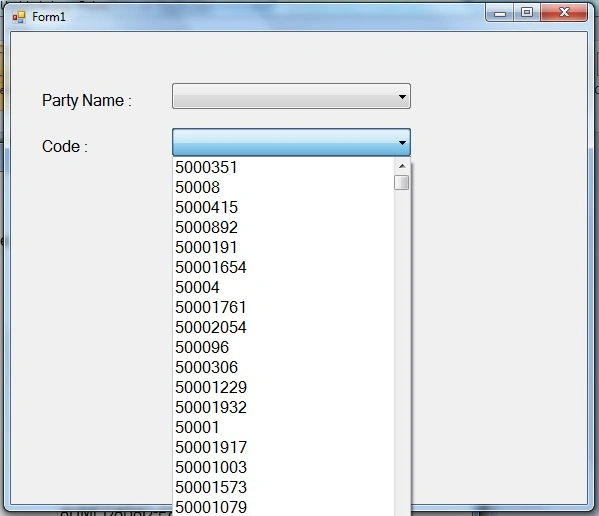
Output Look like this:
Thanks :
If you have any query regarding this feel free to comment me.
Join the conversation! Your thoughts help the community grow.