

Introduction
SharePoint Online offers a valuable feature that allows you to recover files or folders that have been accidentally deleted. Since there are no built-in backups for SharePoint Online, knowing how to use the recycle bin can help prevent data loss. In this blog, we'll walk you through the process of recovering deleted items in SharePoint Online in a simple and easy-to-understand way.
Step 1. Access Your SharePoint Site
- Go to the SharePoint site where you want to restore deleted items.
- Click on the Settings gear icon, then select "Site Contents" from the menu.
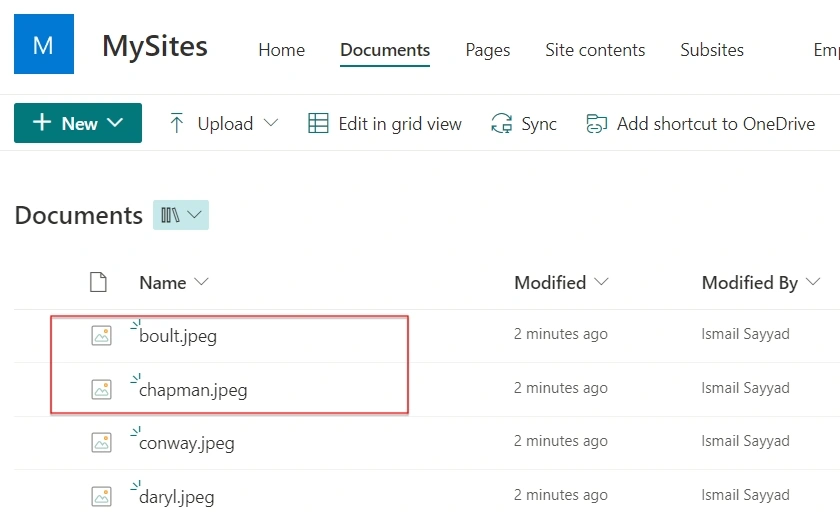
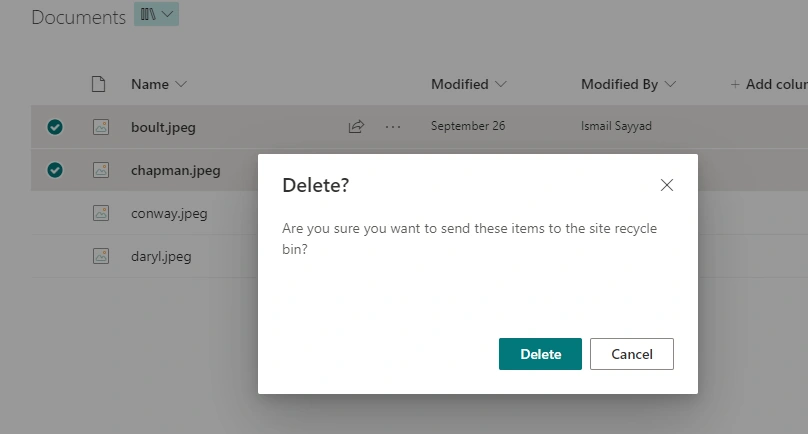
Step 2. Navigate to the Recycle Bin
- Once you're on the Site Contents page, look for the Recycle Bin link in the upper-right corner and click on it. This will take you to the Recycle Bin page specific to your site (not the entire site collection).
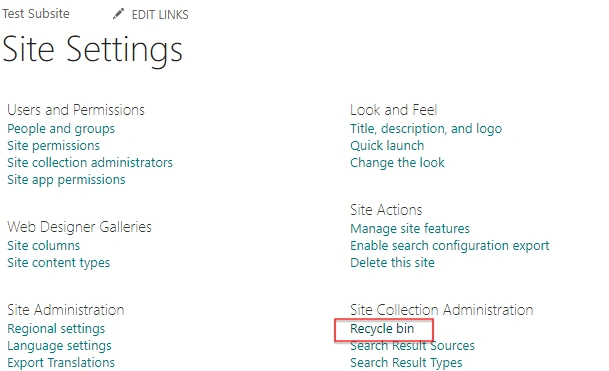
Step 3. Restore Deleted Items
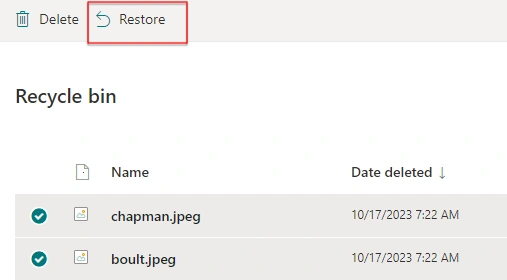
- On the Recycle Bin page, you'll see a list of items that have been deleted.
- To restore items, simply check the box next to each item you want to recover.
- After selecting the items you want to restore, click the "Restore" button.
- If you need to recover all your deleted files, you can select all items at once.
Conclusion
If you ever delete something by mistake or if someone else deletes important files, you can easily retrieve them using SharePoint Online's Recycle Bin. And if you can't find the deleted files in the initial recycle bin, remember that there's a second-stage recycle bin where you can search.
Join the conversation! Your thoughts help the community grow.