

I have tried to provide an easy procedure showing simple code.
Requirement
We have to needed one separately Gmail account for your Google Drive.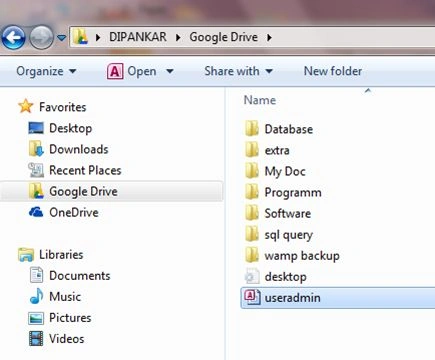
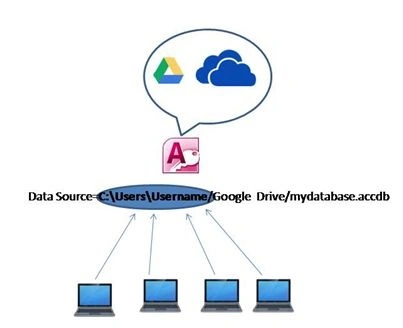
Now create a new project.
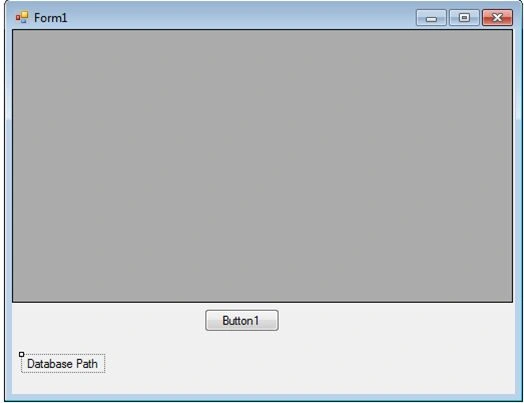
- Imports System.Data
- Imports System.Data.OleDb
- Public Class Form1
- Public ConnString As String
- Public conn As New OleDbConnection
- Private Sub Form1_Load(ByVal sender As System.Object, ByVal e As System.EventArgs) Handles MyBase.Load
- Dim userPath As String
- userPath = Environment.GetFolderPath(Environment.SpecialFolder.UserProfile)
- Label1.Text = "Provider=Microsoft.ACE.OLEDB.12.0;Data Source=" + userPath + "\Google Drive\useradmin.accdb;Persist Security Info=False"
- ConnString = Label1.Text
- End Sub
- Private Sub Button1_Click(ByVal sender As System.Object, ByVal e As System.EventArgs) Handles Button1.Click
- Try
- conn.ConnectionString = ConnString
- If conn.State = ConnectionState.Closed Then
- conn.Open()
- End If
- Dim sql As String = ("select * from tbl_regis")
- Dim dataadapter As New OleDbDataAdapter(sql, conn)
- Dim ds As New DataSet()
- Dim dt As New DataTable()
- dataadapter.Fill(ds)
- dt = ds.Tables(0)
- DataGridView1.DataSource = dt
- Catch ex As Exception
- MessageBox.Show(ex.Message)
- End Try
- conn.Close()
- End Sub
- End Class
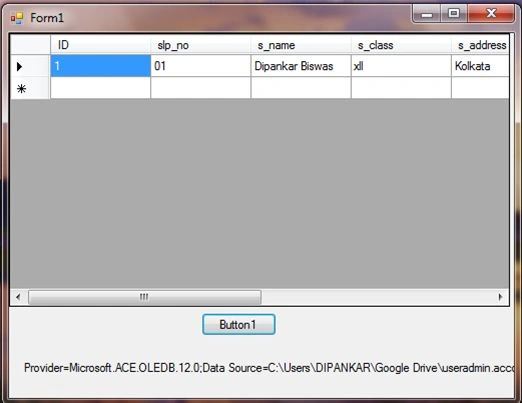
Now you can share your database in your group and others.
Thanks.
Nguyen ThaoPosted Jun 21, 2018, 10:10 PM
Nh?m vl t?o lao b? dao dddd
taka lotPosted Nov 22, 2015, 11:13 PM
I do not understand how it works,
taka lotPosted Nov 22, 2015, 11:13 PM
can you explain me please how you insert given from google form in Access databaseThank you
MicroPedia S.r.l.Posted Aug 27, 2015, 2:07 AM
Have you tested if two users access in the same time to the database if works? Tere are syncro problems? Thanks.
Santhakumar MunuswamyPosted Apr 26, 2015, 1:40 AM
Nice