

Introduction
An operation is an action performed on one or more values either to modify the value held by one or both of the variables or to produce a new value by combining values. Therefore, an operation is performed by using at least one symbol and one value. The symbol used in an operation is called an operator. A value involved in an operation is called an operand.
PRINT Something
Like every language, SQL ships with some words used to carry its various operations. One of these words is PRINT. To display something in plain text as a result of a statement, type PRINT followed by what to display. Therefore, PRINT uses the following formula:
PRINT WhatToPrint
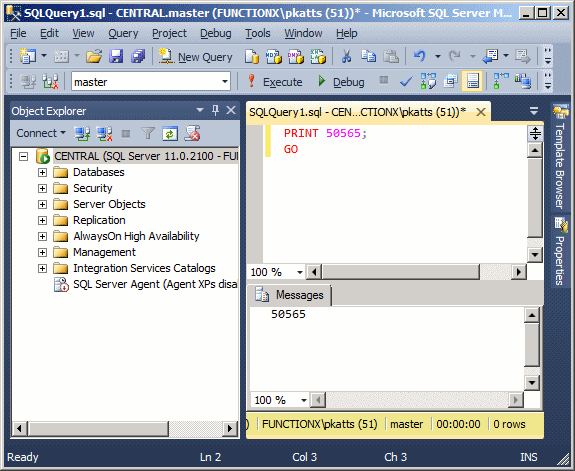
The item to display can be anything that is allowed and it is provided on the right side of PRINT. If it is a regular constant number, simply type it on the right side of PRINT. Here is an example:
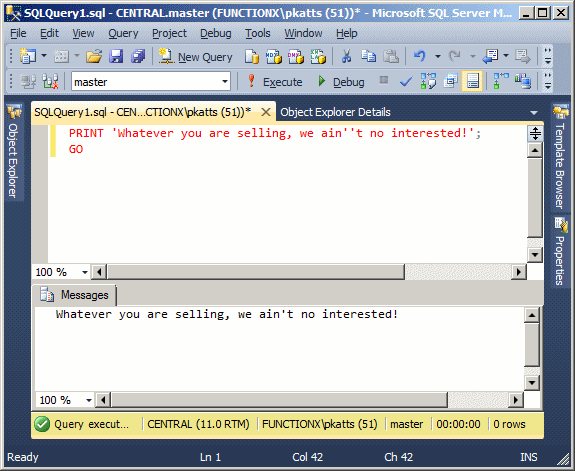
The item to display can also be an operation or the result of an operation. If you want to display a character, a word, or a sentence, include it between single-quotes. If you want to include a single-quote in your statement, double it; that is, write it twice. Here is an example:
You can also display an expression as a combination of number(s) and sentences as we will learn later.
SELECT
SELECT Anything
The SELECT operator can be used, among other things, to display a value. The SELECT keyword uses the following syntax:
SELECT What
Based on this, to use it, where it is needed, type SELECT followed by a number, a word, a string, or an expression. The item to display follows some of the same rules as PRINT. One of the differences between PRINT and SELECT is that:
- PRINT is mostly used for testing a simple value, a string, or an expression. Therefore, it displays its results in a regular white window under a tab labeled Messages. PRINT can be used with only one value
- SELECT is the most regularly used SQL operator. We will see that it is used to retrieve records from a table. For this reason, SELECT displays its results in an organized window made of categories called columns, under a tab labeled Results. SELECT can be used with more than one value
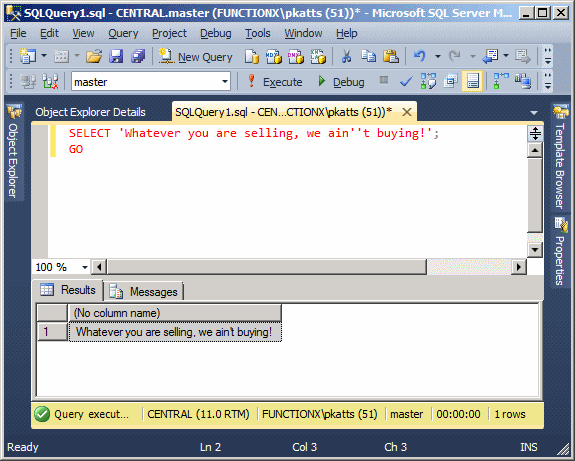
As done for PRINT, to display a sentence using SELECT, type it in single-quotes on the right side of this operator. Here is an executed example:
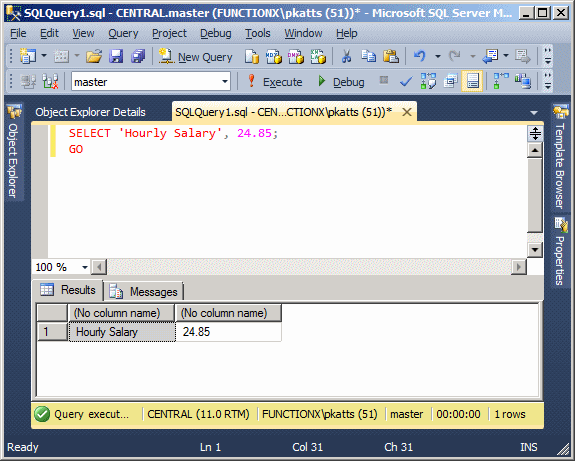
As mentioned already, unlike PRINT, SELECT can be used to display more than one value. The values must be separated by commas. Here is an example:
SELECT 'Hourly Salary', 24.85;
This would produce:
Nesting a SELECT Statement
When you create a SELECT statement, what is on the right side of SELECT must be a value. Here is an example:
SELECT 226.75;
Based on this definition, instead of just being a value, the thing on the right side of SELECT must be able to produce a value. As we will see in the next sections, you can create algebraic operation on the right side of SELECT. Because we mentioned that the thing on the right side must produce a result, you can as well use another SELECT statement that it itself evaluates to a result. To distinguish the SELECT sections, the second one should be included in parentheses. Here is an example:
SELECT (SELECT 448.25); GO
When one SELECT statement is created after another, the second is referred to as nested.
Just as you can nest one SELECT statement inside of another, you can also nest one statement in another statement that itself is nested. Here is an example:
SELECT (SELECT (SELECT 1350.75)); GO
SELECT This AS That
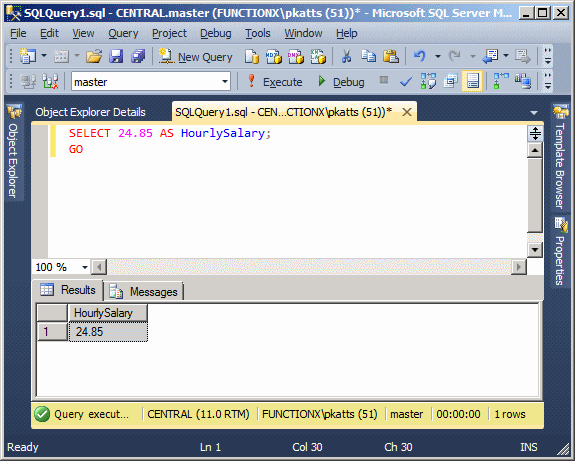
In the above introductions, we used either PRINT or SELECT to display something in the query window. One of the characteristics of SELECT is that it can segment its result in different sections. SELECT represents each value in a section called a column. Each column is represented with a name also called a caption. By default, the caption displays as "(No column name)". If you want to use your own caption, on the right side of an expression, type the AS keyword followed by the desired caption. The item on the right side of the AS keyword must be considered as one word. Here is an example:
SELECT 24.85 AS HourlySalary;
This would produce:
You can also include the item on the right side of AS in single-quotes. Here is an example:
SELECT 24.85 AS 'HourlySalary';
If the item on the right side of AS is in different words, you should include it in single-quotes or put them in inside of an opening square bracket "[" and a closing square bracket "]". Here is an example:
SELECT 24.85 AS 'Hourly Salary';
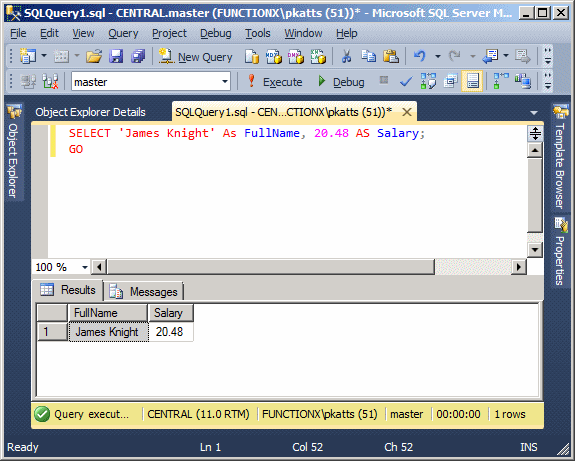
If you create different sections, separated by a comma, you can follow each with AS and a caption. Here is an example:
SELECT 'James Knight' As FullName, 20.48 AS Salary;
This would produce:
The above statement could also be written as follows:
SELECT 'James Knight' As [Full Name], 20.48 AS [Hourly Salary];
Unary Operators
The Positive Operator +
A unary operator is an operator that performs its operation on only one operand.
Algebra uses a type of ruler to classify numbers. This ruler has a middle position of zero. The numbers on the left side of the 0 are referred to as negative while the numbers on the right side of the rulers are considered positive:
| -8 | -6 | -5 | -4 | -3 | -2 | -1 | 1 | 2 | 3 | 4 | 5 | 6 | +8 | |||
| 0 | ||||||||||||||||
| -8 | -6 | -5 | -4 | -3 | -2 | -1 | 1 | 2 | 3 | 4 | 5 | 6 | +8 | |||
A value on the right side of 0 is considered positive. To express that a number is positive, you can write a + sign on its left. Examples are +4, +228, +90335. In this case the + symbol is called a unary operator because it acts on only one operand.
The positive unary operator, when used, must be positioned on the left side of its operand, never on the right side.
As a mathematical convention, when a value is positive, you do not need to express it with the + operator. Just writing the number without any symbol signifies that the number is positive. Therefore, the numbers +4, +228, and +90335 can be, and are better, expressed as 4, 228, 90335. Because the value does not display a sign, it is referred as unsigned as we learned in the previous lesson.
To express a variable as positive or unsigned, you can just type it. here is an example:
PRINT +1250
The Negative Operator -
As you can see on the above ruler, in order to express any number on the left side of 0, it must be appended with a sign, namely the - symbol. Examples are -12, -448, -32706. A value accompanied by - is referred to as negative.
The - sign must be typed on the left side of the number it is used to negate.
Remember that if a number does not have a sign, it is considered positive. Therefore, whenever a number is negative, it MUST have a - sign. In the same way, if you want to change a value from positive to negative, you can just add a - sign to its left.
Here is an example that uses two variables. One has a positive value while the other has a negative value:
SELECT -1250
Binary Operators
The Addition
An operator is referred to as binary if it operates on two operands.

The addition, also called the sum, is an operation used to add one item to another. The addition is performed using the + sign. To get the addition of two values, you type + between them, as in Value1 to Value2. After the addition has been performed, you get a new value that you can make available or display to the user. You can perform the addition on two numbers. Here is an example:
PRINT 125 + 4088
In Transact-SQL, you can also perform the addition on text. Here is an example:
PRINT 'Henry ' + 'Kono'
You can also add more than two values, like a + b + c. The order you use to add two or more values doesn't matter. This means Value1 + Value2 is the same as Value2 + Value1. In the same way a + b + c is the same as a + c + b the same as b + a + c and the same as c + b + a.
The Subtraction
The subtraction operation, sometimes called the difference, is used to take out or subtract one value from another value. It is essentially the opposite of the addition. The subtraction is performed with the - sign. Here is an example:
PRINT 1240 - 608
Unlike the addition, the subtraction operation is not associative. This means that a - b - c is not necessarily equal to c - b - a. This is illustrated in the following statements:
PRINT 128 - 42 - 5 PRINT 5 - 42 - 128
This would produce:
81 -165
Notice that both operations of the addition convey the same result. In the subtraction section, the numbers follow the same order but a different operation; and the last two operations render different results.
The Multiplication
The multiplication allows adding one value to itself a certain number of times, set by a second value. As an example, instead of adding a value to itself in this manner: a + a + a + a, since the variable a is repeated over and over again, you could simply find out how many times a is added to itself, then multiply a by that number which, is this case, is 4. This would mean adding a to itself 4 times, and you would get the same result.
The multiplication is performed with the * sign. Just like the addition, the multiplication is associative: a * b * c = c * b * a. Here is an example:
PRINT 128 * 42
This would produce 5376
The Division
Join the conversation! Your thoughts help the community grow.