

Many a times during debugging or performance analysis it is required to understand how many active connections are made to the SQL Server SharePoint databases. The following query gets number of active SQL Connections.
SELECT
hostname AS [Client],
program_name AS [Client Application],
DB_NAME(dbid) AS [Database Name],
COUNT(dbid) AS [Number of Connections],
UPPER(loginame) AS [Login or UserID]
FROM
sys.sysprocesses
WHERE
dbid > 0 AND DB_NAME(dbid) NOT IN ('master','model','msdb','tempdb')
GROUP BY
hostname,
program_name,
dbid,
loginame
ORDER BY
[Number of Connections] desc
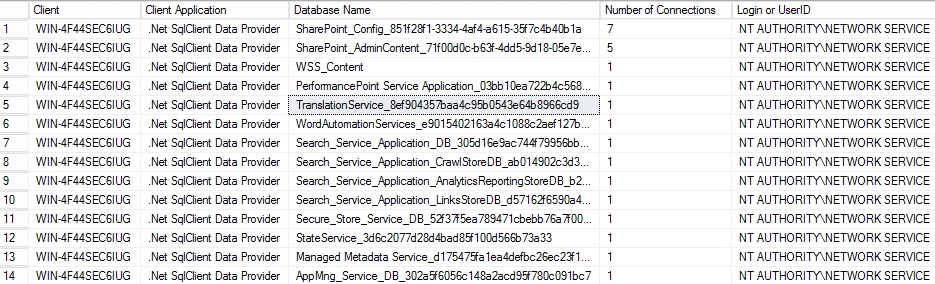
You will see output as shown in figure below
Join the conversation! Your thoughts help the community grow.