

Hi friends! Today, my manager asked me to download all the reports from ReportServer and check in to TFS.
There were plenty of reports -- almost 1,000 -- so it was difficult to download one by one. I thought this kind of problem comes to most DBAs, so I decided to write this blog. I found this script on Google and modified it-
Prerequisites & Notes
- xp_cmdshell should be enabled. (Part 1).
- SQL Engine Account should have proper write permission on Output Folder, where you will get all your reports.
- Please read comments before execution and follow (Part 2).

Part 1
Enable xp_cmdshell
- EXEC sp_configure 'show advanced options', 1
- GO
- RECONFIGURE
- GO
- EXEC sp_configure 'xp_cmdshell', 1
- GO
- RECONFIGURE
- GO
- EXEC sp_configure 'show advanced options', 0
- GO
- RECONFIGURE
- GO
Part 2
Script Implementation
- /*
- If you want all reports in output folder whether they were published in different folders
- in SSRS Report Server then put Null else define folder name
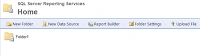
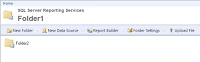
- eg: DECLARE @ReportFolderPath AS VARCHAR(500) ='/Folder1/Folder2/'
- */
Juan RamirezPosted Oct 21, 2022, 6:05 PM
But on your line = 36
Juan RamirezPosted Oct 21, 2022, 6:05 PM
Msg 102, Level 15, State 1, Line 78Incorrect syntax near '+'.
Juan RamirezPosted Oct 21, 2022, 6:04 PM
Vimal, came across your scripts, but having issues with the second one:
Rahul NeekhraPosted Nov 6, 2018, 3:17 AM
Error is coming Msg 102, LeMsg 102, Level 15, State 1, Line 36Incorrect syntax near '+'. vel 15, State 1, Line 36Incorrect syntax near '+'.