

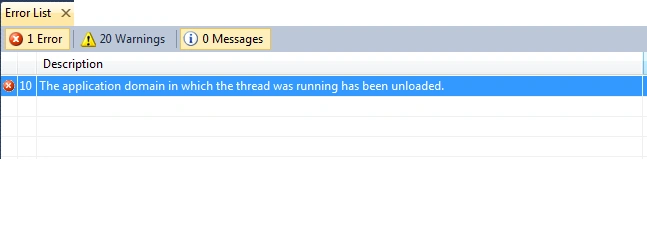
This error occurs when we try to run a web site application which is configured in IIS and the physical path of the web site is either removed or changed.
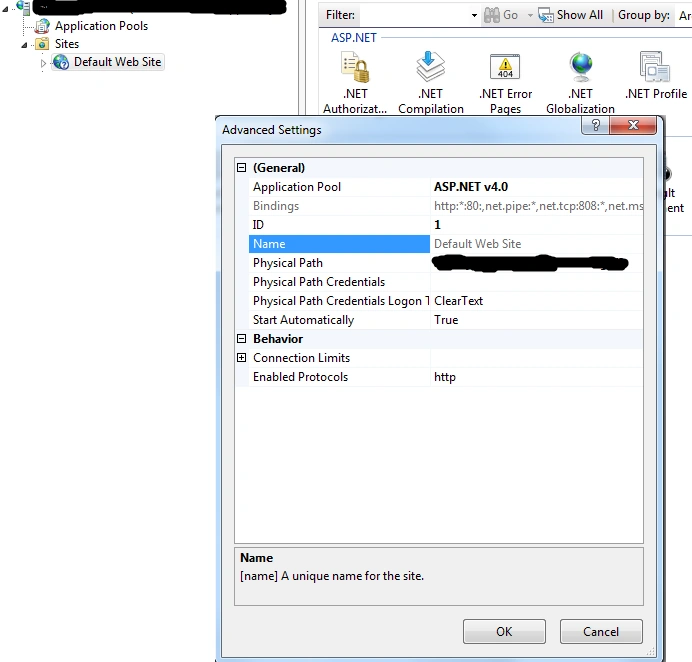
To fix the error, go to IIS Manager-Sites-Default Web Site->Manage Web Site-Advanced Settings. Set the Physical path e.g
d:\Projects\MyProject\MyProject.UI
Jiyaul MustaphaPosted Jul 9, 2019, 5:31 AM
Each time, I can either rebuild, or sometimes I need to shut down VS2015 and re-open the project. For Resolving this error
Amit VermaPosted Jul 29, 2016, 7:50 AM
nice blog
Shantesh KulkarniPosted Jul 3, 2015, 7:16 AM
'
Shantesh KulkarniPosted Jul 3, 2015, 7:16 AM
'
Shantesh KulkarniPosted Jul 3, 2015, 7:16 AM
'
Pradip PandeyPosted Jul 22, 2014, 5:13 AM
If your web application is running on localhost, simply Check physical path of default web site in IIS.
Suhani ModyPosted Jul 22, 2014, 2:26 AM
What if I am getting this error while publishing my web application from visual studio 2012?