
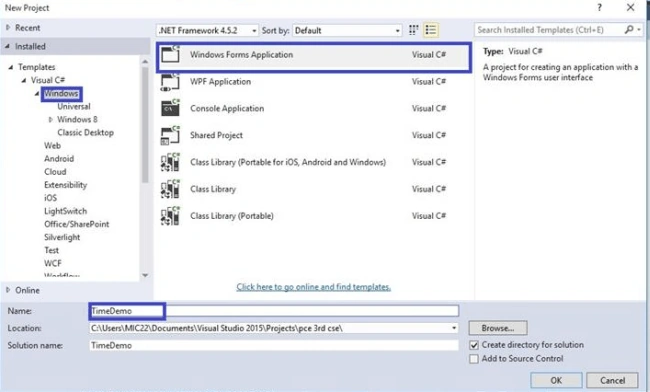
Step 1. Open Visual Studio, go to New Project -> Windows -> Windows Forms Application and give a name for your project.
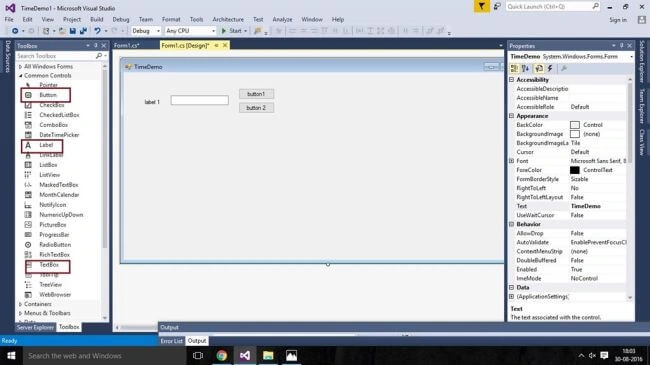
Step 2. Choose Tool Box(Ctrl+Alt+X).Choose your Tools like Button,Text Box and Label.
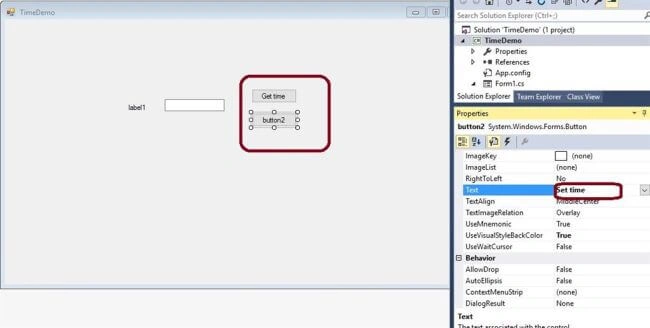
Step 3. Go to Properties and change the name.
Step 4. Fill the textbox, as shown below- 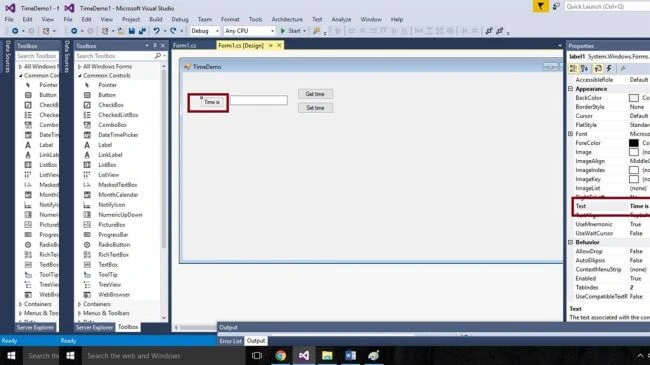
Step 5. Go to Coding Page Form.Cs and write the coding for button1.
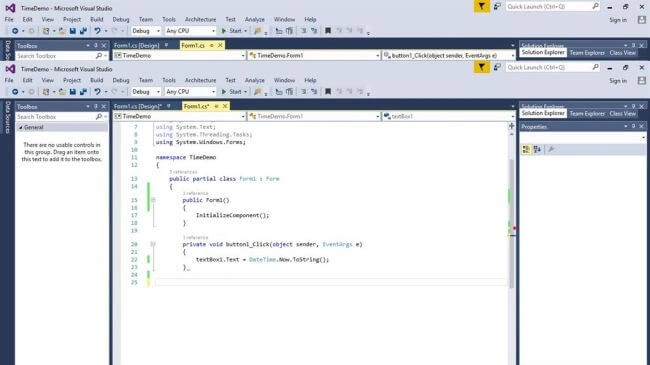
Step 6. Go to the Coding Page Form.Cs and write the coding similarly for button2. 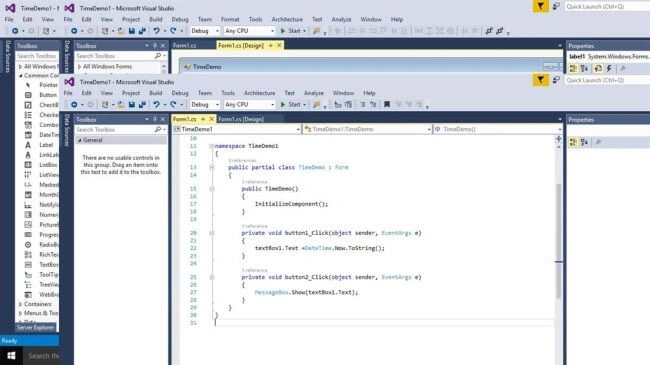
Step 7. Go to Start. See the output.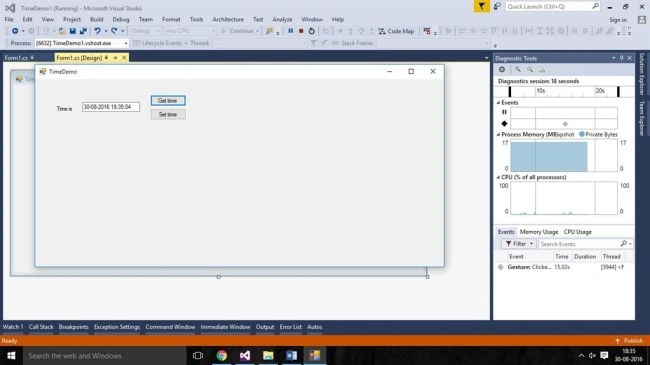

TimeDemo Application Using Windows Form
Join the conversation! Your thoughts help the community grow.
Sign in to leave a comment
It is the same account you read, post and publish with — and you will come straight back to this page.
SubashPosted Sep 9, 2016, 12:32 AM
Nice one.try to follow some coding standards for giving name to your tools it will help your carrer