

View Visual Studio application in Multiple Browser
Sometimes we need to check our application in different- different browser. So issue is how we can change default browser in Visual studio.
Follow below steps:
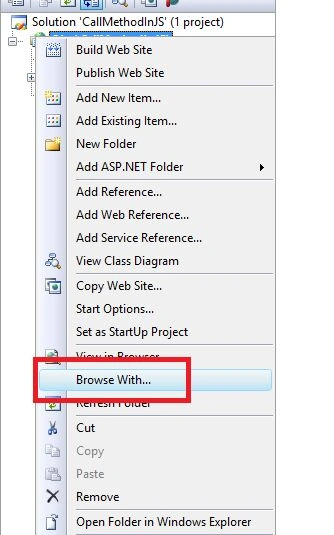
- Go to Solution Explorer in your Application.
- Select Browse With option here:
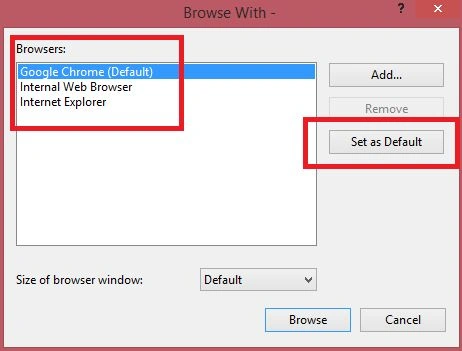
Now enjoy your Default Browser.
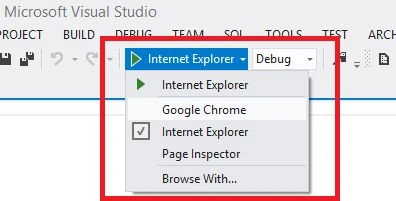
In the latest version of Visual Studio you can set it from menu items like below:
Join the conversation! Your thoughts help the community grow.