

Introduction
In modern software development, one of the biggest challenges teams face is environment inconsistency—the classic “it works on my machine” problem. This is where Docker plays a transformative role.
Docker is a containerization platform that enables developers to build, ship, and run applications consistently across environments, from local development to production.
This article explains what Docker is, how it works, and how Docker fits into a real-world CI/CD pipeline, with practical explanations suitable for enterprise applications.
What Is Docker?
Docker is an open platform that enables developers to build, package, ship, and run applications consistently and reliably using containers.
Docker allows you to decouple applications from the underlying infrastructure, enabling faster software development, testing, and deployment with fewer environment-related issues.
What Is a Docker Container?
A Docker container is a loosely isolated environment that securely and efficiently runs an application on a host system.
The Docker platform enables developers to build, package, and run applications in a lightweight, portable, and isolated environment known as a container.
A container bundles everything an application needs to run—code, runtime, libraries, and dependencies—so the application behaves the same way across all environments.
Key characteristics of containers:
Isolated from other containers
Lightweight compared to virtual machines
Fast to start and stop
Consistent across environments
Because containers include all required dependencies, applications no longer rely on what is installed on the host machine.
Key Docker Concepts
| Concept | Description |
|---|---|
| Docker Image | Blueprint of an application |
| Docker Container | Running instance of an image |
| Docker file | Instructions to build an image |
| Docker Engine | Runtime that executes containers |
| Docker Registry | Stores images (Docker Hub, ACR, ECR) |
Docker Architecture
Docker follows a client–server architecture.
The Docker Client is the tool you use to run Docker commands such as docker build, docker run, and docker pull.
The Docker Daemon (Docker Engine) does the actual work of building images, running containers, and managing Docker resources.
The client and daemon can:
Run on the same machine, or
Communicate with each other over a network when the daemon is on a remote server.
They communicate using a REST API, typically through:
UNIX sockets (local)
Network interfaces (remote)
Docker Compose is another client tool that helps you define and run multiple containers together as a single application.
Docker vs Traditional Deployment
Before Docker:
Applications were deployed directly on servers
Dependency conflicts were common
Environment setup was manual and error-prone
With Docker:
Applications run inside containers
Containers are isolated from each other
Deployment becomes predictable and repeatable
Docker vs Virtual Machines
| Docker Containers | Virtual Machines |
|---|---|
| Lightweight | Heavy |
| Starts in seconds | Takes minutes |
| Shares OS kernel | Separate OS |
| High density | Low density |
Why Docker Is Important in Enterprise Systems
Docker enables:
Microservices architecture
Faster deployments
Easy scaling and rollback
Consistent CI/CD pipelines
Cloud portability
For modern cloud-native applications, Docker is no longer optional—it’s foundational.
Docker in a CI/CD Pipeline (Real-World Use Case)
Docker is a core component of modern CI/CD pipelines.
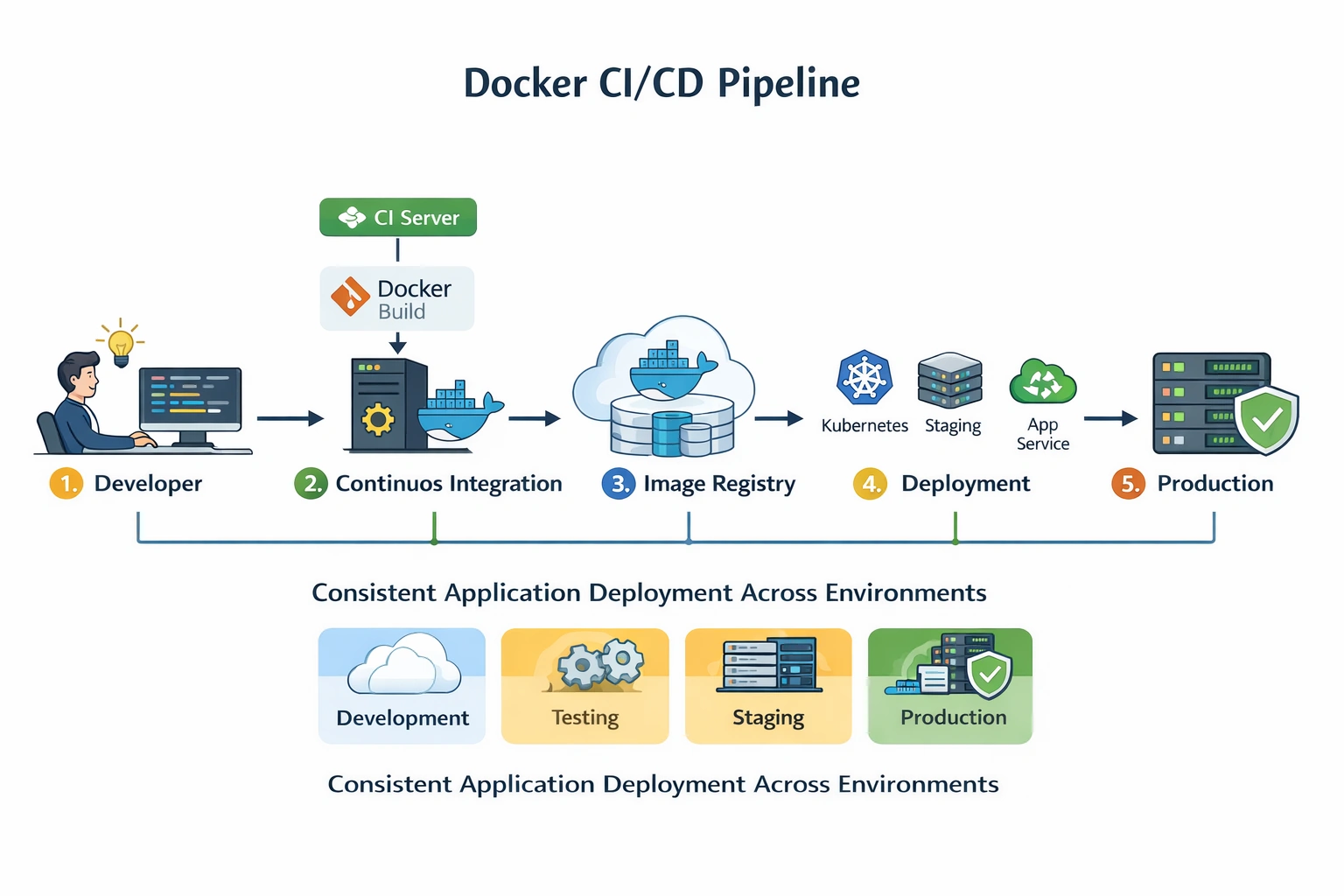
Typical Docker CI/CD Flow
Developer commits code to Git
CI server builds a Docker image
Image is pushed to a registry
Same image is deployed to environments
Container runs in production
This guarantees environment consistency across:
Development
Testing
Staging
Production
CI/CD Pipeline Explanation
In a Docker-based pipeline:
The Docker image becomes the deployment artefact
The same image moves through all environments
No rebuilding per environment
Easy rollback by redeploying a previous image
This significantly reduces deployment risk.
Real Enterprise Deployment Targets
Docker images can be deployed to:
Kubernetes clusters
Azure App Service
AWS ECS
Virtual machines
The deployment target may change, but the Docker image remains the same.
Benefits of Docker in CI/CD
✔ Eliminates “works on my machine” issues
✔ Faster build and deployment cycles
✔ Simplifies rollback strategies
✔ Improves developer productivity
✔ Enables scalable microservices
Conclusion
Docker has fundamentally changed how applications are built and deployed.
By packaging applications into containers and integrating seamlessly with CI/CD pipelines, Docker enables:
Predictable deployments
Scalable architectures
Faster release cycles
For modern .NET, Java, Node.js, or cloud-native systems, Docker is an essential skill for developers and architects alike.
Join the conversation! Your thoughts help the community grow.