

JSON is not new for developers. It has become the preferred data format for REST APIs, tools like Postman, and many modern applications. If you’ve worked with NoSQL databases such as Azure Cosmos DB, you already know how common JSON-based data storage is today.
SQL Server also adopted JSON support earlier, allowing developers to store and query JSON-formatted data.
So the obvious question is:
If SQL Server already supports JSON, what’s so special in SQL Server?
The answer lies in one major enhancement— the native JSON data type.
JSON in SQL Server
Before SQL Server, JSON data was stored using the NVARCHAR data type. While this approach worked, it came with several limitations:
JSON was treated as plain text
Every operation required parsing the document
Validation had to be done manually using
ISJSONIndexing options were limited
Updates often required rewriting the entire JSON document
This made JSON handling functional, but not optimal from a performance and data integrity standpoint.
What’s New in SQL Server
SQL Server introduces a native JSON data type , which stores JSON data in a binary format instead of plain text. Internally, SQL Server uses UTF‑8 encoding ( Latin1_General_100_BIN2_UTF8 ), which fully complies with the JSON specification.
This change brings better performance, built-in validation, and improved reliability.
Feature Comparison
Feature | SQL Server (Before) | SQL Server |
|---|---|---|
Data Type | NVARCHAR | JSON |
Storage Format | Plain text | Native binary |
Performance | Slower (parsing required) | Faster read/write |
Data Validation | Manual ( | Automatic |
JSON Index Support | Not available | Supported |
Modification | Full document rewrite | In-place updates |
With the new JSON data type, SQL Server can store JSON documents up to 2 GB in size.
JSON Functions – What’s Available
SQL Server already provides rich JSON functionality, including:
ISJSONJSON_VALUEJSON_QUERYJSON_MODIFYJSON_OBJECT,JSON_ARRAYJSON_PATH_EXISTS
SQL Server further enhances this with new aggregation functions:
JSON_ARRAYAGGJSON_OBJECT_AGG
These additions make JSON-based reporting and transformations much easier.
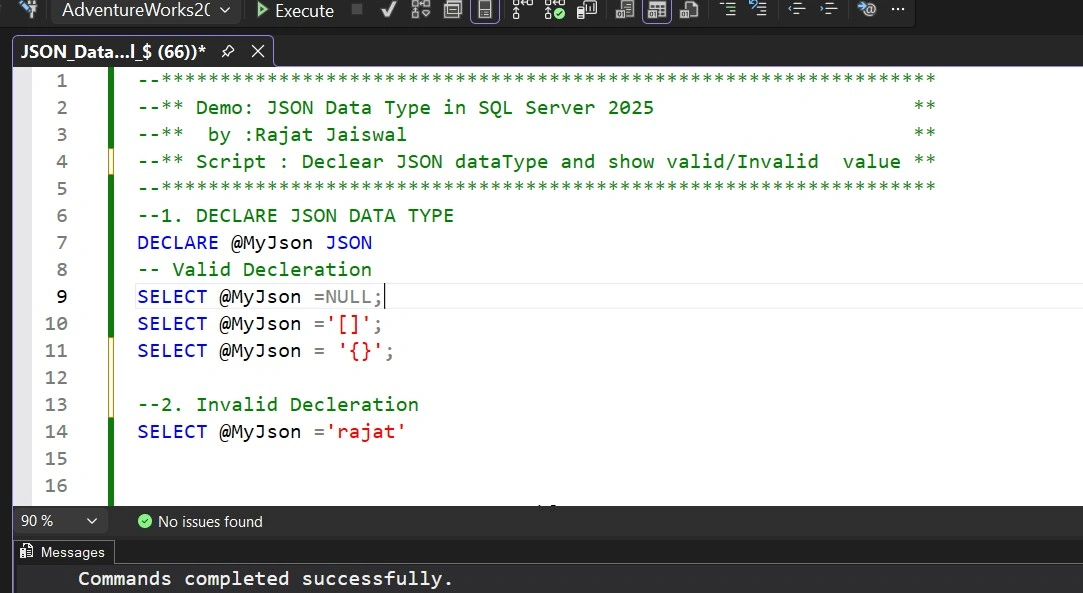
Declaring the JSON Data Type
Declaring a variable with the JSON data type is straightforward:
    DECLARE @MyJson JSON;

-- Valid assignments
SELECT @MyJson = NULL;
SELECT @MyJson = '[]';
SELECT @MyJson = '{}';

-- Invalid assignment
SELECT @MyJson = 'rajat';
SQL Server automatically validates JSON during assignment.
Enforcing JSON Structure with PATH Validation
You can enforce required JSON paths using JSON_PATH_EXISTS as a check constraint.
CREATE TABLE #PersonJsonTable (
    ID INT IDENTITY(1,1) PRIMARY KEY,
    PersonJsonData JSON NOT NULL
        CHECK (JSON_PATH_EXISTS(PersonJsonData, '$.Phone') = 1)
);
If a row is inserted without the required Phone node, SQL Server throws an error. This is an excellent way to prevent invalid data at the database level.

In-Place JSON Modification
One of the biggest improvements in SQL Server is in-place JSON updates. Instead of rewriting the full document, you can update only the required path.
UPDATE #PersonJsonTable
SET PersonJsonData.Modify('$.Desingnation', 'Project Manager')
WHERE ID = 4;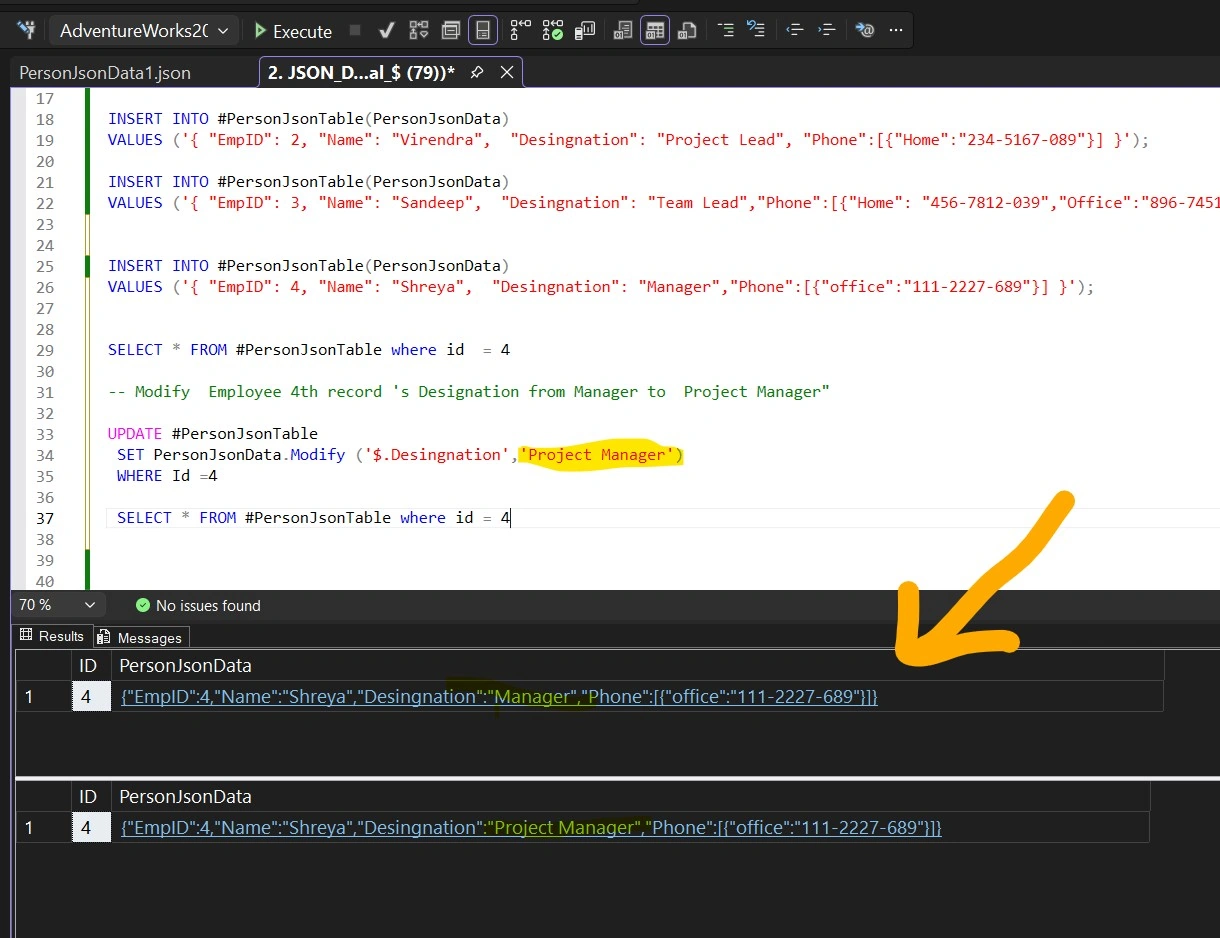
Querying JSON Data
Fetch a Single Value
SELECT JSON_VALUE(PersonJsonData, '$.Desingnation') AS Designation
FROM #PersonJsonTable;
Working with Arrays
Fetch the last phone number
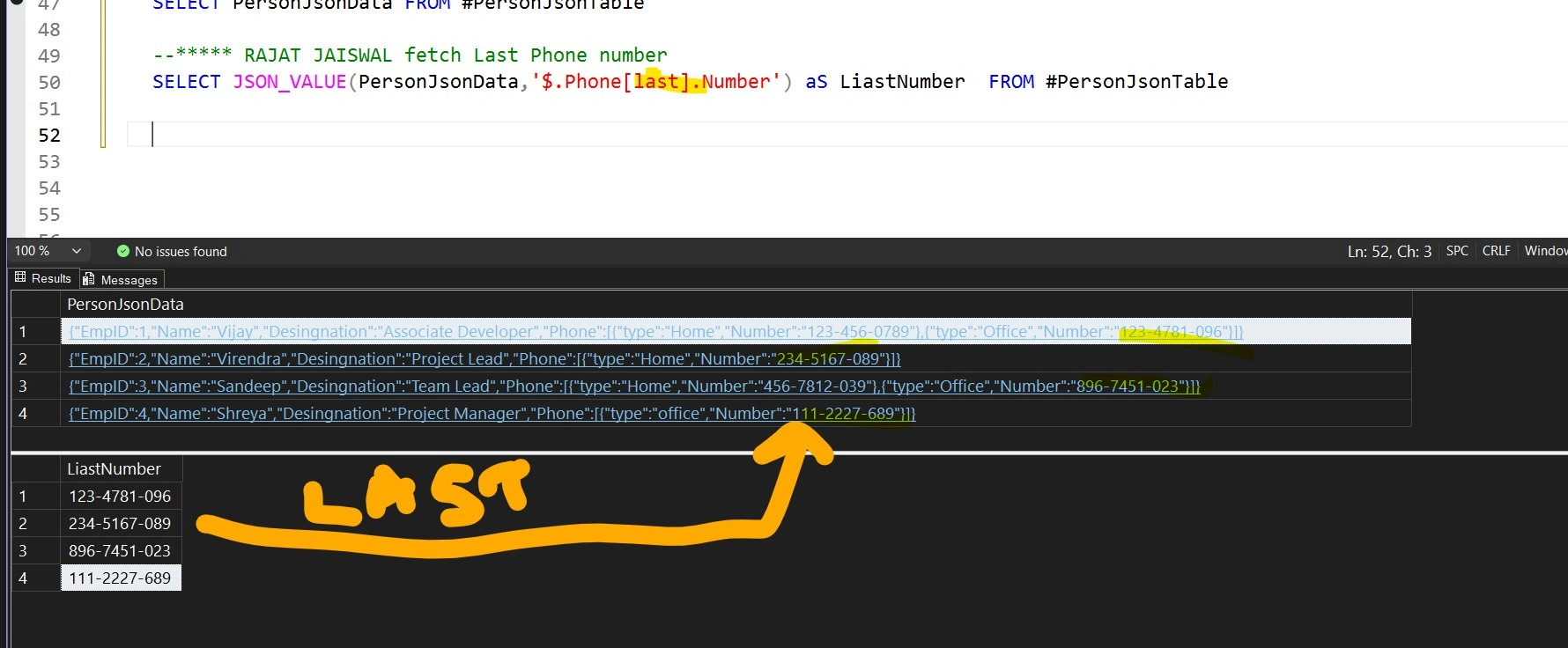
Fetch all phone numbers
SELECT JSON_QUERY(
    PersonJsonData,
    '$.Phone[*].Number' WITH ARRAY WRAPPER
) AS AllNumbers
FROM #PersonJsonTable;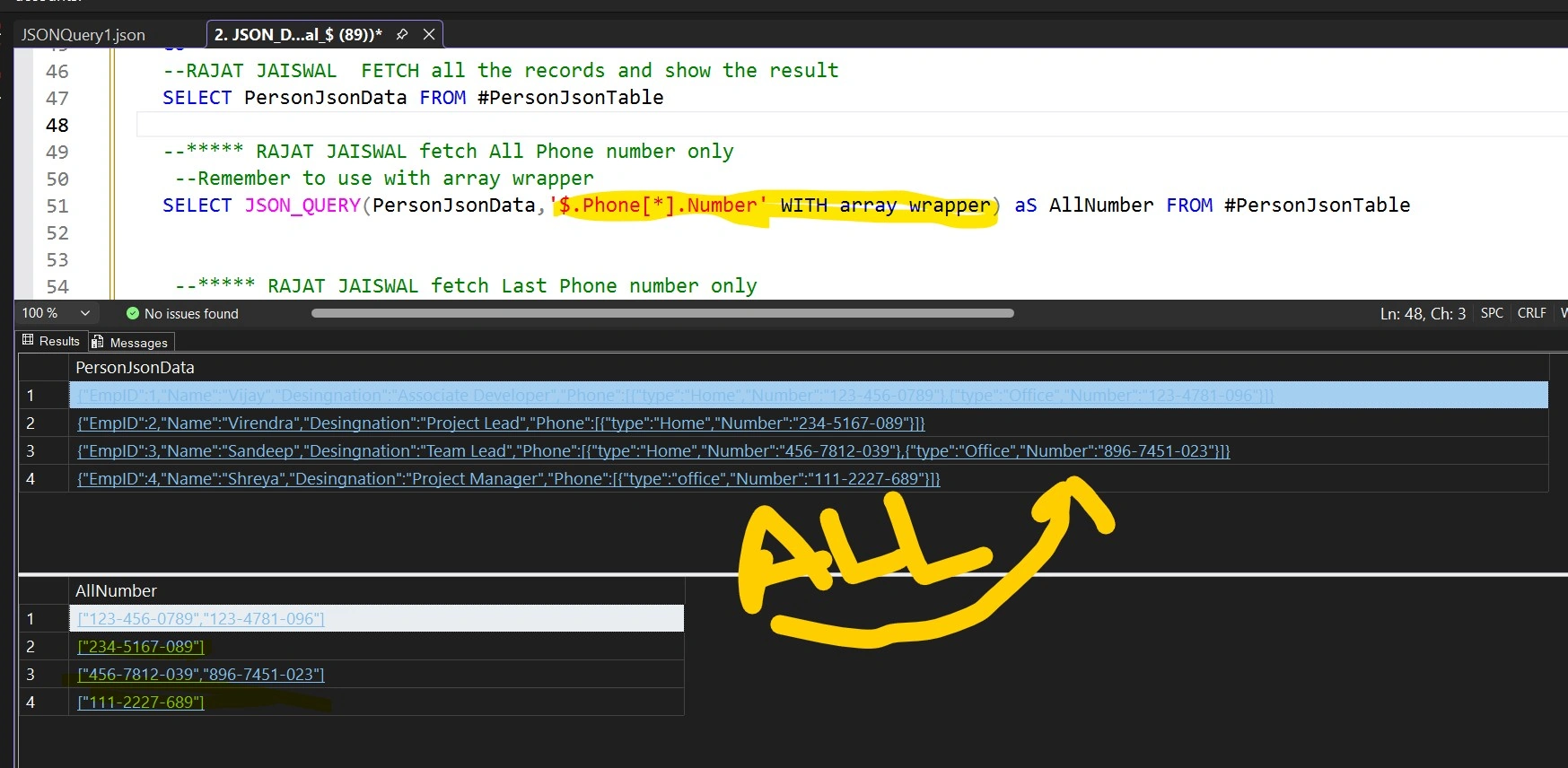
Fetch first two phone numbers
SELECT JSON_QUERY(
    PersonJsonData,
    '$.Phone[0 to 1].Number' WITH ARRAY WRAPPER
)
FROM #PersonJsonTable;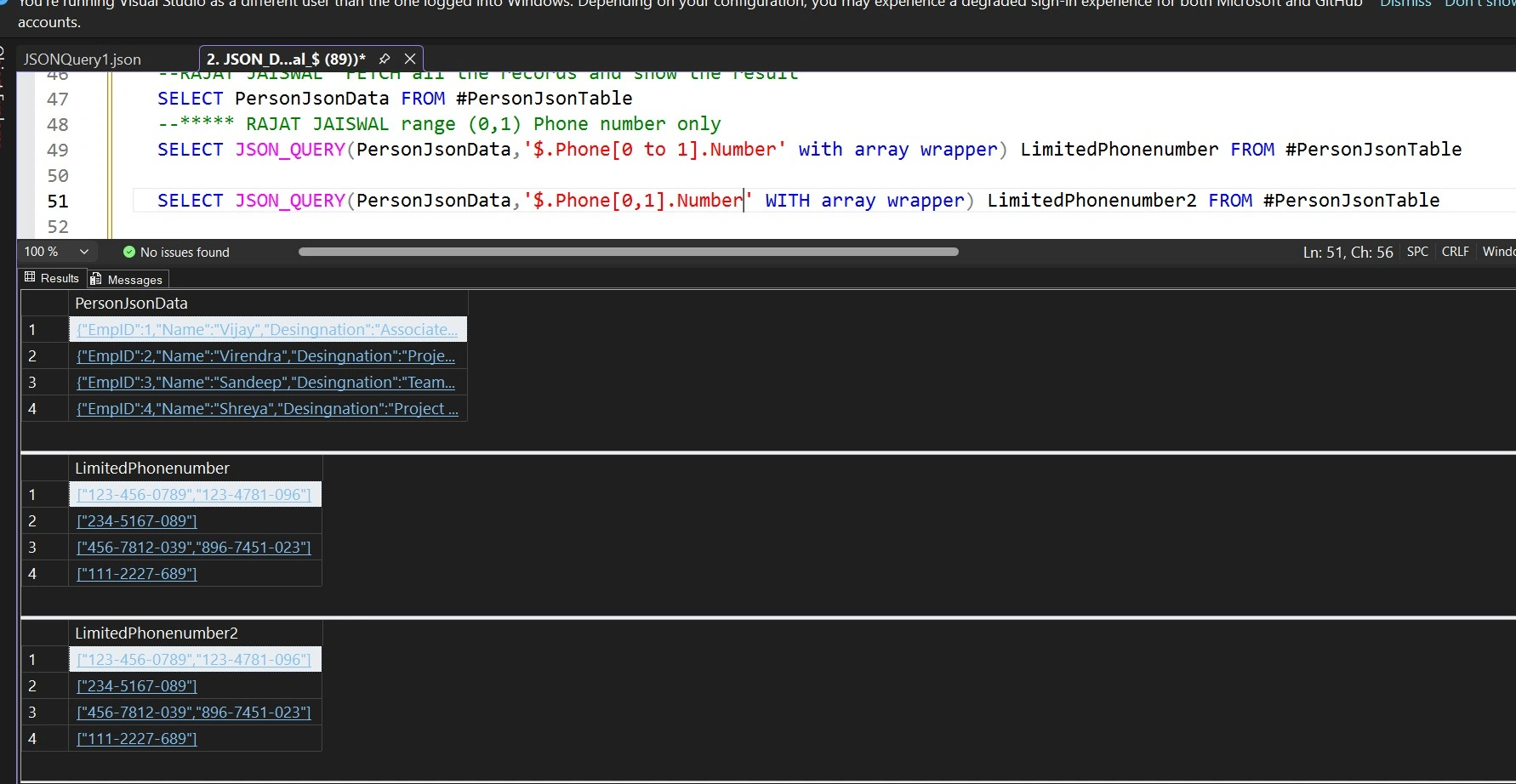
Exploring JSON Without Known Schema
If you are unsure about the JSON structure, OPENJSON allows you to explore key-value pairs dynamically:
SELECT ID, j.*
FROM #PersonJsonTable
CROSS APPLY OPENJSON(PersonJsonData) AS j;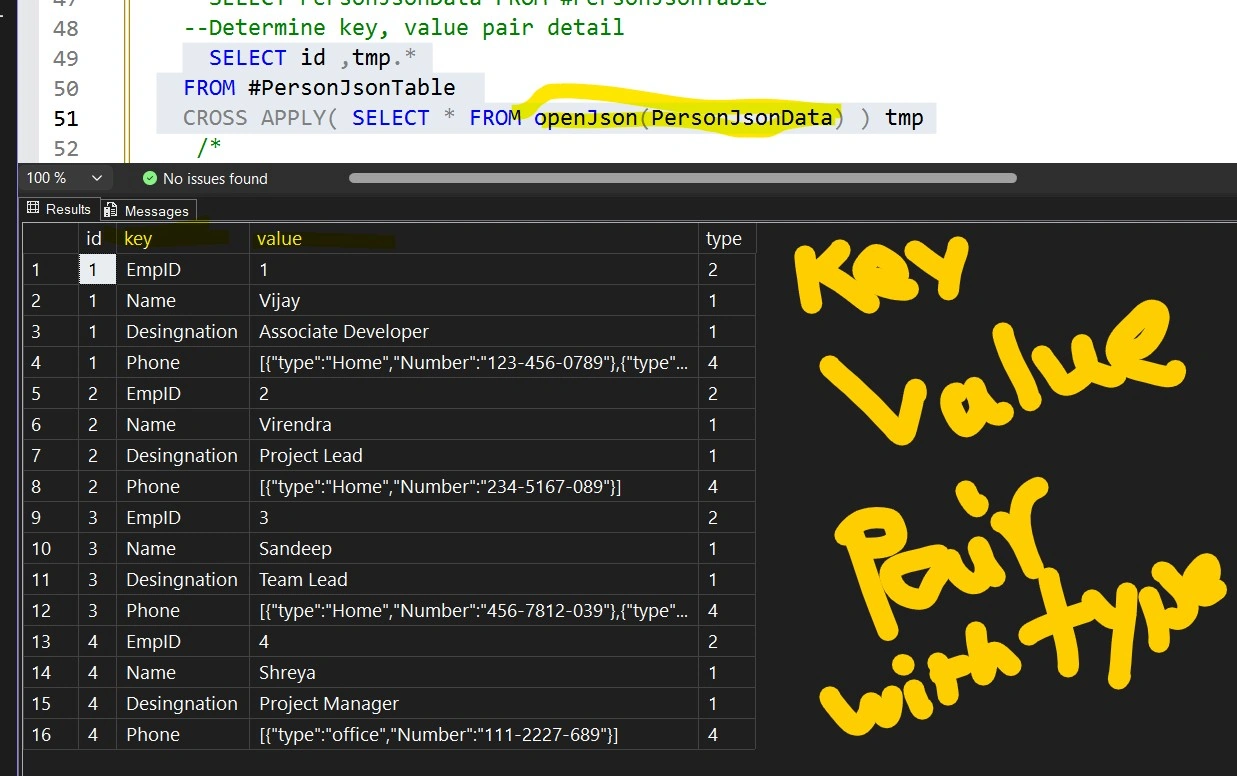
Searching Inside JSON Data
SQL Server simplifies searching inside JSON documents using JSON_CONTAINS:
SELECT *
FROM #PersonJsonTable
WHERE JSON_CONTAINS(
    PersonJsonData,
    '234-5167-089',
    '$.Phone[*].Number'
) = 1;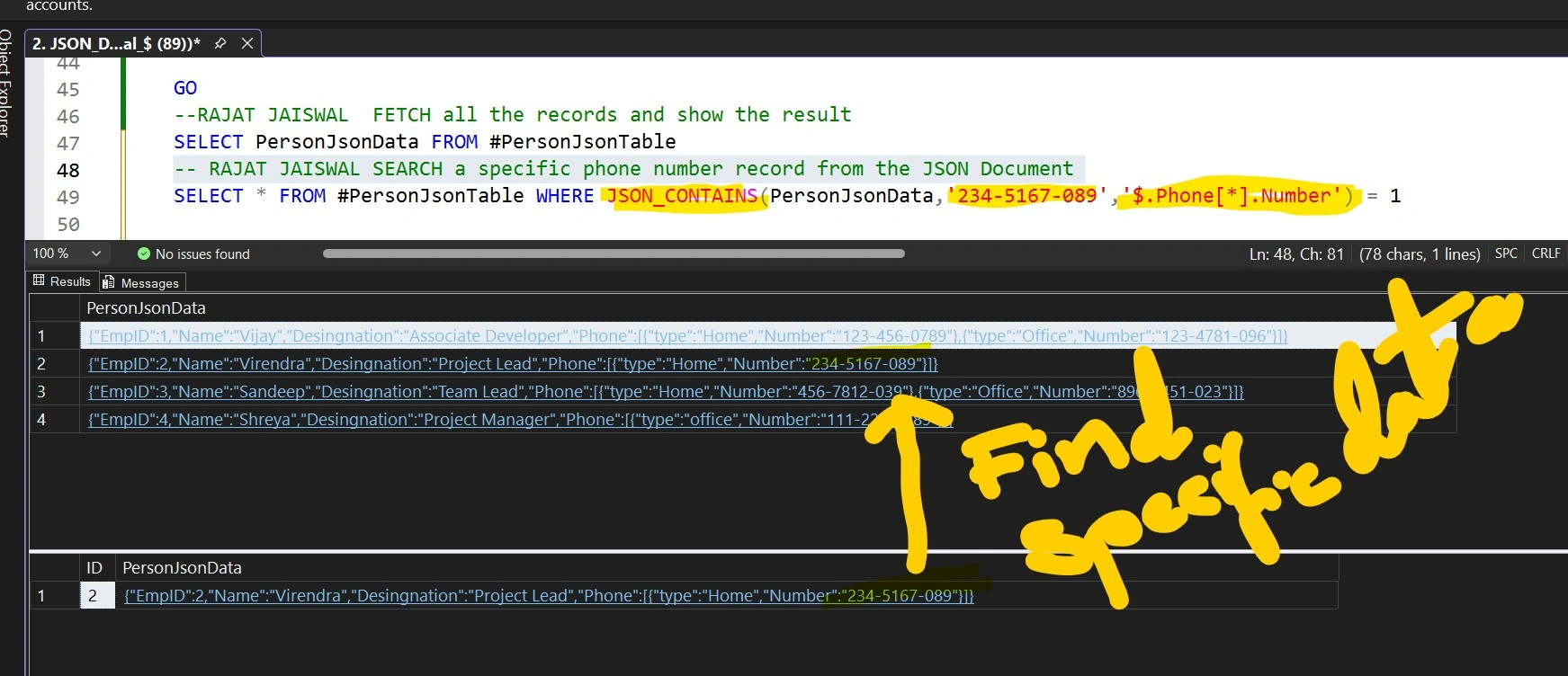
This is much cleaner compared to older workarounds.
Final Thoughts
The native JSON data type in SQL Server is a significant improvement. It moves JSON handling from text-based storage to a structured, validated, and optimized format.
Key benefits include:
Better performance
Automatic validation
In-place updates
JSON indexing support
In upcoming posts, we’ll explore JSON indexing, aggregation, and advanced scenarios in more detail.
Join the conversation! Your thoughts help the community grow.