

Wrap Panel
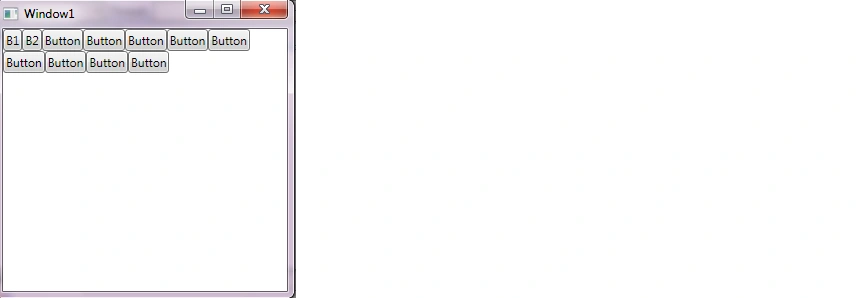
The wrap panel is just like the StackPanel but it does not just stack all child elements to one row, it wraps them to new lines if no space is left. The Orientation can be set to Horizontal or Vertical.
<WrapPanel
Orientation="Horizontal">
<Button
Content="B1"
/>
<Button
Content="B2"
/>
<Button
Content="Button"
/>
<Button
Content="Button"
/>
<Button
Content="Button"
/>
<Button
Content="Button"
/>
<Button
Content="Button"
/>
<Button
Content="Button"
/>
<Button
Content="Button"
/>
<Button
Content="Button"
/>
<Button
Content="Button"
/>
</WrapPanel>
Join the conversation! Your thoughts help the community grow.