

1. How to create an SQL job.
(a) Create SQL job Using Wizard.
(b) Create SQL job Using Script.
2. How to execute an SQL object and a query in the SQL job.
3. How to Schedule an execution of the SQL qbject and T-SQL Statement in SQL Job.
(a) Create an SQL job Using the Wizard.
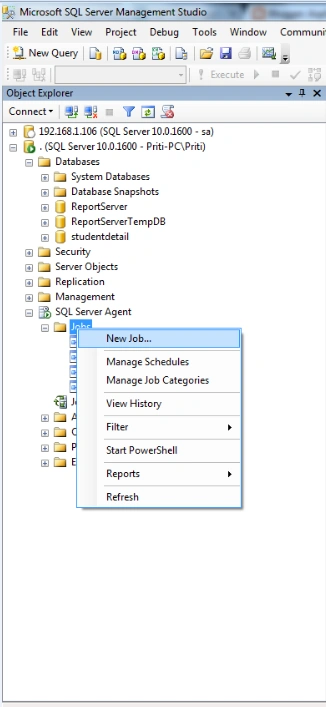
Go to the SQL server agent then Right Click on the Jobs and create a new
job.
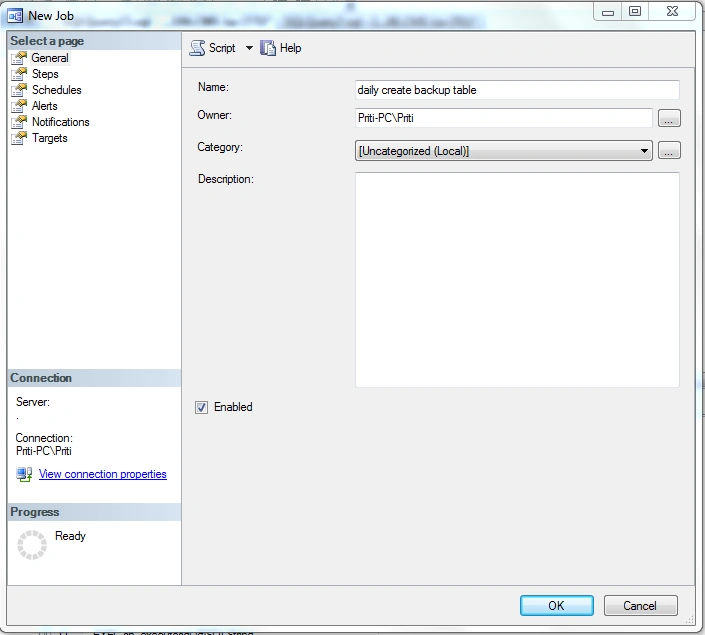
Write the job name in the general part.
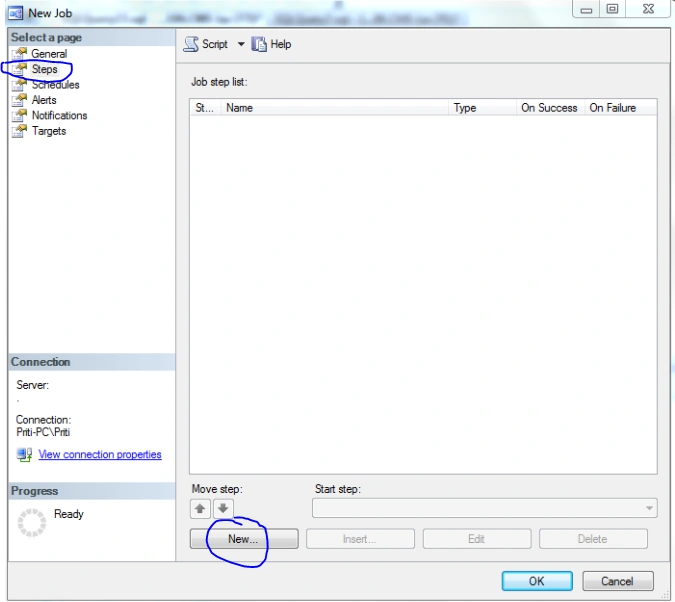
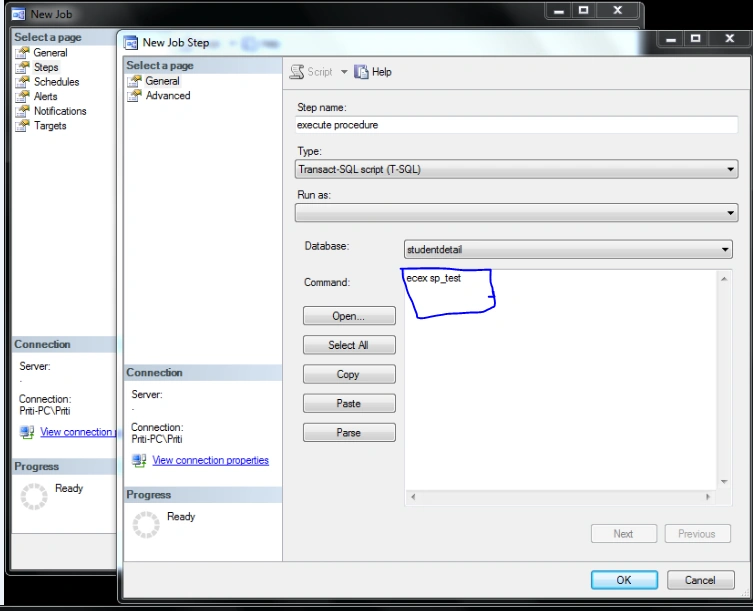
Go to Steps part: and click on New Button
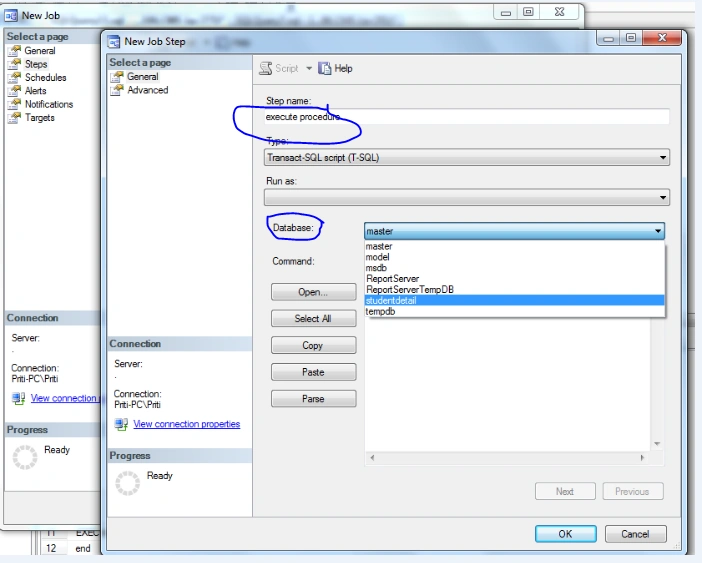
Write the name of steps and then choose the database
from the dropdownlist:
Write the Commands
on the command Field: write the execute command for the procedure and also write any T-SQL statement
Here I am
writing the exec sp_test command. Here the sp_test is my stored procedure and i
want to execute this procedure
daily automatically at a specified time.
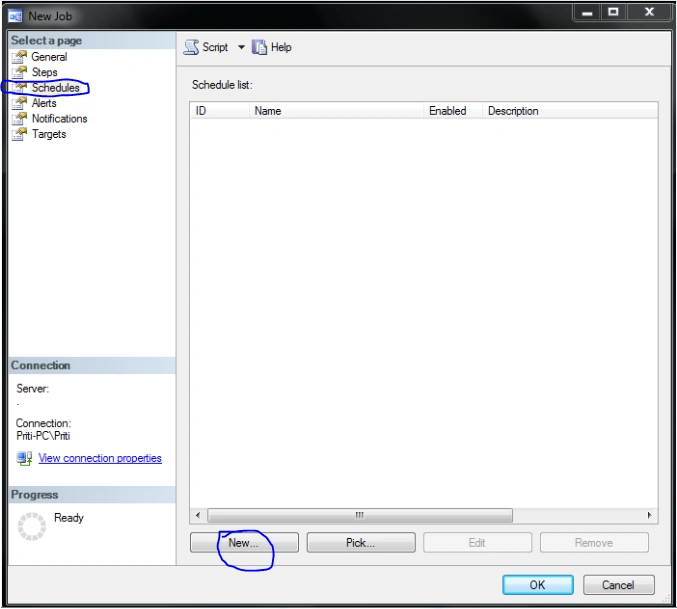
After that go to the=> Schedule Part of job:and click on the
new button:
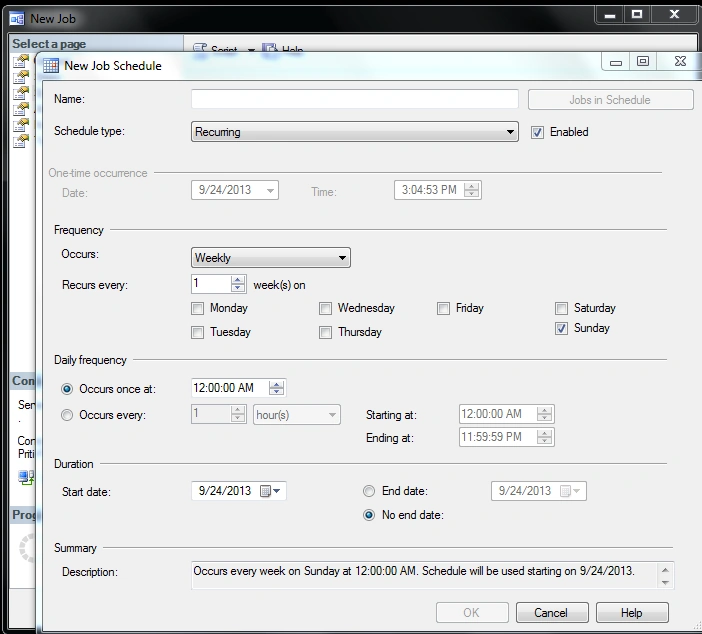
After that set the timing of the execution of the query according to your own
Requirement and also write the name of the Schedule and click ok.
After all these processes Click OK. Now your
job is created.
After that You can start your Job: Right click on your Job and choose Start Job.
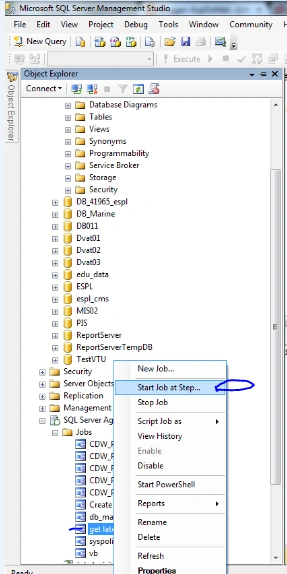
This is a complete demo of the SQL
job creation using Wizard.
(b) Create SQL job using Script:=>
USE msdb ;
GO
EXEC dbo.sp_add_job
@enabled=1,
@job_name = N'Create table daily' ;
GO
EXEC sp_add_jobstep
@step_id=1,
@job_name = N'Create table daily',
@step_name = N'Set database to execute
Procedure',
@subsystem = N'TSQL',
@command = N'exec sp_createtableGps',
@database_name=N'CMS',
@retry_attempts = 0,
@retry_interval = 0 ,
@flags=0;
GO
EXEC dbo.sp_add_schedule
@schedule_name = N'Run daily one time',
@enabled=1,
@freq_type=4,
@freq_interval=1,
@freq_subday_type=1,
@freq_subday_interval=0,
@freq_relative_interval=0,
@freq_recurrence_factor=0,
@active_start_date=20130921,
@active_end_date=99991231,
@active_start_time=203000,
@active_end_time=235959,
@schedule_uid=N'38dc5bba-869b-4e0b-a354-9dc7dc2b5cce';
USE msdb ;
GO
EXEC sp_attach_schedule
@job_name = N'Create table daily',
@schedule_name = N'Run daily one time';
GO
EXEC dbo.sp_add_jobserver
@job_name = N'Create table daily';
GO
Join the conversation! Your thoughts help the community grow.