Hi
I have installed Angular 17 . But it is not showing App.module.ts. I am following below link
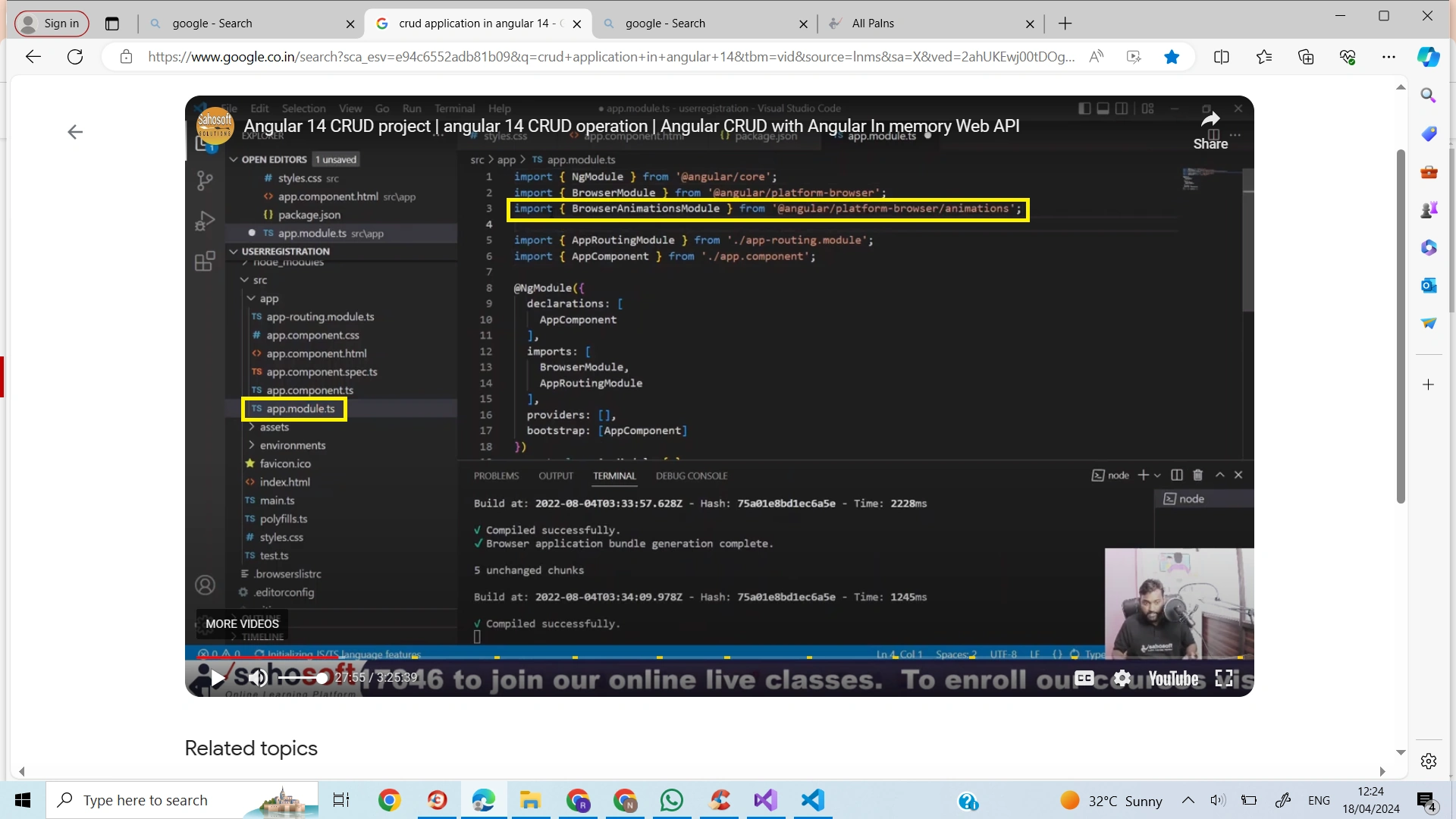
crud application in angular 14 - Google Search
Thanks
Hi
I have installed Angular 17 . But it is not showing App.module.ts. I am following below link
crud application in angular 14 - Google Search
Thanks
Know the answer? Post it — somebody with the same question will find it here.
Sign in to answer this question
It is the same account you read, post and publish with — and you will come straight back to this page.
Naimish MakwanaPosted Apr 18, 2024, 7:20 AM
In Angular 17, the Angular CLI defaults to creating projects in standalone mode12. This means that when you create a new project, it won’t have any modules in it, including the
app.module.tsfile12.Here’s how you can manage your files in Angular 17:
BrowserModulefrom@angular/platform-browser, you can import it in all the components that will use it in the component decorator2.environmentsdirectory and your custom environmentsenvironment.ts,environment.prod.ts,environment.staging.ts, etc1. Then, update yourangular.jsonorproject.jsonto dofileReplacementswhere the paths are from the project root to the environment file forreplaceandwith1.Thanks
Ramco RamcoPosted Apr 18, 2024, 7:00 AM
Hi Naimish
In 2files in Angular 14 it is showing , i have marked yellow . How i should mange it in Angular 17. In Angular 17 there is no app.module.ts
Thanks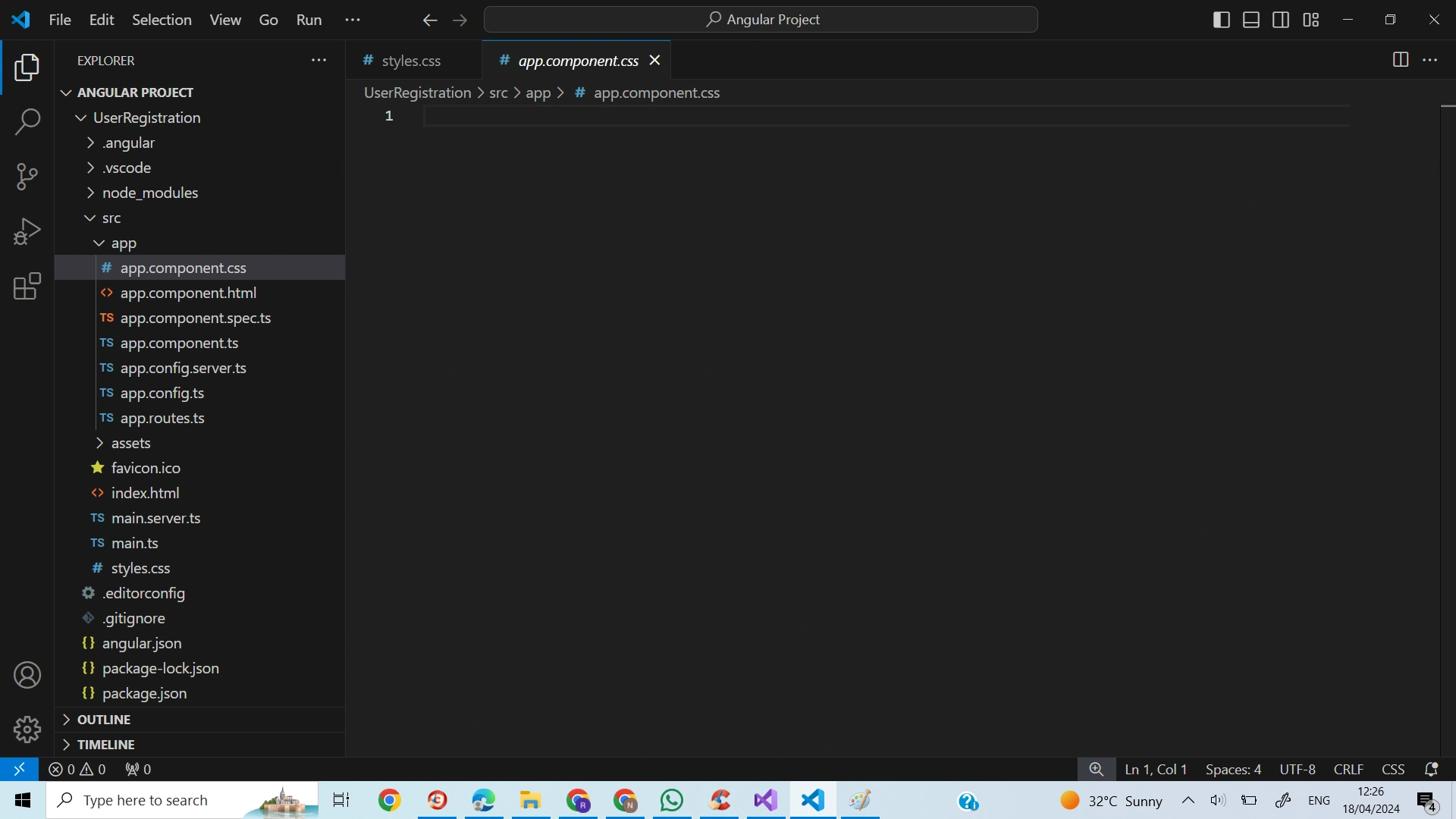
 Thanks
Naimish MakwanaPosted Apr 18, 2024, 6:40 AM
Hello,
From Angular 17 onwards, the Angular CLI defaults to creating projects in standalone mode1. This means that when you create a new project, it won’t have any modules in it, including the
app.module.tsfile12.However, it is still possible to create a module-based app by using the
--no-standaloneflag when creating a new project12. Here’s how you can do it:This command will create a new Angular project with the
app.module.tsfile12.Thanks