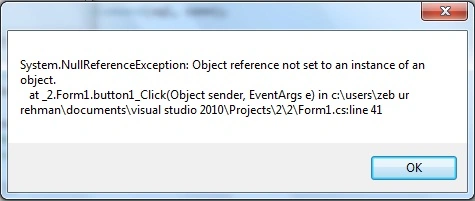
When i run the following code it give me the error which is also given below. I think there is problem of Array size. Can somebody please tell me how can i remove this error. My main goal is to save the value from database to array.
Thanks
using System;
using System.Data.OleDb;
using System.IO;
using System.Collections.Generic;
using System.ComponentModel;
using System.Data;
using System.Drawing;
using System.Linq;
using System.Text;
using System.Windows.Forms;
namespace _2
{
public partial class Form1 : Form
{
public Form1()
{
InitializeComponent();
}
private void button1_Click(object sender, EventArgs e)
{
try
{
int count = 0;
string[] name = null;
string[] address = null;
string connectionString = "Provider=Microsoft.Jet.OLEDB.4.0;data source=D:\\ptcl.accdb";
OleDbConnection conn = new OleDbConnection(connectionString);
string sql = "SELECT * FROM 51";
OleDbCommand cmd = new OleDbCommand(sql, conn);
{
conn.Open();
OleDbCommand com = new OleDbCommand(sql, conn);
OleDbDataReader dr = com.ExecuteReader();
while (dr.Read())
{
name[count] = dr.GetString(1).ToString();
//textBox1.Text = count.ToString() ;
//count++;
}
conn.Close();
}
}
catch (Exception ex)
{ MessageBox.Show(ex.ToString());}
}
}
}
theLizardPosted Dec 9, 2011, 5:53 AM
Whether or not it is efficient is another argument.
Whilst it's true that you can resize an Array, it's inefficient compared to the way that the List
As theLizard's code stands, he's resizing the array after each element is added.
This is true...
This means that a new array has to be created of the appropriate size and the elements of the previous array copied over to it. There is also more pressure on the garbage collector because the old arrays all have to be destroyed and their memory reclaimed.
The List
Unless I misunderstand this is no different to Array.Resize, it does the same thing, the old array is copied to a new one of the increased size.
This means that there are far fewer resizing operations and less pressure on the garbage collector. The trade-off, of course, is that List
There is no reason why you cannot declare the array with more than 0 elements, you could intitialize the array with the same number of elements as List does and increase the size by the number of elements you want but this means better management of your arrays.
I think, but not certain, that List
VulpesPosted Dec 9, 2011, 6:34 AM
VulpesPosted Dec 9, 2011, 4:48 AM
As theLizard's code stands, he's resizing the array after each element is added. This means that a new array has to be created of the appropriate size and the elements of the previous array copied over to it. There is also more pressure on the garbage collector because the old arrays all have to be destroyed and their memory reclaimed.
The List
theLizardPosted Dec 9, 2011, 1:08 AM
Not true.. you can resize an array
using System;
using System.Collections.Generic;
using System.Linq;
using System.Text;
using System.Windows.Forms;
namespace WindowsFormsApplication1
{
class Class1
{
public string s;
public int j;
}
}
//declare an array of Class1 with 0 elements
Class1[] c = new Class1[0];
Array.Resize(ref c, c.Length +1); //add 1 element to the array
c[c.Length -1] = new Class1();
//setting values to new array element
c[c.Length -1].j = 123;
c[c.Length -1].s = "New Element";
//accessing array element added
int number = c[c.Length -1].j;
string a = c[c.Length -1].s;
std::vector
VulpesPosted Dec 8, 2011, 6:59 PM