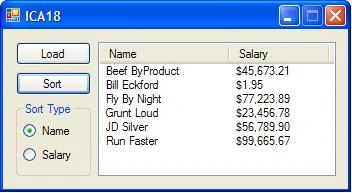
I supposed to create a program that will load salary data, consisting of name and salary, from a text file. The data will be stored in a List<> of structures, and displayed using a ListView. The contents of the List<> of structures will be sorted by either the name, or the salary.
My Load button is not working: Everytime i click the load button it gives me error message
"Empty path name is not legal"...
struct SPatient
{
public string sName;
public int iSalary;
public SPatient(string n, int a)
{
sName = n;
iSalary = a;
}
public override string ToString()
{
return string.Format("{0}, {1}", sName, iSalary);
}
}
List
void SelectionSort()
{
int iMinimum = 0; //index where min value found
SPatient iTemp; //temporary storage for swapping
int iCurrent = 0; //current location for selected value
int iScan = 0; //index to scan the unsorted array
for (iCurrent = 0; iCurrent < m_List.Count - 1; iCurrent++)
{
iMinimum = iCurrent;
for (iScan = iCurrent + 1; iScan < m_List.Count; iScan++)
{
if (m_List[iScan].iSalary < m_List[iMinimum].iSalary)
{
iMinimum = iScan;
}
}
iTemp = m_List[iMinimum];
m_List[iMinimum] = m_List[iCurrent];
m_List[iCurrent] = iTemp;
}
}
public Form1()
{
InitializeComponent();
}
private void btn_SORT_Click(object sender, EventArgs e)
{
if (rb_NAME.Checked)
{
SelectionSort();
listView1.Items.Clear();
foreach (SPatient p in m_List)
listView1.Items.Add(p.ToString());
}
if (rb_SALARY.Checked)
{
listView1.Items.Clear();
foreach (SPatient p in m_List)
listView1.Items.Add(p.ToString());
}
}
private void btn_LOAD_Click(object sender, EventArgs e)
{
try
{
FileStream fs = new FileStream(openFileDialog1.FileName, FileMode.Open, FileAccess.Read);
BinaryFormatter bf = new BinaryFormatter();
m_List = (List
fs.Close();
listView1.Items.Clear();
foreach (SPatient p in m_List)
listView1.Items.Add(p.ToString());
}
catch (Exception ex)
{
MessageBox.Show(ex.Message);
}
}
Jonathan CrispePosted Dec 12, 2011, 9:20 PM
thank you for your help....
VulpesPosted Dec 12, 2011, 6:40 PM
How did you serialize the List
Incidentally, the instructions don't necessarily oblige you to use serialization to write the data to disk though I can see why you thought it would be convenient to do it this way as it's a technique which I often use myself.
Jonathan CrispePosted Dec 11, 2011, 6:32 PM
When the Load button is pressed, the OpenFileDialog will be used to select a text file. Use a filter for text files (*.txt) or all files (*.*), with a default extension of txt. The test file will contain the salary information per person on each line of text, with the name separated from the salary using a comma. Load the salary information for each person into a structure containing a string name and a double salary, then add the structure to a List<> and display it using the ListView. If an error occurs during the file load, display an error message using a MessageBox.
VulpesPosted Dec 11, 2011, 7:40 AM
If that seems to be working OK, then the next questions are whether the file is deserializing properly to the List
Jonathan CrispePosted Dec 10, 2011, 6:37 PM
but the problem is it won't show the txt file i chose in the listview....
VulpesPosted Dec 10, 2011, 8:32 AM
If that's the case, openFileDialog1.FileName will be null (it's default value) and you'll then get the error you described.
Although the following code is unlikely to be appropriate, it will give you an idea of what to do to display the OpenFileDialog:
Sam HobbsPosted Dec 10, 2011, 5:40 AM