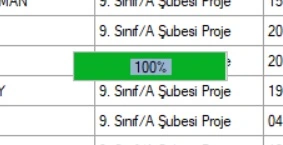
When I click the button, the form is waiting for a while after the progressbar is completed.. For a while, it is giving a message that the data is recorded.. What do you think is the reason for this? My codes are here.
private IProgress progress;
public void DoProcessing(IProgress progress)
{
    for (int i = 0; i <= 100; ++i)
    {
        Thread.Sleep(100); // CPU-bound work
      if (progress != null)
            progress.Report(i);
    }
}
private  async void button3_Click(object sender, EventArgs e)
{
    List ChkedRow = dataGridView1.Rows.Cast()
                                      .Where(row => Convert.ToBoolean(row.Cells[0].Value) == true)
                                      .Select(row => row.Index)
                                      .ToList();

    if (ChkedRow.Count == 0)
    {
        MessageBox.Show("Geziye katilacak ögrenci seçiminde bulunmadiniz!");
        return;
    }

        label5.Visible = true;
        progressBar1.Value = 0;
        progressBar1.Visible = true;
        Cursor.Current = Cursors.WaitCursor;

    var progress = new Progress(percent =>
    {
        progressBar1.Value = percent;
        progressBar1.PerformStep();
        label5.Text = percent.ToString() + "%";
    });

    // DoProcessing is run on the thread pool.
    await Task.Run(() => DoProcessing(progress));

    foreach (int j in ChkedRow)
        {
        try
        {
            var val1 = dataGridView1.Rows[j].Cells["tcno"].Value;
            var val2 = dataGridView1.Rows[j].Cells["ono"].Value;
            var val3 = dataGridView1.Rows[j].Cells["isim"].Value;
            var val4 = dataGridView1.Rows[j].Cells["soyisim"].Value;
            var val5 = dataGridView1.Rows[j].Cells["cinsiyet"].Value;
            var val6 = dataGridView1.Rows[j].Cells["dtarihi"].Value;
            var val7 = dataGridView1.Rows[j].Cells["sinifi"].Value;
            var val8 = dataGridView1.Rows[j].Cells["unvan"].Value;
            var val10 = dataGridView1.Rows[j].Cells["kbaskani"].Value;

            using (var conn = new OleDbConnection("Provider=Microsoft.ACE.OLEDB.12.0;Data Source = gezievrak2541.accdb; Jet OLEDB:Database Password = Fatih2541; Mode = ReadWrite"))
            {
                conn.Open();
                using (var cmd = new OleDbCommand("select * from gezilistemiz25 where tcno IN ('" + val1 + "')", conn))
                {
                    using (OleDbDataReader dr = cmd.ExecuteReader())
                    {

                        if (dr.Read())
                        {
                            while (dr.Read())
                            {
                                MessageBox.Show(" '" + val3 + " " + val4 + "' isimli ögrenciler veritabaninda kayitlidir. Mükerrer kayit yapilamaz. Lütfen kontrol ediniz.");
                            }
                        }
                        else
                        {

                            string val9 = null;

                            if (!String.IsNullOrEmpty(dataGridView1.Rows[j].Cells["atel"].Value.ToString()))
                            {
                                val9 = dataGridView1.Rows[j].Cells["atel"].Value.ToString();
                            }
                            else if (!String.IsNullOrEmpty(dataGridView1.Rows[j].Cells["btel"].Value.ToString()))
                            {
                                val9 = dataGridView1.Rows[j].Cells["btel"].Value.ToString();
                            }
                            else
                            {
                                MessageBox.Show("'" + val3 + " " + val4 + "' isimli ögrencinin veli telefonu bulunmamaktadir! Bu nedenle bu ögrenci gezi listesine eklenemedi.");
                                continue;
                            }

                            var cmdText = "INSERT INTO gezilistemiz25 (tcno, ono, adi, soyadi, cinsiyet, dtarihi, sinifi, unvani, vtel, kbaskani) VALUES (?, ?, ?, ?, ?, ?, ?, ?, ?, ?)";
                            var command = new OleDbCommand(cmdText, conn);
                            command.Parameters.AddWithValue("tcno", val1);
                            command.Parameters.AddWithValue("ono", val2);
                            command.Parameters.AddWithValue("adi", val3);
                            command.Parameters.AddWithValue("soyadi", val4);
                            command.Parameters.AddWithValue("cinsiyet", val5);
                            command.Parameters.AddWithValue("dtarihi", val6);
                            command.Parameters.AddWithValue("sinifi", val7);
                            command.Parameters.AddWithValue("unvani", val8);
                            command.Parameters.AddWithValue("vtel", val9);
                            command.Parameters.AddWithValue("kbaskani", val10);
                            command.ExecuteNonQuery();
                            conn.Close();
                            command.Dispose();

                        }
                    }
                }
            }
        }

        catch (Exception ex)
        {
            MessageBox.Show(ex.Message, "Error", MessageBoxButtons.OK, MessageBoxIcon.Error);
        }
        }
    progressBar1.Visible = false;
    label5.Visible = false;
    headerCheckBox2.Checked = false;
    comboBox1.SelectedIndex = 0;
    GC.WaitForPendingFinalizers();
    GC.Collect();
    MessageBox.Show("Seçtiginiz ögrenciler gezi listesine eklendi.");
    Listele();
    Cursor.Current = Cursors.Arrow;
}
Mehmet FatihPosted Sep 23, 2023, 9:28 PM
Thanks for your advices Rasad. I will try them.
Prasad RaveendranPosted Sep 23, 2023, 4:48 PM
The delay you are experiencing after the progress bar completes and before the message about the data being recorded is likely due to some asynchronous processing happening in your code. Let me explain what might be causing this and how to potentially improve it:
Database Operations: Inside your loop, you are performing database operations using OleDb, which can be relatively slow, especially if there are multiple iterations. These database operations are synchronous, meaning they will block the UI thread until they complete. This could cause the delay you're experiencing.
Solution: You could consider optimizing your database operations, but more importantly, you should perform these operations in a background thread or use asynchronous methods provided by your database library (if available) to avoid blocking the UI thread.
MessageBox Calls: Inside the loop, you have
MessageBox.Showcalls. These also block the UI thread until the user closes the message box.Solution: Instead of showing a message box for each iteration, you could accumulate the error messages in a list or a string and display them all together after the loop finishes. This will prevent the UI from blocking during the loop iterations.
Garbage Collection: You're explicitly calling
GC.WaitForPendingFinalizers()andGC.Collect()after the loop. This can also cause a delay because it forces the garbage collector to run, which can be time-consuming.Solution: Generally, you should avoid calling the garbage collector explicitly unless you have a specific reason to do so. In most cases, the garbage collector can manage memory efficiently without manual intervention. You can try removing these calls and see if it improves the performance.
UI Updates: Ensure that your UI updates, such as setting
progressBar1.Value,progressBar1.PerformStep(), andlabel5.Text, are not causing a significant delay. These updates should be relatively quick.If you address these points, your application's responsiveness should improve, and you may see a reduction in the delay after the progress bar completes. However, keep in mind that database operations and other time-consuming tasks should be performed in the background to keep your UI responsive. Consider using asynchronous programming techniques and proper error handling to enhance the user experience.