i am facing a problem while developing c#.net windows application. i want to show accounting firm name (company name) along with financial year on Title Bar of windows Form.
Firm name(company Name) should be that firm which is currently login in our software
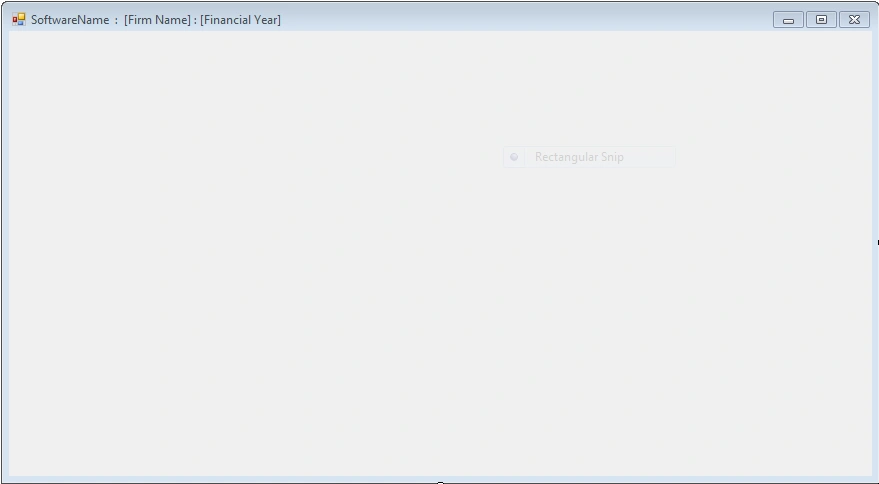
output should be as shown below :
Rohit JainPosted Jun 21, 2013, 5:44 AM
First of all we will create login form (Form1) in which we are taking two field, First is CompanyName as UserName and Second is Password Field.
then we will write code for login button in which we will setup connection to the database and check whether CompanyName and its corresponding password is Correct or Not.
if it is correct then we will pass the value of CompanyName Field in Form2 object as Parameter
as shown below:
using System;
using System.Windows.Forms;
using MySql.Data.MySqlClient;
namespace MySQLConnectionProject
{
public partial class Form1 : Form
{
public Form1()
{
InitializeComponent();
}
private void button1_Click(object sender, EventArgs e)
{
try
{
String myconnection = "datasource=localhost; port=3306;username=root;password=";
MySqlConnection con = new MySqlConnection(myconnection);
MySqlDataAdapter myAdapter = new MySqlDataAdapter();
MySqlCommand SelectCommand = new MySqlCommand("select * from hrms.userdetail where UserName ='" + this.textBox1.Text + "' and Password='" + this.textBox2.Text + "';", con);
MySqlCommandBuilder cb = new MySqlCommandBuilder(myAdapter);
con.Open();
MySqlDataReader reader =SelectCommand.ExecuteReader();
int count = 0;
while (reader.Read())
{
count = count + 1;
}
if(count ==1)
{
this.Hide();
Form2 obj = new Form2("WELCOME : "+textBox1.Text);
obj.ShowDialog();
}
else if (count > 1)
{
MessageBox.Show("Duplicate Values");
}
else
{
MessageBox.Show("UserName Password is not correct !");
}
con.Close();
}
catch(Exception ex)
{
MessageBox.Show(ex.Message);
}
}
private void button2_Click(object sender, EventArgs e)
{
Application.Exit();
}
}
}
After that we will write code for Form2 in which we want to display Company Name on Title Bar
using System;
using System.Collections.Generic;
using System.ComponentModel;
using System.Data;
using System.Drawing;
using System.Linq;
using System.Text;
using System.Windows.Forms;
namespace MySQLConnectionProject
{
public partial class Form2 : Form
{
public Form2(string str)
{
InitializeComponent();
this.Text = str;
}
private void Form2_FormClosing(object sender, FormClosingEventArgs e)
{
Application.Exit();
}
}
}
Aman JainPosted Jun 17, 2013, 7:25 AM
public Form1()
{
InitializeComponent();
this.Text="First Name : Financial Year";
}
you can use Company name and financial year and pass them as a string here in place of "First Name : Financial Year". Hope this helps you.