Hi,
failed to load resource the server responded with a status of 403 () on image
failed to load resource the server responded with a status of 403 () on javascript
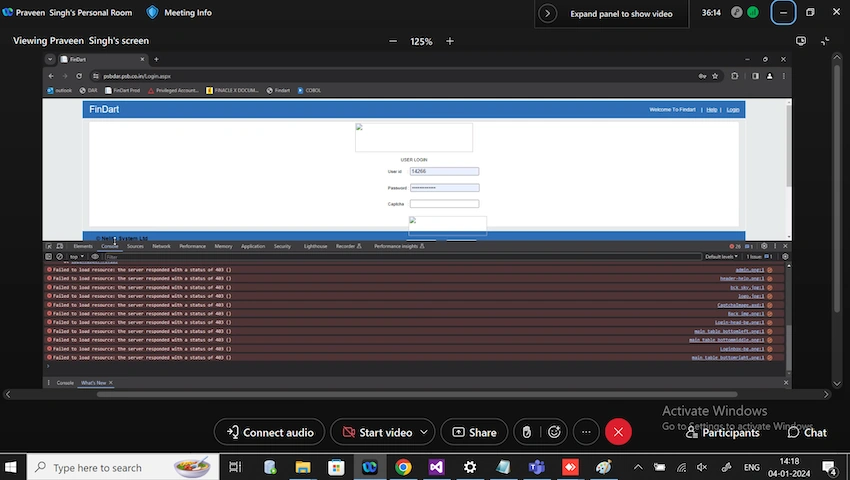
failed to load resource the server responded with a status of 403 () on css
Hi,
failed to load resource the server responded with a status of 403 () on image
failed to load resource the server responded with a status of 403 () on javascript
failed to load resource the server responded with a status of 403 () on css
Know the answer? Post it — somebody with the same question will find it here.
Sign in to answer this question
It is the same account you read, post and publish with — and you will come straight back to this page.
Jayraj ChhayaPosted Feb 9, 2024, 5:40 AM
The "failed to load resource" error with a status of 403 typically indicates that the server is denying access to the requested resource. This error can occur due to various reasons, such as incorrect file permissions, authentication issues, or server configuration problems.
To troubleshoot this issue, you can follow these steps:
Check File Permissions: Ensure that the images, JavaScript, and CSS files have the correct permissions set. The server should have read access to these files.
Verify Authentication: If the resources require authentication, make sure that the user has the necessary permissions to access them. Check if the authentication mechanism is correctly implemented and functioning as expected.
Examine Server Configuration: Review the server configuration to ensure that it allows access to the requested resources. Check if any security rules or restrictions are blocking the files from being loaded.
Test with Different Browsers: Try accessing the application using different browsers to see if the issue is specific to a particular browser. Sometimes, browser extensions or settings can interfere with resource loading.
Check Server Logs: Inspect the server logs for any error messages or warnings related to the failed resource loading. This can provide valuable insights into the root cause of the issue.
Contact Server Administrator: If the above steps do not resolve the problem, reach out to the server administrator or hosting provider for further assistance. They can help investigate the server-side configuration and permissions.