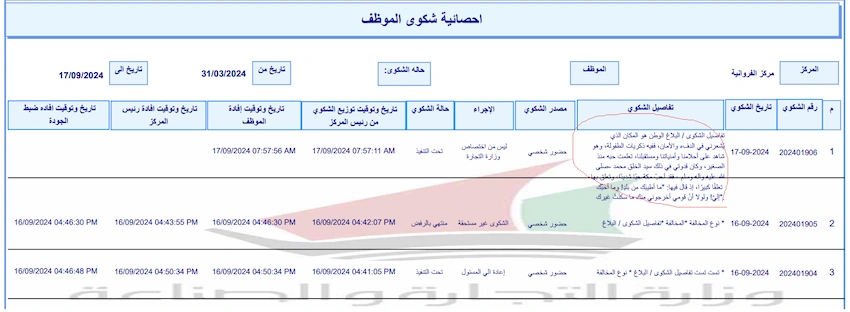
I work on crystal report I face issue when cell have too much text then it exceed border
I make cell that have too much text can grow check box but issue it exceed borders
so exactly I need field or cell to be dynamic content size as grid or table
so How to solve this issue .
I use line object as separator on details section between rows
so I need crystal report with borders and also text not exceed borders
issue as display on image below
Adarsh NigamPosted Sep 20, 2024, 7:05 AM
I understand the issue you're facing in Crystal Reports. Here are a few solutions to help you achieve dynamic content size for cells with too much text, while keeping the text within the borders:
Height := Ceiling(Len({YourTextField}) / 50) * 10(adjust the divisor and multiplier as needed)To ensure the text doesn't exceed the borders, make sure to set the borders for the cell or table correctly. You can also use the "Border" property to set the border style, width, and color.
By implementing one or a combination of these solutions, you should be able to achieve dynamic content size for cells with too much text, while keeping the text within the borders in your Crystal Report.