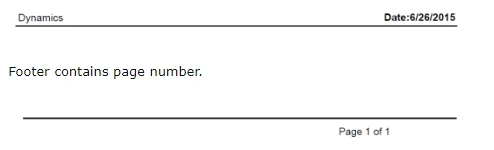
How to draw a line in header using hiqpdf.
How to draw a line in header using hiqpdf.
Know the answer? Post it — somebody with the same question will find it here.
Sign in to answer this question
It is the same account you read, post and publish with — and you will come straight back to this page.
Lokesh VarmanPosted Jan 19, 2023, 3:29 AM
1. Create a new instance of the HtmlToPdf class, which is the main class of the HiQPdf library.
HtmlToPdf htmlToPdfConverter = new HtmlToPdf();
2.Create a new instance of the PdfHeader class. This class represents the header of the PDF document.
PdfHeader header = new PdfHeader();
3.Set the HTML code of the header by using the Html property of the PdfHeader class.
header.Html = "
4.Assign the header to the PdfConverter object using the PdfHeader property.
htmlToPdfConverter.PdfHeader = header;
5.Convert your HTML to PDF by calling the ConvertHtmlToMemory() method and passing the HTML string as a parameter.
byte[] pdfBuffer = htmlToPdfConverter.ConvertHtmlToMemory(html, baseUrl);
6.Save the PDF document to a file or stream by using the File.WriteAllBytes() method or the FileStream class.
File.WriteAllBytes("YourFile.pdf", pdfBuffer);
In this example, the HTML code in the header creates a div element, centers it and adds a horizontal rule (hr) with a 1px solid black line. You can modify this HTML code to achieve the desired look of your line.
Please note that you need to have HiQPdf library installed and referenced in your project in order to use the classes and methods mentioned above.
Vishal YelvePosted Jan 19, 2023, 7:27 AM
https://www.hiqpdf.com/documentation/html/12bf4427-8c30-47ee-8dad-acaca7ff1276.htm