I have two branches first branch beforefinal and second branch name is Final and i need to make merge and differences from Final branch to beforefinal branch local on my pc
so How to do that please
my project worked on asp.net core 8
and I worked on visual studio 2022 i need to get different api from remote repo branch final to
local branch repo beforefinal
can you tell me how to do that please on visual studio 2022
step by step
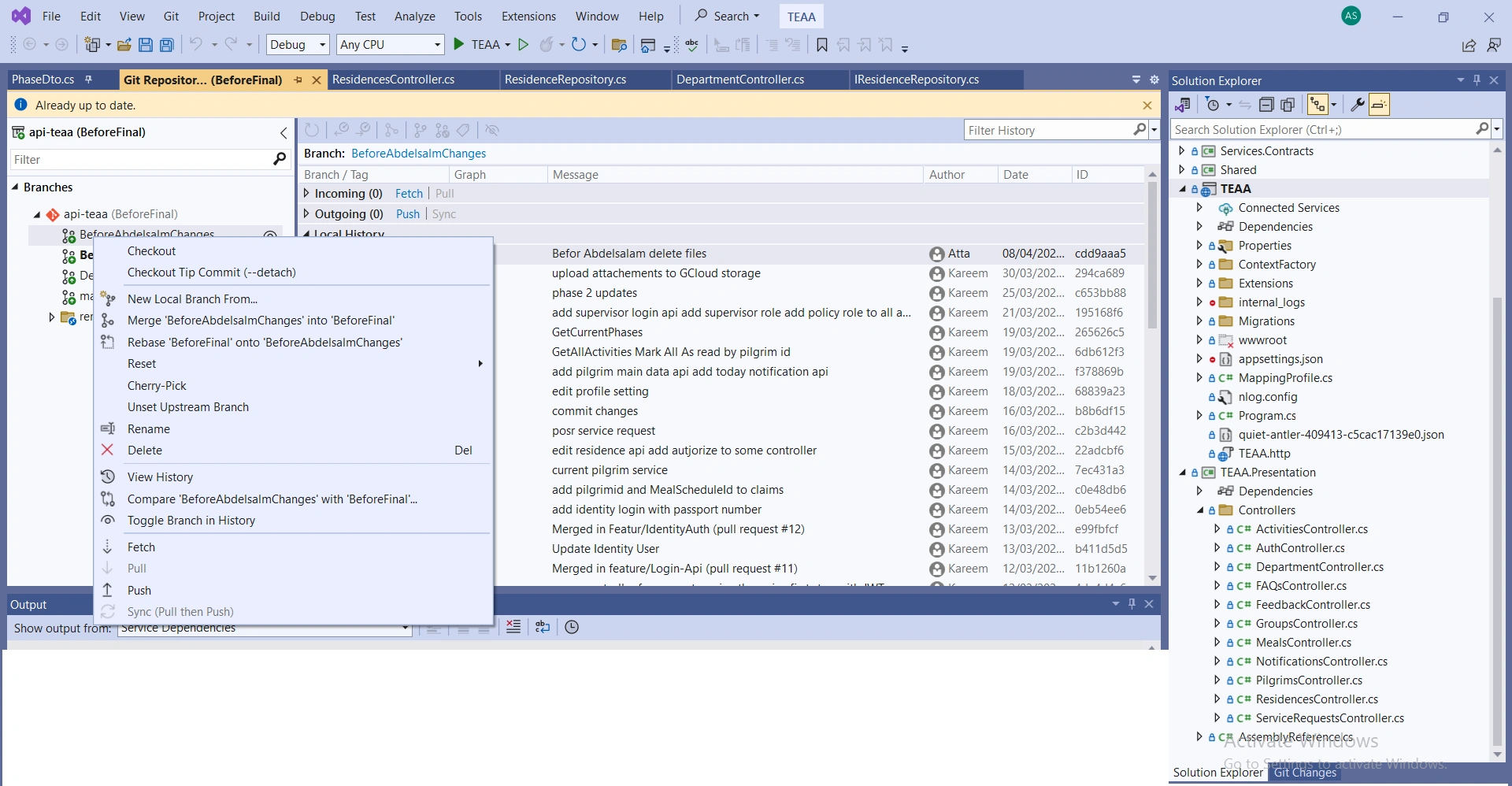
i try to merge but nothing changed although there are more differentces on remote repo branhces
i click on option merge beforeabdelsalamchange to beforefinal but nothing changed
so what i do to get changes from remote repo to local
Mithilesh TataPosted Apr 13, 2024, 5:35 AM
Sure, I can guide you through the process step by step. Here's how you can merge changes from the "Final" branch to the "beforefinal" branch on your local machine using Visual Studio 2022:
Open Visual Studio 2022: Launch Visual Studio and open your project solution.
Open Team Explorer: If you don't have Team Explorer open, you can do so by going to the View menu and selecting Team Explorer.
Connect to Your Repository: Make sure you're connected to your Git repository where your project is hosted. If you haven't connected yet, click on "Manage Connections" in the Team Explorer and connect to your repository.
Fetch Latest Changes: Before merging, it's good practice to fetch the latest changes from the remote repository to ensure you have the most up-to-date information. You can do this by clicking on the "Fetch" button in Team Explorer.
Switch to the "beforefinal" Branch: In the Team Explorer, navigate to the Branches section and double-click on the "beforefinal" branch to switch to it.
Merge "Final" Branch into "beforefinal" Branch: a. Right-click on the "Final" branch in the Branches section. b. Select "Merge From...". c. In the dialog that appears, make sure "Final" is selected as the source branch. d. Click "Merge".
Resolve Merge Conflicts (if any): If there are any merge conflicts, Visual Studio will prompt you to resolve them. You'll need to review and resolve each conflict manually.
Commit Merge: After resolving any conflicts, commit the merge by clicking on the "Commit All" button in the Team Explorer. Provide a commit message describing the merge.
Push Changes to Remote Repository (Optional): If you want to push the merged changes to the remote repository, click on the "Sync" button in Team Explorer and then click "Push".
Jithu ThomasPosted Apr 13, 2024, 5:34 AM
Merging changes from the
Finalbranch to your localbeforefinalbranch in Visual Studio 2022, specifically focusing on getting the API differences for your ASP.NET Core 8 project:Prerequisites:
Steps:
Fetch Latest Changes (Optional):
If you haven't recently fetched changes from the remote repository, it's recommended to do so before merging:
.slnfile).Switch to the Local
beforefinalBranch:beforefinalbranch to make it the active branch. You'll see it highlighted or marked with an asterisk (*).Merge the Remote
FinalBranch:beforefinalbranch and select Merge > Merge branch 'Final' of 'origin' (or your remote repository name).<<<<<<and>>>>>>>) to see the code versions from both branches.Additional Considerations:
Finalandbeforefinal, before merging:beforefinalbranch and select Compare > With branch...Finalbranch and click OK.By following these steps, you should be able to successfully merge the changes from the
Finalbranch to your localbeforefinalbranch in Visual Studio 2022 for your ASP.NET Core 8 project, ensuring that you incorporate the latest API updates. If you encounter any issues during the merge process, feel free to provide more details about the specific errors or conflicts you're facing.