I am currently working with Crystal Reports and facing an issue with a text field not utilizing the full line capacity.
Problem:
The text is not extending to fill the entire length of the field. I need the text to occupy the full space of the first line and then break to the next line, but this is not happening.
Current Setup:
Paper print setup: Portrait Desired behavior: Text should take the full space of the first line before breaking to the second line.
Request for Help:
Could you please advise on how to fix this issue?
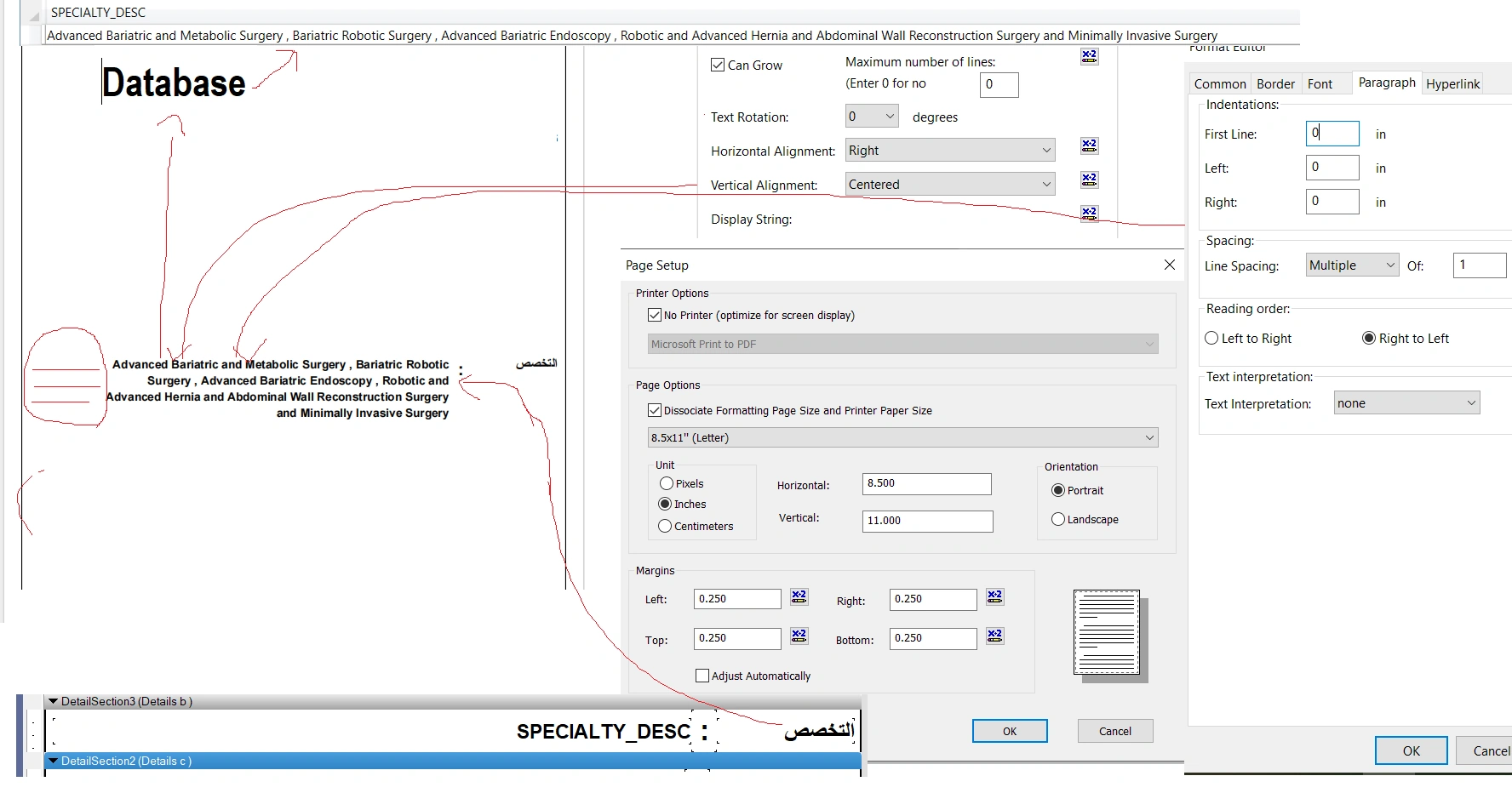
I have attached an image below showing the current field and page settings.
this picture below show setting
ahmed salahPosted Jul 14, 2025, 10:18 PM
i align to left but nothing changed so can you help me by any other idea please
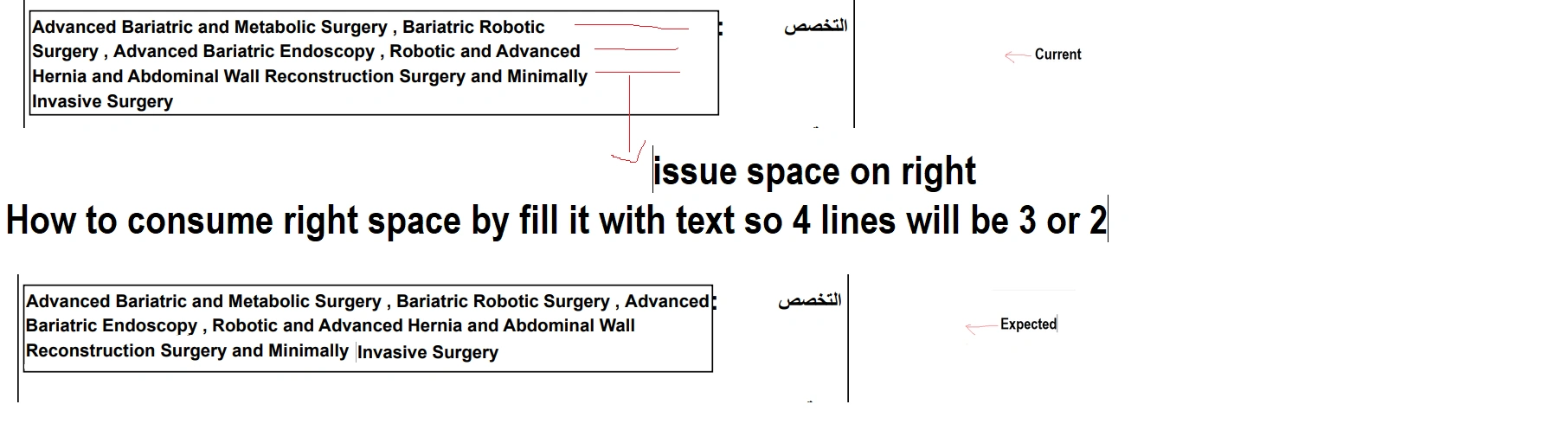
what i do as below
Pranav TyagiPosted Jul 14, 2025, 5:00 PM
Right alignment can cause this problem so try to set horizontal alignment to left
Cynthia SathuragiriPosted Jul 14, 2025, 6:54 AM
Set Horizontal Alignment to Left (unless it's Arabic or a RTL language).
Right alignment can cause unexpected line breaks if the text is LTR (like English).
Drag the field borders to increase width. Ensure no overlapping fields next to it.
Try changing Line Spacing to Exactly or Single
Keep First Line and Left/Right Indents at 0
If your field contains English or mixed-language content, try setting Reading Order: Left to Right and Text Interpretation: None.
Save and Preview the report.
ahmed salahPosted Jul 13, 2025, 9:58 AM
How to allow text wrapping on crystal report
my issue on left space it exist and not extend text to it
Pranav TyagiPosted Jul 13, 2025, 9:53 AM